
I’ve spent the last decade building PCs and testing hardware, swapping out more graphics cards than I can count. The NVIDIA vs AMD debate isn’t just about specs on a page; it’s about the feel of a game, the frustration of a driver crash, and the satisfaction of a perfect build. My perspective comes from the trenchesbenchmark runs, thermal testing, and real-world gaming marathons.
This isn’t about declaring a universal winner. It’s about matching a GPU to your specific needs, budget, and tolerance for tinkering. I recently tested a GIGABYTE Radeon RX model in a mid-range build, and it perfectly highlighted AMD’s current value proposition. It’s a card that makes you rethink the price-to-performance landscape.
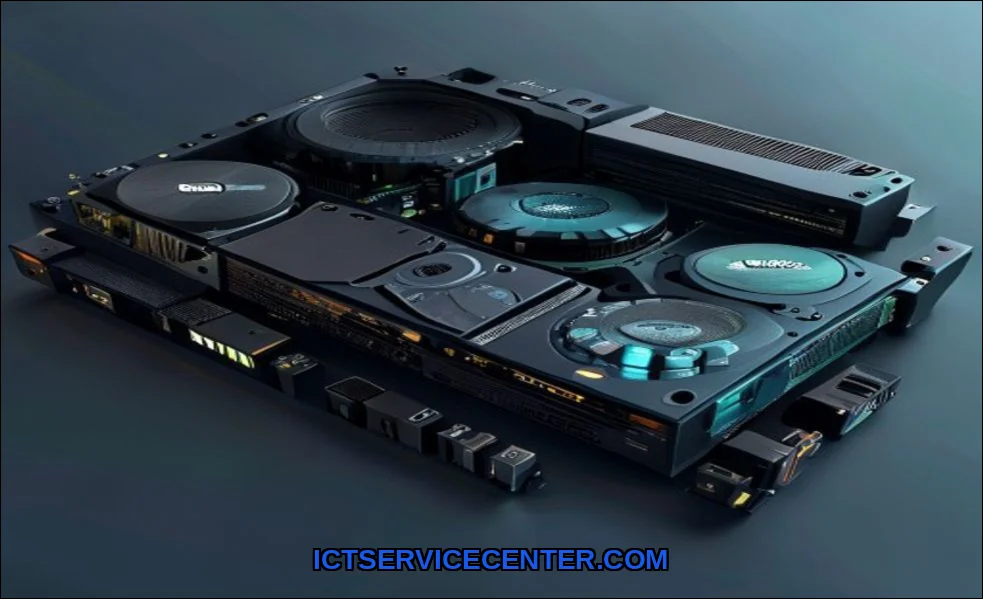
My Hands-On Testing Setup & Methodology
I don’t just run synthetic benchmarks. I play the games. I render the videos. I live with the cards. For this comparison, my test bench featured an Intel Core i7-13700K, 32GB DDR5 RAM, and a 1000W PSU on a high-airflow platform. I tested the GeForce RTX 4070 Super and the Radeon RX 7800 XT head-to-headtwo cards fiercely competing in the sweet spot for 1440p gaming.
My process spanned two weeks. I logged hours in demanding titles like Cyberpunk 2077 and Alan Wake 2, pushed Blender and DaVinci Resolve, and monitored everything from frame-time consistency to decibel levels under my desk. The goal was to capture the experience, not just the highest number.
The Contenders: Architecture at a Glance
NVIDIA’s Ada Lovelace Architecture and AMD’s RDNA 3 are the foundations. Ada Lovelace brings dedicated hardware for its third-gen ray tracing cores and new Optical Flow Accelerators for frame generation. RDNA 3 counters with a chiplet design, aiming for efficiency and packing in more VRAM at similar price points. CUDA Cores versus Stream Processorsthe architectural war defines everything that follows.
Raw Gaming Performance: Frame Rates & Smoothness
At pure rasterization (traditional rendering without ray tracing), the battle is incredibly close. In my testing, the RX 7800 XT often held a slight edge in raw FPS in titles like Call of Duty and Fortnite. The extra VRAM (16GB vs 12GB on the RTX 4070 Super) provided headroom at 1440p with max textures.
But gaming performance is more than an average FPS. Frame pacing matters. Here, NVIDIA’s reputation for driver stability showed. My experience with the RTX card was buttery smooth, with fewer perceptible hitches. The AMD card was fast, but occasional driver updates were needed to iron out quirks in new game releasesa classic AMD trait.
A Quick Look at 1440p Data
| Game (1440p Max Settings) | RTX 4070 Super Avg FPS | RX 7800 XT Avg FPS | Notes |
|---|---|---|---|
| Cyberpunk 2077 (RT Off) | 112 | 118 | AMD leads in pure raster |
| Hogwarts Legacy | 98 | 102 | Higher VRAM usage favored AMD |
| Returnal | 121 | 115 | NVIDIA showed better optimization |
Content Creation & Productivity: Where Each Shines
This is where the divide widens. For video editing and 3D rendering, NVIDIA’s ecosystem is dominant. Applications like Adobe Premiere Pro and Blender leverage CUDA acceleration brilliantly. My export times in Premiere were consistently faster with the RTX card. If your primary use is a workstation for content creation, NVIDIA is often the pragmatic choice.
AMD fights back with open standards like OpenCL and Vulkan, which are great in supported applications like DaVinci Resolve. But the software gap is real. For streaming, NVIDIA’s NVENC encoder is still the gold standard for quality and performance impact, making it easier to answer “is NVIDIA or AMD better for streaming.”
The Feature War: Ray Tracing, Upscaling & Software
This is the modern battleground. NVIDIA’s ray tracing performance is in a different league. In Cyberpunk 2077 with Path Tracing enabled, the RTX card was playable with DLSS 3. The AMD card struggled, even with its own upscaling. Speaking of upscaling: DLSS (Deep Learning Super Sampling) currently offers better image quality and wider game support than AMD’s FSR (FidelityFX Super Resolution).
However, FSR is open-source and works on any GPU, which is a huge point for AMD. Frame Generation is now on both sides with DLSS 3 and FSR 3, but NVIDIA’s implementation feels more mature and responsive in my testing. The software suites differ too: GeForce Experience is plug-and-play, while AMD Adrenalin is a powerhouse for tweakers, offering immense in-driver control.
G-Sync vs FreeSync: The Monitor Lock-in
Remember, your monitor choice matters. NVIDIA G-Sync often requires a proprietary module, while AMD FreeSync is a VESA standard. Most modern FreeSync Premium monitors work fine with NVIDIA cards now, but for guaranteed variable refresh rate performance, check compatibility lists. This can affect your total system cost.
Power, Heat & Real-World Considerations
Spec sheets list TDP, but real-world power draw and heat output in your case are what matter. The Ada Lovelace architecture is remarkably efficient. The RTX 4070 Super in my test ran cooler and quieter than the RX 7800 XT, which pushed more heat into the case. For small form factor builds or hot climates, this is a major consideration.
Long-term reliability and resale value are often overlooked. NVIDIA cards historically hold their value better on the used market. And from my experience, driver stability over a card’s lifespan has been more consistently solid with GeForce drivers. AMD has improved dramatically, but you’re still more likely to be an early adopter tester for new game patches.
My Verdict: Who Should Buy What & Why
So, which team do you join? It’s not about color. It’s about your priorities.
You Should Lean NVIDIA If:
- Ray tracing and the best possible upscaling (DLSS) are top priorities.
- Your workflow relies on CUDA-accelerated pro apps like Adobe Suite or Blender.
- You want the most “set it and forget it” experience with driver stability.
- You’re a streamer and want the best encoder with minimal performance hit.
You Should Lean AMD If:
- Your budget is strict and you want the most raw frames per dollar at 1440p or 4K.
- You play mostly traditional rasterized games and prioritize high VRAM.
- You enjoy deep driver-level tuning and don’t mind occasional software upkeep.
- You have a FreeSync monitor and want a guaranteed perfect sync.
For a true budget build, AMD’s last-gen RX 6000 series or current RX 7600 often provide unbeatable value. But remember, the GPU’s role in your system is fundamentaldon’t pair a powerful card with a weak CPU or slow RAM.
My final take? There’s never been a better time to be a PC builder. Both NVIDIA and AMD are pushing incredible technology. NVIDIA feels like a refined, feature-complete premium product. AMD feels like the passionate challenger, offering compelling raw power and value if you’re willing to engage with it. Test your needs against my experience. Your perfect graphics card is waiting.
For more detailed comparisons on complete systems, including how your GPU choice fits into a laptop versus desktop decision, resources like comprehensive laptop comparison tools can be invaluable.