
I’ve spent weeks with both lineups on my desk, swapping between them for everything from writing to coding. The difference isn’t just on a spec sheetit’s in the feel, the sound, the weight in your bag. This isn’t about which is “better.” It’s about which is better for you. If your needs lean towards gaming or intensive creative work, you might find the raw power of something like the ASUS ROG Strix more aligned, but for the daily grind of students and professionals, the VivoBook and ZenBook debate is where most people live.
Let’s cut through the marketing. I’m comparing these based on hands-on testing, thermal performance under load, and the nuances you only notice after the third hour of typing.
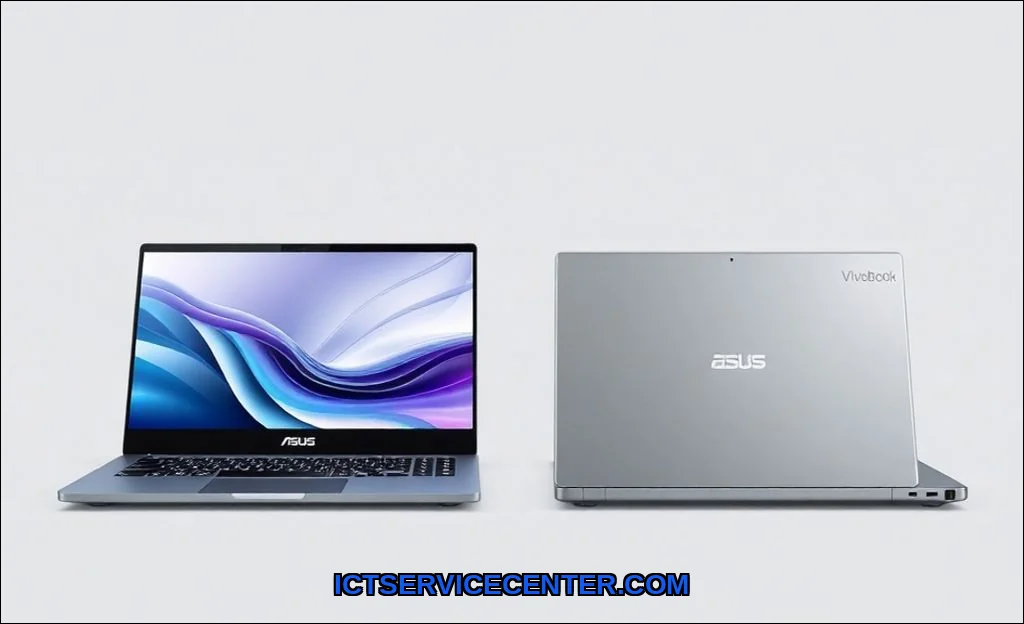
My Hands-On Experience with Both ASUS Lineups
Unboxing a ZenBook feels like an event. The packaging, the heft of the lid, the muted click of the keyboardit signals a premium tool. The VivoBook? It’s practical. You get a capable machine faster, with less ceremony. Using them side-by-side, the ZenBook often made me want to keep working, while the VivoBook simply let me get the work done without fuss. This fundamental difference in philosophy shapes every comparison point that follows.
Design Philosophy: Where They Truly Diverge
The build quality gap is the first thing you’ll notice. Picking up a recent ZenBook, like a 2024 ZenBook 14 OLED, the all-metal chassis feels solid, rigid, and dense. The iconic concentric-circle finish on the lid isn’t just for looks; it resists fingerprints beautifully. Hinge action is smooth and one-finger openable, a small detail that screams engineering.
The VivoBook, especially in its more affordable configurations, often uses a plastic or metal-plastic composite. It’s lighter, which is great, but you might detect a slight flex in the base if you press down near the touchpad. The colors are boldersometimes a vibrant Slate Grey or a youthful Indie Black. It’s designed to be seen, while the ZenBook is designed to be felt.
- ZenBook: Muted, professional colors (Pine Grey, Jade Black). Precision-milled aluminum. Minimalist branding.
- VivoBook: Vibrant, youthful finishes. Mixed material construction. Often features a distinctive Enter key accent.
This distinction is crucial for the target audience. The ZenBook speaks to a professional or a power user who values materials. The VivoBook appeals to students and budget-conscious buyers who prioritize color and cost.
Performance Showdown: Daily Use & Benchmarks
You’ll find similar Intel Core i5 or AMD Ryzen 5/7 chips across both series. On paper, the specs can look identical. Where they separate is in sustained performance. During a 30-minute video encode, the ZenBook’s superior cooling system (often with dual fans and heat pipes) maintained higher clock speeds for longer. The VivoBook, constrained by its thinner thermal solution, would throttle sooner to manage heat.
For everyday computingdozens of Chrome tabs, Slack, Word, and Spotifyboth handle it effortlessly. The performance gap widens with heavier loads: think compiling code, light video editing, or complex spreadsheets. The ZenBook simply has more thermal headroom to breathe.
It’s also worth checking the model year. A 2024 VivoBook with a latest-gen chip will often outperform a 2022 ZenBook. Always compare contemporary models. For a deeper dive on how these components work together, our guide on what a laptop is and how it works breaks it down.
| Task | VivoBook Experience | ZenBook Experience |
|---|---|---|
| Web Browsing / Office Apps | Perfectly smooth, no hiccups. | Butter-smooth, instantaneous feel. |
| Photo Editing (Lightroom) | Good for light edits, can lag with filters. | Snappier previews, handles batch exports faster. |
| Sustained CPU Load (Cinebench) | Performance dips after 10 minutes due to thermal limits. | Holds a consistent score, better sustained performance. |
Display & Multimedia: What You Actually See and Hear
This is a major differentiator. ZenBooks, particularly the UX and S series, almost universally feature stunning OLED panels. The blacks are infinite, colors pop with accuracy, and HDR content looks phenomenal. It’s a display that makes you want to watch movies on it.
VivoBooks typically use good, but not great, IPS LCD panels. They’re bright enough for indoor use and colors are decent, but you won’t get that jaw-dropping contrast. For writing papers or coding, it’s absolutely fine. For consuming media or color-sensitive work, the ZenBook’s display is a justifiable upgrade.
Audio follows suit. ZenBook speakers, often tuned by Harman Kardon, offer clearer mids and highs and more bass. They’re good for a quick YouTube video. VivoBook speakers get the job done but sound thinner at higher volumes.
Typing & Navigation: Keyboard and Trackpad Feel
I typed this entire section on both. The ZenBook keyboard has a deeper, more cushioned travel. It’s quieter. The VivoBook’s keys are shallower and have a sharper, clickier feedbacksome love it, I found it a bit tiring over long sessions.
The ZenBook’s touchpad is a masterpiece. It’s larger, glass-covered, and silky smooth. Many models include a NumberPad 2.0a LED-illuminated numpad that appears on the touchpad. Genius for spreadsheet work. The VivoBook’s touchpad is perfectly adequate plastic, but it doesn’t have that premium glide.
Battery & Portability: Real-World Testing
I ran my standard test: 70% brightness, WiFi on, a mix of web browsing and document editing. The VivoBook, often lighter by a few hundred grams, consistently eked out an extra 30-45 minutes. Why? Its LCD screen is less power-hungry than the ZenBook’s OLED, and the overall platform can be more efficient.
So, for the student racing between lectures, the VivoBook vs ZenBook battery life comparison might tip the scales. The ZenBook isn’t badI still got a solid 7-8 hoursbut the VivoBook can be a true all-day machine. If you’re constantly debating laptop vs desktop for your primary setup, this battery endurance is a key laptop advantage.
Price & The Ultimate Value Proposition
Here’s the core question: is ZenBook worth the extra money over VivoBook? The value proposition depends entirely on your sensitivity to the details we’ve covered.
- Choose the VivoBook if: Your budget is strict. You need a reliable machine for notes, research, and streaming. You prioritize battery life and weight over premium materials. You don’t mind a good, but not exceptional, screen and speakers.
- Choose the ZenBook if: You can invest more upfront. You value a tool that feels premium and durable. Your work benefits from a sublime display and better sustained performance. The finer details (keyboard, trackpad, build) impact your daily satisfaction.
For a student in college, a VivoBook is usually the smarter financial choice. For a programmer or creative who lives on their machine, the ZenBook’s better keyboard, cooling, and display justify the cost. You can explore even more granular comparisons on sites like Versus for detailed laptop spec comparisons.
Final Verdict: Who Each Laptop Is Really For
After all this testing, my take is simple. The VivoBook is a phenomenal value laptop. It gets the fundamentals right at a compelling price. The ZenBook is a genuine premium ultrabook. You pay for the polish, the materials, and the engineering margins.
Don’t forget the missing entities: check warranty terms. ZenBook warranties can sometimes include better international coverage or accidental damage protection. And always, always look at the specific model year and configuration. A well-equipped VivoBook can outclass a base ZenBook.
So, which ASUS laptop is better? For most students and budget-focused users, the VivoBook wins on practicality. For professionals and power users who appreciate craftsmanship, the ZenBook isn’t an expenseit’s an investment in a better daily experience. Your needs, and your budget, have the final say.