
 By
You have two good machines in front of you and one decision that follows you for years. The MacBook Air runs macOS, and a Windows laptop runs Windows 11, so the choice is really about which system your daily work already lives in.
In short: Pick the MacBook Air if you live in Apple apps and services, want a silent machine with long battery life, and accept two Thunderbolt ports and fixed memory. Pick a Windows laptop if you need Windows-only software, more ports, a touchscreen, or a wider range of models and upgrade options. Either one handles browsing, office work, school, and streaming well.
Key takeaways
- Your apps decide the winner: if a program you need runs only on one system, that settles the choice.
- The MacBook Air M4 (13-inch) gives up to 18 hours of video streaming on Apple figures, with a 13.6-inch 2560-by-1664 display, 16 GB of unified memory, and a 2.7-pound body.
- Windows laptops offer far more choice: touchscreens, 2-in-1 designs, more ports, and upgradeable models.
- Check the exact listing before you buy: screen, memory, storage, and ports change between configurations.
MacBook Air vs Windows laptop at a glance
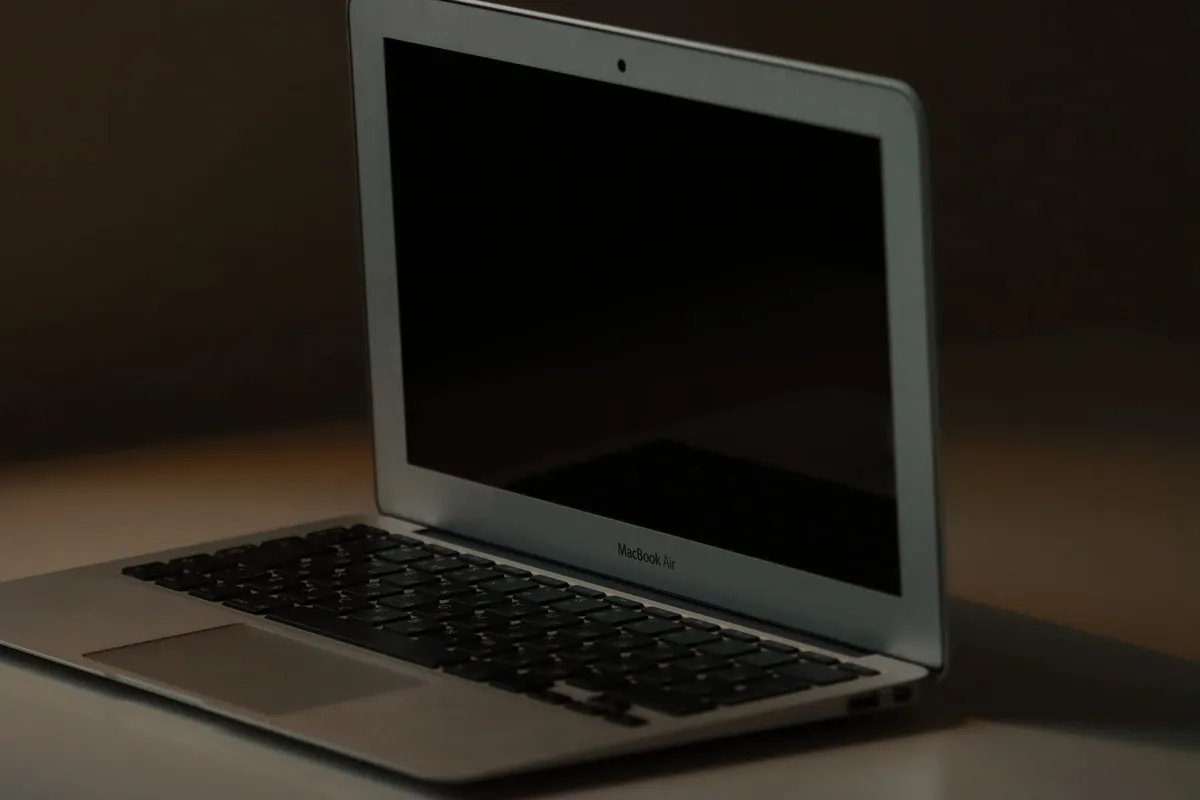
This is a general buyer decision, not a fight between two models. A Windows laptop can be a slim ultrabook, a 2-in-1, or a budget machine for school, while the MacBook Air is one line from one maker. If you want a head-to-head between two named models, read our Dell XPS 13 vs MacBook Air comparison after this guide. For the detail, see our notes on top laptop brands 2026.
| Feature | MacBook Air (M4, 13-inch) | Windows laptop (typical) |
|---|---|---|
| System | macOS | Windows 11 |
| Display | 13.6-inch Liquid Retina, 2560 by 1664, 500 nits | 13 to 16 inches, Full HD to 4K, some touchscreens |
| Memory | 16 GB unified memory, configurable to 24 GB or 32 GB | Often 8 GB to 32 GB, sometimes upgradeable after purchase |
| Storage | 256 GB SSD, configurable to 512 GB, 1 TB, or 2 TB | Often 256 GB to 1 TB, often upgradeable after purchase |
| Battery (maker figures) | Up to 18 hours video streaming, up to 15 hours wireless web | Varies widely by model |
| Ports | MagSafe 3, two Thunderbolt 4, 3.5 mm headphone jack | Often USB-A, USB-C, HDMI, and a card slot |
| Weight | 2.7 pounds | From under 2.5 pounds to over 4 pounds |
| Repairs and upgrades | Memory and storage fixed at purchase | Many models allow a memory or SSD swap later |
The table shows why a spec sheet alone cannot pick your laptop. The MacBook Air numbers are fixed, while Windows numbers spread across dozens of models. That spread is the strength and the weakness of the Windows side: you can find almost any combination, but you have to read each listing with care.
Ecosystem and software

Start here, because software beats hardware in this decision. If your work runs in Final Cut Pro or another macOS-only app, the MacBook Air is the practical pick. If your work needs a Windows-only program or a game that only ships for Windows, a Windows laptop is the practical pick.
The MacBook Air runs macOS, with Safari, Mail, Notes, Pages, Numbers, Keynote, and iPhone Mirroring built in, plus the App Store for the rest. If you use an iPhone, the connection is close: messages and calls carry over, and files move through iCloud.
Windows 11 runs on machines from Dell, HP, Lenovo, Asus, Acer, and others, and it runs the widest range of desktop software.
Microsoft lists the Windows 11 minimum as a 1 GHz processor with 2 or more cores, 4 GB of RAM, 64 GB of storage, UEFI with Secure Boot, TPM 2.0, and a DirectX 12 graphics card.
Those are floors, not buying advice: a new laptop you buy today will sit far above them. For a broader brand comparison, see our MacBook vs Dell laptop guide.
Performance and battery life
For everyday work, both sides are fast enough. Browsing with many tabs, email, documents, spreadsheets, video calls, and streaming do not stress a modern laptop. The differences show up in heavier work: photo and video editing, large data sets, code builds, and games.
The MacBook Air M4 (13-inch) uses the Apple M4 chip with a 10-core CPU, 8-core or 10-core GPU, a 16-core Neural Engine, and 120 GB/s memory bandwidth. It starts with 16 GB of unified memory and 256 GB of SSD storage, both configurable upward.
The body has no fan, so it stays silent, and Apple rates the battery at up to 18 hours of video streaming and up to 15 hours of wireless web browsing.
Full figures are on the Apple Support page for MacBook Air (13-inch, M4, 2025) tech specs. If that sounds like your bench, read up on dealing with loose connectors next.
Windows laptops cover a wider performance range, which makes a single verdict impossible. A thin ultrabook handles the same everyday work as a MacBook Air, and a gaming or creator laptop with discrete graphics handles heavier work that the Air was never built for.
The trade is heat, noise, and weight: the faster Windows machines need fans and larger batteries. Battery life is also where Windows varies most, from a short work session to a full day.
Screen, keyboard and trackpad
You look at the screen and touch the keyboard for hours every day, so these matter. The MacBook Air M4 (13-inch) has a 13.6-inch Liquid Retina display at 2560 by 1664, with 500 nits brightness, wide color (P3), and True Tone. Windows laptops range from dim budget panels to bright OLED screens, so check brightness, resolution, and panel type on the listing.
Keyboard feel is personal, and both sides offer good ones. The MacBook Air uses a backlit Magic Keyboard with Touch ID, and a Force Touch trackpad with pressure-sensing clicks and multi-touch gestures. Windows laptops vary: some have excellent backlit keyboards and smooth glass trackpads, while cheaper models use smaller trackpads and shallow keys.
Touchscreens are a Windows-only option in this comparison. No MacBook Air has a touchscreen, while many Windows laptops do, and 2-in-1 models fold into tablet mode for notes and sketching. If you annotate PDFs or sign documents, that alone can settle the choice.
Ports, upgrades and repairs
Ports are the clearest practical gap between the two.
The MacBook Air M4 (13-inch) has a MagSafe 3 charging port, two Thunderbolt 4 (USB-C) ports that support charging, DisplayPort, Thunderbolt 4 at up to 40 Gb/s, and USB 4 at up to 40 Gb/s, plus a 3.5 mm headphone jack.
That covers a charger and one or two accessories; a desk with a monitor, wired network, and USB-A devices needs a hub or dock.
Windows laptops usually give you more. A typical mid-range model may carry two USB-C ports, one or two USB-A ports, HDMI, and a microSD slot. The Dell XPS 13 9310, for example, ships with two Thunderbolt 4 ports and a microSD-card slot, according to the Dell XPS 13 9310 setup and specifications page. Count the ports on the listing before you buy.
Upgrades and repairs favor Windows. The MacBook Air memory and storage are fixed at purchase, so the configuration you choose is the configuration you keep.
Buy 16 GB of memory for light work, and step up to 24 GB if you edit photos or run virtual machines. Many Windows laptops let you add memory or swap the SSD later.
Before you buy a Windows laptop for that reason, check the service manual for that exact model: some thin models solder the memory in place, just like the Air.
Price and longevity
A MacBook Air costs more up front than many Windows laptops, and it holds its value longer on the used market.
Longevity depends on support as much as hardware. Apple supports its laptops with macOS updates for years. Windows laptops get Windows 11 updates from Microsoft, and the machine stays useful as long as the maker keeps drivers current.
Microsoft also sets Copilot+ PC requirements at a neural processing unit of 40 or more TOPS, 16 GB of DDR5 memory, and 256 GB of SSD storage. For budget planning, see our guide on how much to spend on a laptop.
Storage and memory decide how long a laptop feels fast.
A 256 GB drive fills quickly, so step up to 512 GB if you keep large files on the machine, and choose 16 GB of memory for a laptop you plan to keep for four or five years.
For a machine that will sit at a desk all day, our best laptop for working from home guide covers screen comfort and battery in more detail.
The picks
Use this short routine to choose in five minutes.
- List the five programs you open every day and check each one runs on your chosen system.
- List the devices you plug in: monitor, printer, external drive, and headset.
- Pick a screen size and a weight you will carry every day.
- Choose 16 GB of memory and 512 GB of storage unless your work is light and your files live in the cloud.
- Read the listing for the exact configuration before you pay.
Our what to look for when buying a laptop guide walks through the same checks.
The Mac pick: MacBook Air M4, 13-inch
Pick the MacBook Air if you use an iPhone, live in Apple apps, and want a silent laptop with long battery life. It weighs 2.7 pounds, so it travels well. Its limits are fixed: two Thunderbolt ports, no touchscreen, and memory and storage set at purchase.
A silent M4 machine with a bright 13.6-inch display and long battery life, in a 2.7-pound body that travels well.
See options on AmazonThe Windows pick: Dell XPS 13
Pick a Dell XPS 13 if you need Windows software and want a slim ultrabook with a touchscreen option. Check the listing for the exact chip, memory, storage, display, and ports, because the XPS 13 ships in several configurations.
A slim Windows 11 ultrabook with Thunderbolt 4 ports and a sharp display, in the same travel class as the MacBook Air.
See options on AmazonMistakes to avoid
Buying the system your apps cannot run. Check every daily program against macOS and Windows 11 before you pay. A fast laptop that cannot run your work software is the wrong laptop.
Choosing 8 GB of memory for a laptop you plan to keep. Memory is fixed on the MacBook Air and soldered on many thin Windows laptops, so a short saving at purchase can mean an early replacement. Choose 16 GB as a minimum.
Ignoring the ports on the exact configuration. Model names hide differences, so count the ports on the listing and buy a hub at the same time if your desk needs one.
Judging battery life from a single number. Maker figures come from lab tests with set brightness and workloads. Your battery life will differ, so compare figures only between machines tested the same way.
Skipping the screen check. A dim or low-resolution panel makes every hour at the laptop worse. Check brightness, resolution, and panel type on the listing, and view the screen in person when you can.
Frequently asked questions
Can I run Windows apps on a MacBook Air?
Most Windows-only apps do not run directly on macOS, so check each program first. Some offer a Mac or web version, and some work through virtualization or remote desktop, but those routes add setup. If a Windows-only program is central to your job, a Windows laptop is the safer pick.
Is the MacBook Air good for school and office work?
Yes, it handles school and office work well. The 13.6-inch display is sharp, the keyboard and trackpad suit long typing sessions, and the battery lasts through a full day on Apple figures. Choose 16 GB of memory and 512 GB of storage for large files.
Can a Windows laptop last as long as a MacBook Air?
Yes, a well-built Windows laptop can last as long as a MacBook Air. Longevity depends on build quality, memory and storage headroom, driver support, and care. Choose 16 GB of memory and 512 GB of storage, keep the vents clear, and replace the battery when it weakens.
Do I need a hub with a MacBook Air?
Most desk setups do need one. The Air has MagSafe charging, two Thunderbolt 4 ports, and a headphone jack, so a monitor, wired network, and USB-A devices need a hub or dock. A single USB-C hub with HDMI, USB-A, and pass-through charging covers most desks.
Which laptop is better for photo and video editing?
Both can edit photos and video, but the best pick depends on your software. The MacBook Air M4 handles photo editing and light video work, with hardware acceleration for common codecs. A Windows laptop with discrete graphics suits heavier video work.
Bottom line: List your daily apps, count your ports, and pick the system that fits your work. The MacBook Air suits Apple users who want silence and long battery life; a Windows laptop suits buyers who need Windows software, more ports, or a touchscreen. Browse our laptop comparison guides if you still need to narrow the choice.
Sources: Apple Support, MacBook Air (13-inch, M4, 2025) Tech Specs; Microsoft, Windows 11 Specs and System Requirements; Dell, XPS 13 9310 Setup and Specifications. Photos: Efrem Efre via Pexels, Adam Sondel via Pexels, Ruben Boekeloo via Pexels, Mahdi Daldawala via Pexels.