
 By
Before you buy a faster drive, you need one fact: whether your laptop has an M.2 slot, and which kind it is.
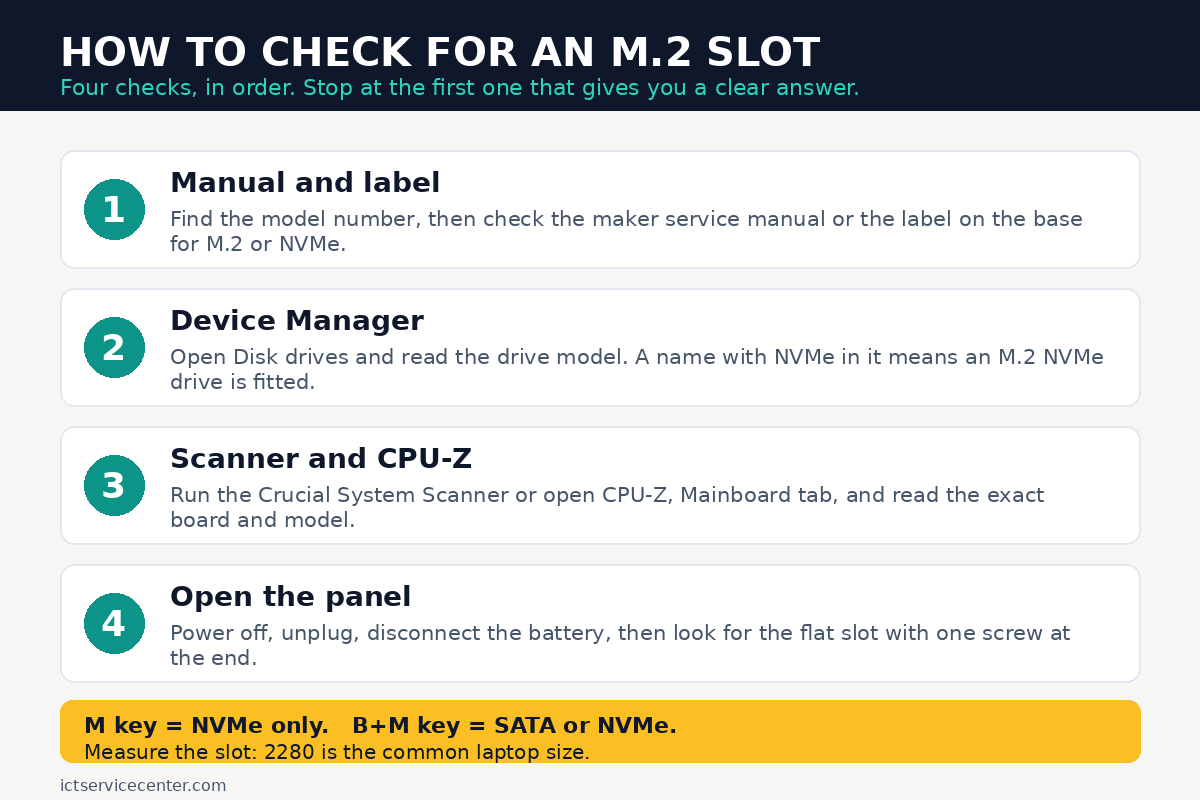
In short: Check the maker service manual for your exact model first, then look in Device Manager under Disk drives for a model name with NVMe in it.
If that leaves doubt, open the bottom panel, power off with the battery disconnected, and look for the flat slot with one screw at the end. Its length, usually 2280, and its notch pattern, M key or B+M key, tell you which drive fits.
Key takeaways
- The manual for your exact model is the fastest answer: it also gives the size and the interface.
- A drive name with NVMe in it in Device Manager means an M.2 NVMe drive is fitted.
- An M.2 slot is a flat connector about 22 mm wide with one small screw at the far end.
- M key slots take NVMe drives only, while B+M key slots take SATA or NVMe drives.
- Do not buy a drive until you know the length, usually 2280, and the interface, SATA or NVMe.
What an M.2 slot looks like
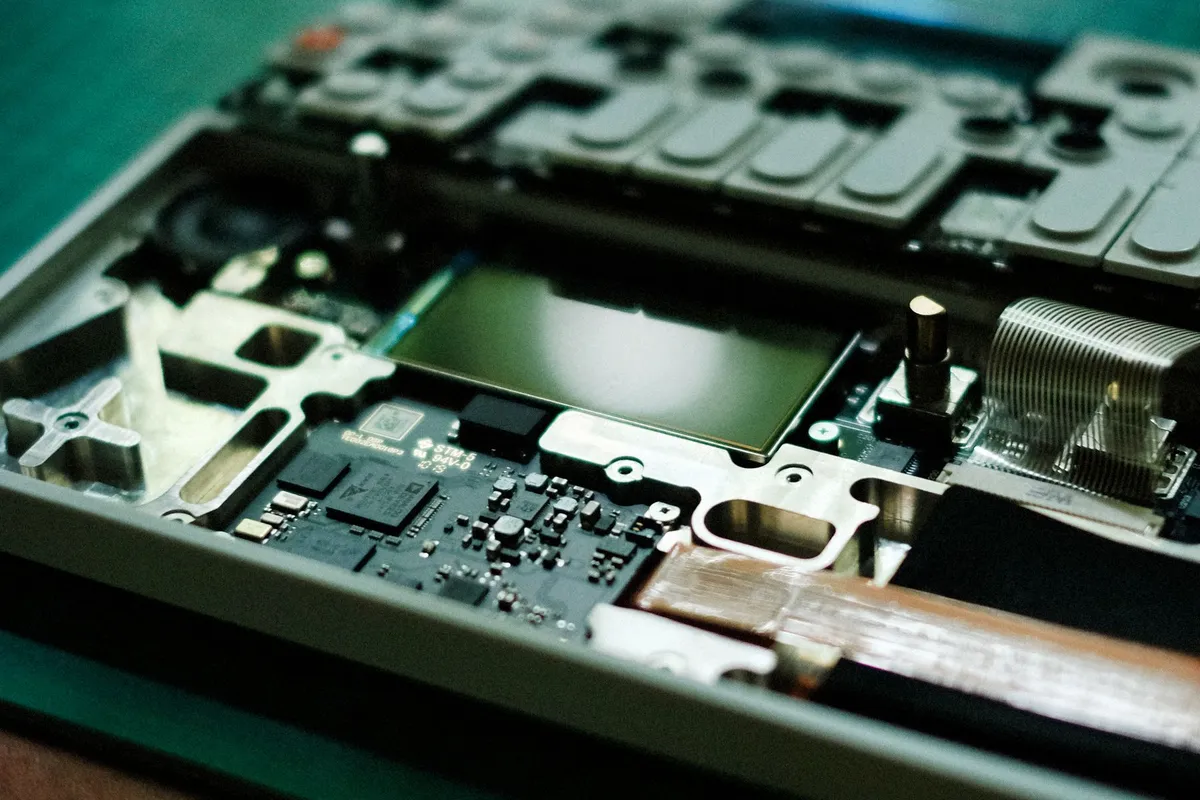
An M.2 slot is a small flat connector on the laptop motherboard, about 22 mm wide. The drive that goes in it is a thin stick of circuit board, and one small screw at the far end holds it down. The other half of this decision is connecting additional drives to your PC.
The size number tells you the length: the first two digits are the width in millimeters, always 22 for laptops, and the rest is the length. A 2280 drive is 22 mm wide and 80 mm long, and it is the size most laptops use.
Shorter sizes exist too: 2230 is 30 mm long, 2242 is 42 mm long, and 2260 is 60 mm long.
The slot has a raised post, called a standoff, with a screw hole at the right distance for the length it takes, so a slot made for 2280 will not hold a 2242 drive unless the standoff can move.
Do not confuse the storage slot with the mobile broadband slot nearby, which is shorter and has aerial wires attached: leave that one alone. Our guide to what a laptop SSD looks like shows the shapes side by side.
| Size | Length | Where you see it |
|---|---|---|
| 2230 | 30 mm | Small tablets and handheld PCs |
| 2242 | 42 mm | Compact laptops |
| 2260 | 60 mm | Older thin laptops |
| 2280 | 80 mm | Most laptops |
Check the manual and the label first
Start without tools. The service manual for your exact model is the most reliable source, because it lists the storage options and the sizes the board accepts. Find the model number on the label on the base of the laptop, or press Win + R, type msinfo32, press Enter, and read System Model.
In the manual, look in the storage or specifications section for M.2, NVMe, or SSD. A line that reads “M.2 2280 PCIe NVMe” means the slot is there and takes NVMe drives, while “M.2 2280 SATA” means it takes SATA drives. If the manual lists only a 2.5 inch SATA bay, the laptop has no M.2 slot.
Some makers print the fitted drive type, such as 256GB NVMe, on the base sticker. Others print only the model and serial number, in which case the manual is the next step.
When the manual is hard to find, the Crucial System Scanner reads your system and lists the upgrades that fit it, including SSDs. If it lists an M.2 NVMe drive as compatible, the slot is there. The other half of this decision is fixing laptop overheating.
Check in Windows without opening anything
If the laptop already has a drive fitted, Windows can tell you what it is, at no cost.
- Press Win + X and select Device Manager.
- Expand Disk drives and read the model name of the drive listed there.
- If the name contains NVMe, the laptop has an M.2 NVMe drive fitted. If it contains SATA, the drive is a 2.5 inch SATA drive or a SATA M.2 drive, so check the manual to tell the two apart.
- For a second view, open Settings, then System, then Storage, then Advanced storage settings, then Disks and volumes, and read the model and type.
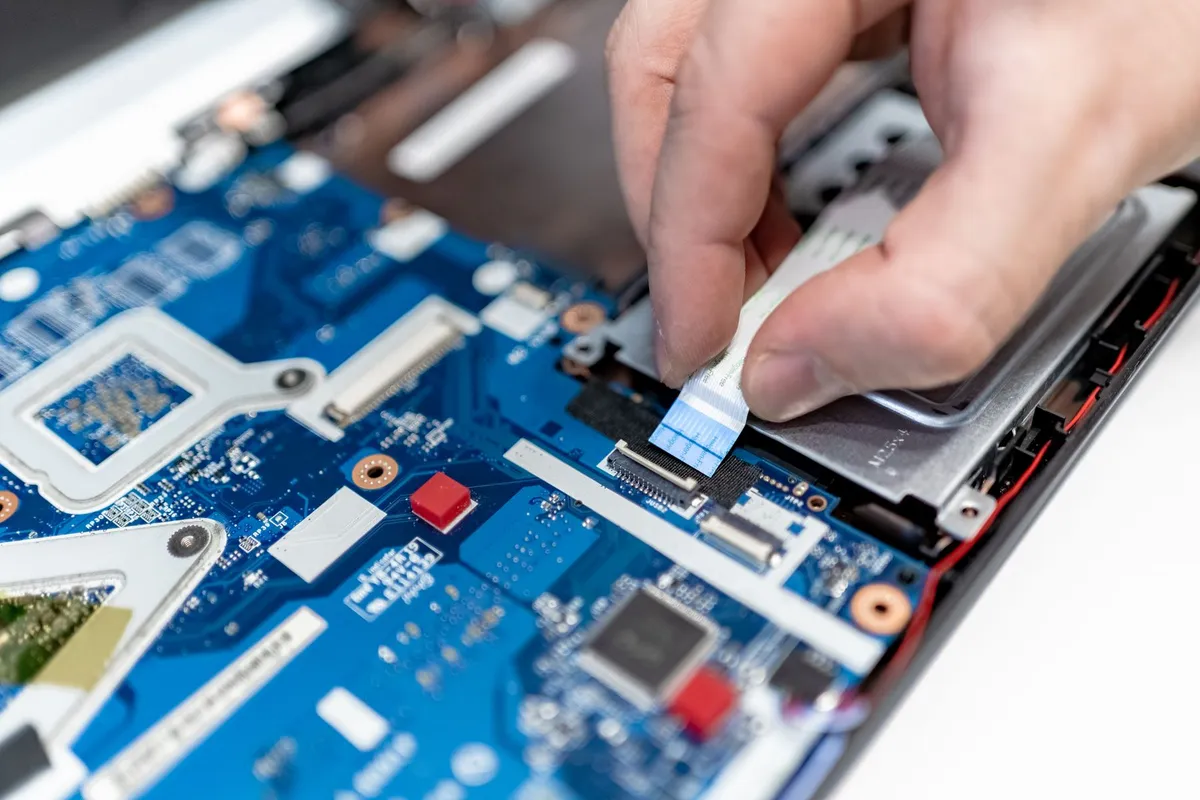
CPU-Z is useful for finding the exact board model so you can look it up. It is a free tool from CPUID that reports the processor, mainboard, and memory details. Open it, select the Mainboard tab, and note the manufacturer and model, then search that board model with the words M.2 slot.
These software checks show what is fitted now, not what the board can take: only the manual, or a look inside, settles the empty-slot question.
Open the panel and look for yourself
When the manual is unclear and the software checks are inconclusive, a look inside gives a certain answer. Read the safety box first.
Power the laptop off fully, unplug the charger, and disconnect the battery before you touch anything inside. Never open a laptop with a swollen battery: if the base bulges or the trackpad feels raised, stop and take it to a repair shop. Keep screws in a small tray in order, and touch a metal tap first to discharge static.
- Shut the laptop down, unplug the charger and any cables, and close the lid.
- Turn it over on a soft cloth. Remove the screws from the bottom panel, keeping them in order, and note any different lengths.
- Loosen the panel with a plastic pry tool or an old bank card, working around the edge a little at a time. Never force it: if it resists, check for a hidden screw under a rubber foot or a sticker.
- Disconnect the battery cable from the board before you touch anything else.
- Look for a flat slot about 22 mm wide with a small screw post at one end. An M.2 drive already fitted will be a thin stick held down by that screw. An empty slot will show the connector edge and the empty screw post.

Includes the small Phillips bits most laptop bottom panels need, plus a pry tool for the clips.
- - 40Pcs screwdriver set has 30 CRV screwdriver bits which are phillips PH000(+1.2)
- - All our screwdriver bits are made of high quality CR-V chrome vanadium steel. CR-V
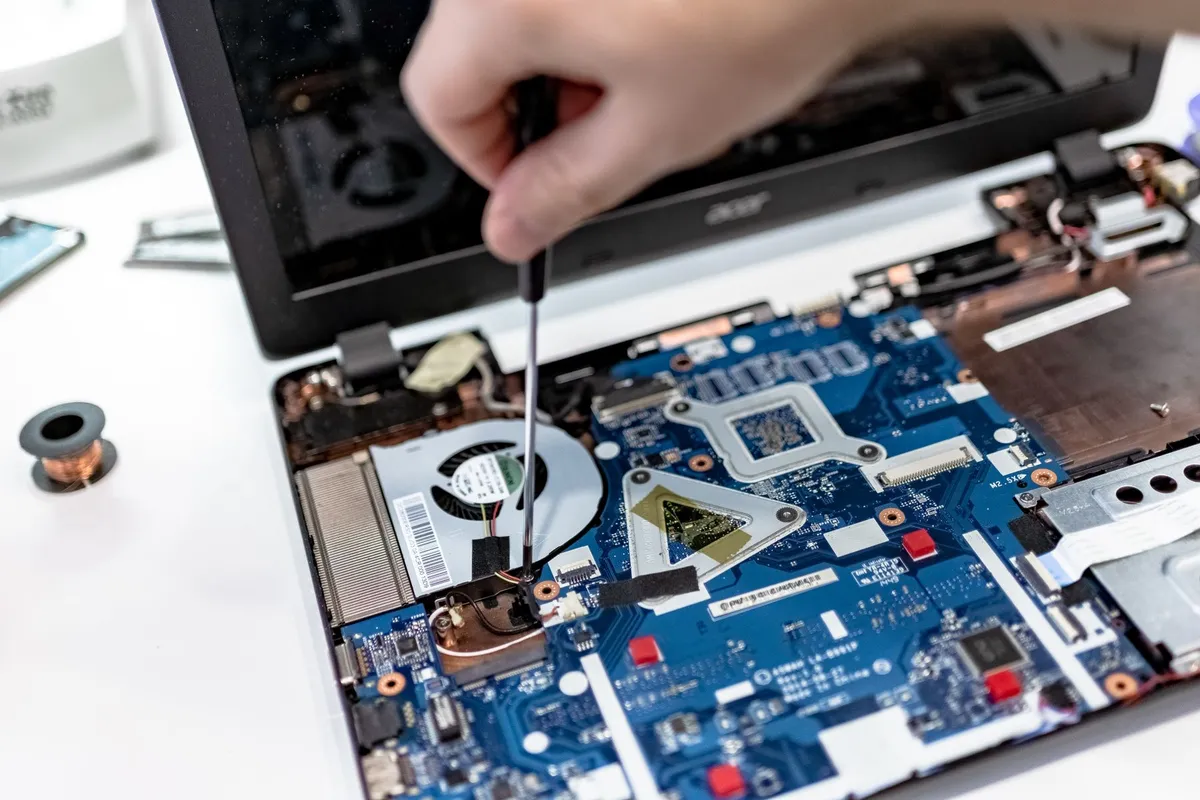
If you find a drive already fitted, read its label: it usually names the size, such as 2280, and the interface, such as PCIe NVMe or SATA. That tells you exactly what the slot takes. Our guide on how to put an SSD in a laptop walks through the fitting steps. Before you buy anything, it is worth looking at find laptop memory size.
SATA or NVMe: how to tell which one the slot takes
Two M.2 drives can look alike and still not work in the same slot. The difference is the interface: SATA or NVMe. SATA M.2 drives use the same slower interface as a 2.5 inch SATA drive, while NVMe drives use PCIe lanes and run much faster. The slot and the drive each have a notch pattern, called keying, that shows which interfaces they support.
Look at the connector edge of the slot and the notch on the drive. An M key has one notch near one side, with five pins to the left of it. A B+M key has two notches, one at each end.
The rule is simple: an M key slot takes NVMe drives only, and a B+M key drive fits in either kind of slot, but it runs at the interface the slot provides.
So a B+M keyed SATA drive fits in an M key slot physically, but it will not work there, because the M key slot has no SATA connection.
The manual is the surest guide here. It names the interface outright, while keying alone can mislead: some older boards break the simple rule. When the manual says NVMe, buy NVMe. When it says SATA, buy SATA. Our explainer on NVMe vs SATA SSD sets out the speed difference and when it matters in daily use.
One slot or two, and what size fits
Many laptops have one M.2 slot, and some have two. A second slot is often empty from the factory, so you can add a second drive without removing the first. The manual lists the number of slots, and a look inside confirms it.
Size matters as much as the interface. A 2280 drive will not fit a 2242 slot, because it is too long and the screw post sits in the wrong place. A shorter drive fits a longer slot only if the standoff screw can move, and many boards have a fixed standoff, so do not count on it. Measure to the screw post, or read the size from the manual.
What to do with what you find
If the laptop has an M.2 slot and you know the size and interface, buy a matching drive, clone the old drive or install Windows fresh on the new one, and fit it with the steps above.
Our guide on how to install an SSD in a laptop covers the cloning and fitting process in order. Loaders in this spot often ask about what is an expansion slot in a pc as well.
With no M.2 slot, older laptops with a 2.5 inch SATA bay can still take a 2.5 inch SATA SSD, a large speed gain over a spinning hard drive. Our guide on whether your laptop SSD can be upgraded covers those options, including the cases where the drive is soldered to the board and cannot be changed at all.
If the drive is soldered, the answer is final: no slot means no upgrade. Free up space, move files to an external drive, or plan the next laptop with storage in mind. The manual will state it plainly, usually as “onboard” or “soldered”.
Mistakes to avoid
Buying a drive before checking the slot. The most common error is ordering a 2280 NVMe drive for a laptop that only has a 2242 SATA slot, or no slot at all. The fix: check the manual and measure the slot before you order anything.
Trusting the notch pattern alone. A B+M keyed SATA drive fits an M key slot physically but will not work in it. The fix: confirm the interface in the manual, not just by how the notch lines up.
Mistaking the wireless card slot for storage. The WWAN slot looks like an M.2 slot and sits nearby, but it is shorter and keyed differently. The fix: if the slot has aerial wires attached, leave it alone.
Forcing the bottom panel. Hidden screws under rubber feet and stickers are the usual cause of a stuck panel, and forcing it cracks the clips. The fix: check for hidden screws first, then work around the edge a little at a time.
Opening the laptop with the battery connected. A live board can short if a screwdriver slips. The fix: power off, unplug, and disconnect the battery before you touch the board.
Assuming one slot means one size. Some boards have a fixed standoff for 2280 only, so a shorter drive will not sit securely. The fix: read the size from the manual or measure the distance to the screw post.
Frequently asked questions
How do I check for an M.2 slot without opening the laptop?
Check the maker service manual for your exact model, which lists the storage options. Then open Device Manager, expand Disk drives, and read the fitted drive model: a name with NVMe in it means an M.2 NVMe drive is fitted. The Crucial System Scanner also lists compatible M.2 drives when the slot is present.
Does every laptop have an M.2 slot?
No. Most laptops made in the last ten years have at least one, but older laptops may have only a 2.5 inch SATA bay, and some thin ultrabooks have soldered storage with no slot at all. The manual for your exact model states which applies.
Can I put an NVMe drive in a SATA M.2 slot?
No. A SATA-only M.2 slot has no PCIe connection, so an NVMe drive will not be detected there. Check the manual: it will say SATA, NVMe, or both. Only a slot listed for NVMe can run an NVMe drive in it.
What is the difference between 2280 and 2242?
Both are 22 mm wide, but 2280 is 80 mm long and 2242 is 42 mm long. A 2280 drive is the common laptop size, while 2242 appears in compact laptops. Buy the length your slot takes, since the screw post sits at a fixed distance.
Can I add a second M.2 drive?
Only if the board has a second empty slot. Check the manual for the number of slots, or open the panel and count the flat connectors with screw posts. If there is only one slot, you replace the existing drive instead.
Bottom line: Start with the service manual for your exact model, confirm it in Device Manager, and open the panel only if the answer is still unclear. Once you know the slot, its length, and its interface, you can buy the right drive the first time. Read our specs explainers before you order.
Sources: Crucial, M.2 SSD install guide (crucial.com); Crucial, System Scanner (crucial.com); CPUID, CPU-Z (cpuid.com). Photos: Alexey Demidov, IT services EU, Pok Rie, Alexandra Krainyukhova via Pexels. Diagram: ictservicecenter.com.