
 By
A fast external SSD turns a laptop into a machine that moves big files in seconds, not minutes. The trick is to match the drive to the port on the laptop, not to the biggest number on the box.
In short: The best external SSD for a laptop is a USB-C drive with a speed class that matches the laptop port. The Samsung T9 is the best pick for video work, and the Kingston XS2000 is the best pocket drive for everyday files.
Key takeaways
- Match the drive to the port. A USB 3.2 Gen 2×2 drive needs a 20 Gbps port to reach 2,000 MB/s, and a USB4 drive needs a Thunderbolt or USB4 port.
- A drive that is too fast for the port still works, but it runs at the speed of the port, not the drive.
- Pick capacity by use. A 1TB drive holds a photo library, a 2TB drive holds video projects, and a 4TB drive holds a full backup.
- A rugged drive survives a bag, a slim drive fits a pocket, and a drive with encryption keeps files safe if it is lost.
- Format the drive before the first use, and test it with a large file before you trust it with the only copy of anything.

USB 3.2 Gen 2x2 speeds up to 2,000 MB/s and a 3-meter drop rating suit heavy photo and video work.

A tough pocket-size body with dust and water resistance suits a drive that lives in a bag.

Read and write speeds up to 2,100 MB/s and built-in password protection suit large file moves.

A slim drive with backup software and password protection suits a set-and-forget backup routine.

A tiny metal body with USB 3.2 Gen 2x2 speeds up to 2,000 MB/s suits a drive that rides in a pocket.
How to choose an external SSD for a laptop
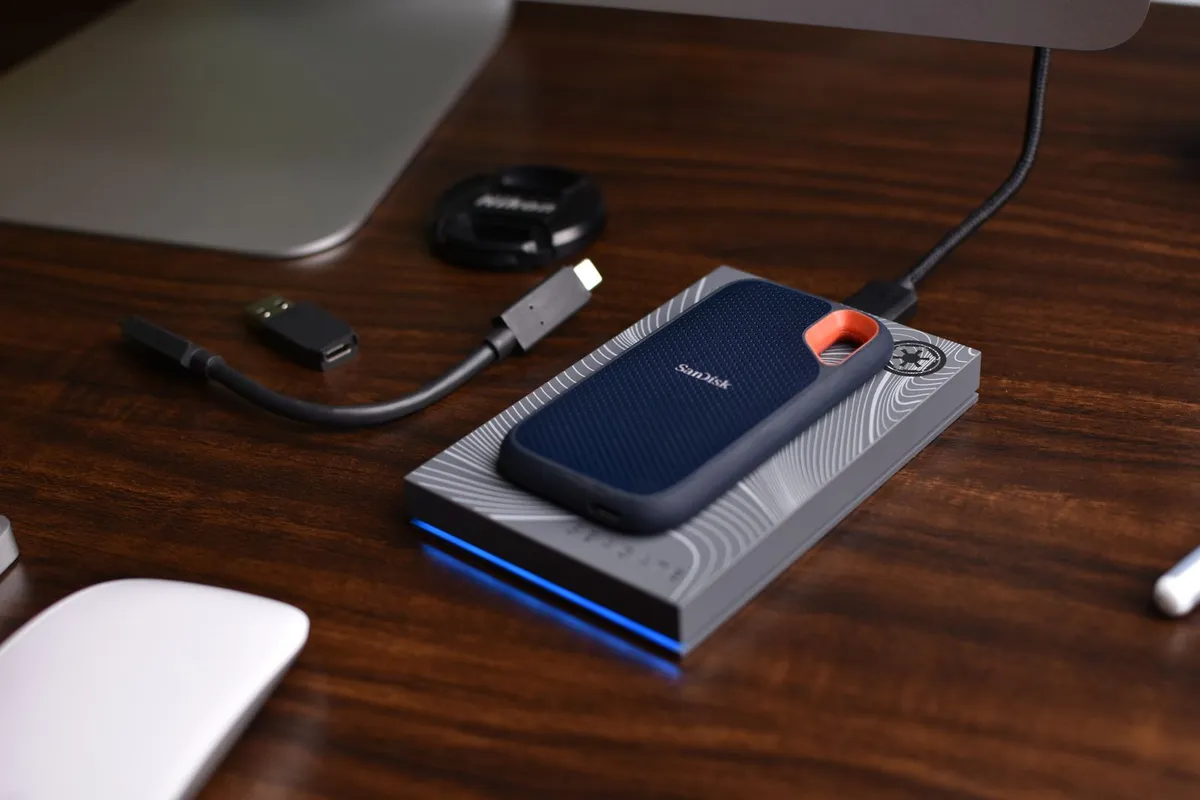
Start with the port on the laptop, not the drive. A laptop with a USB-C port that runs at 10 Gbps will not run a 20 Gbps drive at full speed. A laptop with a Thunderbolt or USB4 port will run a fast drive at full speed. Check the port spec in the laptop manual before you buy. The other half of this decision is best editing laptops.
Speed classes: what the numbers mean
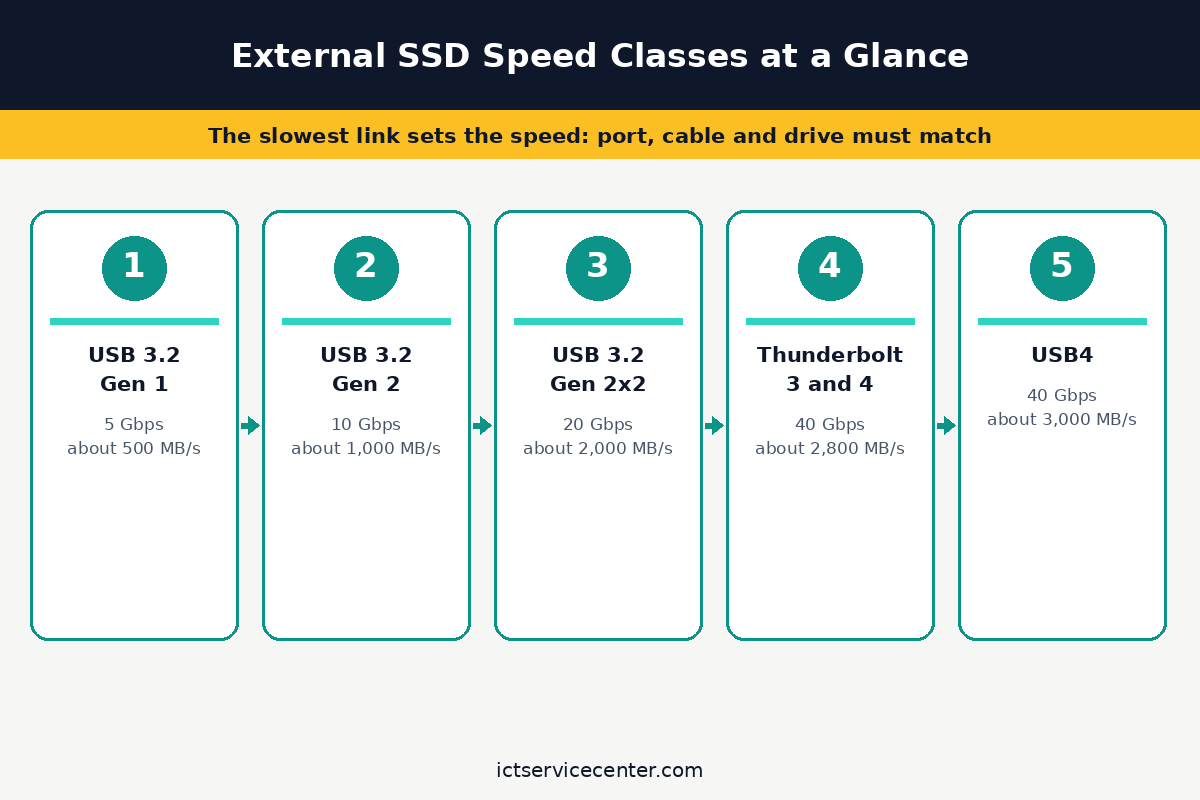
The speed class tells you the fastest the drive can go, not the speed you will get.
A USB 3.2 Gen 1 drive tops out at 5 Gbps, a USB 3.2 Gen 2 drive at 10 Gbps, and a USB 3.2 Gen 2×2 drive at 20 Gbps.
A USB4 drive can reach 40 Gbps, but only on a USB4 or Thunderbolt port. A drive that is too fast for the port still works, but it runs at the speed of the port.
Our guide to an external SSD vs an internal SSD lays out the trade-offs, and if the laptop itself can take a new drive, see our guide to putting an SSD in a laptop and if your laptop SSD can be upgraded.
USB-C vs Thunderbolt: which port do you have?
A USB-C port and a Thunderbolt port look the same, but they run at different speeds. A Thunderbolt port has a lightning symbol beside it, and it runs at 40 Gbps. A USB-C port that runs at 10 Gbps will not run a Thunderbolt drive at full speed. Check the laptop manual for the port spec, and do not guess from the shape alone.
Capacity by use
A 1TB drive holds a photo library and a few video projects. A 2TB drive holds a year of video work, and a 4TB drive holds a full backup of a laptop with room to spare. Buy the size that fits the next year of work, not just today. A drive that is full slows down, so leave a fifth of it free.
If the laptop is running out of space, our guide to free up disk space on Windows 11 shows what to delete first, and if the files live on an old machine, see our guide to transferring files from an old laptop to a new laptop.
Rugged vs slim
A rugged drive has a rubber body and a rating for dust and water. It survives a bag, a desk, and a drop. A slim drive fits a pocket and a laptop sleeve, but it has no protection from a knock. Pick a rugged drive for travel, and a slim drive for a desk that never moves.
Encryption and formatting
A drive with hardware encryption keeps files safe if the drive is lost. A drive with a password lock needs the password on every machine, so keep it in a safe place. Format the drive before the first use, and pick the format that works on the machines you use. A drive that is formatted for Windows will not work on a Mac without a reformat.
The 5 drives at a glance
The table below lists the five drives, their interfaces, their top speeds, and the check to make before you buy. Before you buy anything, it is worth looking at getting monitor for laptop right.
| Drive | Interface | Top speed | Best for | Check before buying |
|---|---|---|---|---|
| Samsung T9 | USB 3.2 Gen 2×2 | 2,000 MB/s | Video editing | Port speed |
| SanDisk Extreme | USB 3.2 Gen 2 | 1,050 MB/s | Rugged travel | Drop rating |
| Crucial X10 Pro | USB 3.2 Gen 2×2 | 2,100 MB/s | Fast transfers on a PC | Password lock |
| WD My Passport SSD | USB 3.2 Gen 2 | 1,050 MB/s | Backup | Backup software |
| Kingston XS2000 | USB 3.2 Gen 2×2 | 2,000 MB/s | Pocket drive | Cable in the box |
Samsung T9: best for video editing
The Samsung T9 is the best external SSD for video work. It reads and writes at up to 2,000 MB/s on a USB 3.2 Gen 2×2 port, and it has a 3-meter drop rating. The drive is small enough to fit a pocket, and it comes with a USB-C cable in the box.
It is the drive to buy when the files are large and the deadline is short. A video editor can move a project in seconds, and a photographer can back up a shoot on the spot. It is not the cheapest drive, but it is the fastest one that works on most laptops.
Samsung lists the T9 with a 5-year warranty, and the drive has a metal body that stays cool under load. It is the pick for heavy photo and video work.
USB 3.2 Gen 2x2 speeds up to 2,000 MB/s and a 3-meter drop rating suit heavy photo and video work.
- Race through projects with our fastest SSD for creators; Load, edit and transfer with
- When you’re elbow-deep in a passion project, the T9 Portable SSD stays cool; Its
SanDisk Extreme: best rugged drive
The SanDisk Extreme is a tough pocket-size drive with dust and water resistance. It reads at up to 1,050 MB/s on a USB 3.2 Gen 2 port, and it has a carabiner loop to clip it to a bag. It is the drive that lives in a bag and gets knocked around.
It is the drive to buy for travel, field work, and outdoor shoots. The drive is small, and it has a rubber body that grips a desk. It is not the fastest drive, but it is the toughest one here.
SanDisk lists the Extreme with a 5-year warranty, and the drive has a metal body with a rubber bumper. It is the pick for a drive that gets used hard. The other half of this decision is computers built for scientific work.
A tough pocket-size body with dust and water resistance suits a drive that lives in a bag.
- NEARLY 2X FASTER THAN OUR PREVIOUS GENERATION(8) – move 1,000 high-res photos in under
- IP65 RATING AND UP TO 3M DROP PROTECTION(3) – protects against spills and drops.
Crucial X10 Pro: best for fast transfers on a PC
The Crucial X10 Pro reads and writes at up to 2,100 MB/s on a USB 3.2 Gen 2×2 port, and it has built-in password protection. It is the drive to buy when the files move between machines and the transfers are large. It is small enough to fit a pocket, and it comes with a USB-C cable in the box.
It is the drive to buy for a PC that has a 20 Gbps port. A laptop with a 10 Gbps port will run it at half speed, so check the port first. It is the fastest drive here, and the password lock keeps the files safe.
Read and write speeds up to 2,100 MB/s and built-in password protection suit large file moves.
- Ultra-fast Speeds: Designed for professional creators, this external SSD delivers fast
- Built to Last: Perfect for field work and all-weather shoots with IP55 water and dust
WD My Passport SSD: best for backup
The WD My Passport SSD is a slim drive with backup software and password protection. It reads at up to 1,050 MB/s on a USB 3.2 Gen 2 port, and it has a 5-year warranty. It is the drive to buy for a set-and-forget backup routine.
It is the drive to buy when the backup runs on a schedule and no one watches it. The backup software runs in the background, and the password lock keeps the files safe. It is not the fastest drive, but it is the easiest one to live with.
WD lists the My Passport SSD with a 5-year warranty, and the drive has a metal body that stays cool. It is the pick for a backup drive that just works.
A slim drive with backup software and password protection suits a set-and-forget backup routine.
- Blazing fast NVMe technology with speeds of up to 1050MB/s and write speeds of up to
- Password enabled 256-bit AES hardware encryption
Kingston XS2000: best pocket drive
The Kingston XS2000 is a tiny metal drive with USB 3.2 Gen 2×2 speeds up to 2,000 MB/s. It is the drive to buy when the drive rides in a pocket and the files move fast.
It is small enough to fit a coin pocket, and it comes with a USB-C cable in the box. If that sounds like your bench, read up on handling heavy tasks next.
It is the drive to buy for everyday files that need to move fast. A laptop with a 20 Gbps port will run it at full speed, and a laptop with a 10 Gbps port will run it at half speed. It is the smallest drive here, and the fastest one for a pocket.
A tiny metal body with USB 3.2 Gen 2x2 speeds up to 2,000 MB/s suits a drive that rides in a pocket.
- Industry-leading read/write speeds up to 2,000MB/s. Requires compatible devices to
- Capacities up to 4TB to support high resolution images, 8K videos, and large documents.
Mistakes to avoid
1. Buying a drive that is too fast for the port. A 20 Gbps drive on a 10 Gbps port runs at 10 Gbps, and the extra speed is wasted. Check the port spec in the laptop manual before you buy, and do not pay for speed the laptop cannot use.
2. Buying a drive that is too small. A 1TB drive fills up fast when the files are video. A drive that is full slows down, so buy the size that fits the next year of work, not just today.
3. Trusting the only copy to a new drive. A new drive can fail, and a drive that has never been tested can hide a fault. Test a new drive with a large file before you trust it with the only copy of anything.
4. Forgetting the cable. A drive that comes with a short cable needs a longer one for a desk, and a drive that comes with a USB-A cable needs a USB-C adapter for a new laptop. Check the cable in the box before you order.
5. Ignoring disconnects. A drive that disconnects on its own has a cable, port, or power fault. Do not ignore it, and do not keep copying files to a drive that drops out. Our guide to an external SSD that keeps disconnecting shows the checks to run.
Frequently asked questions
What is the fastest external SSD for a laptop?
The fastest external SSD for a laptop is a USB4 or Thunderbolt drive on a USB4 or Thunderbolt port, with speeds up to 40 Gbps. On a USB-C port, the fastest drive is a USB 3.2 Gen 2×2 drive at 20 Gbps. The Samsung T9 and the Crucial X10 Pro are the fastest drives here.
Is an external SSD faster than a USB flash drive?
Yes, an external SSD is much faster than a USB flash drive. A flash drive tops out at a few hundred MB/s, and an external SSD reaches 1,000 MB/s or more. An external SSD also lasts longer, and it has a better controller for large files.
Can I run programs from an external SSD?
Yes, you can run programs from an external SSD, but it is slower than running them from the internal drive. A program that runs from an external drive has to wait for the USB port, and a program that runs from the internal drive does not. Use an external SSD for files, and the internal drive for programs.
How long do external SSDs last?
An external SSD lasts for years of normal use. The drive has no moving parts, so it survives a drop better than a hard drive. A drive that is written to every day will wear out faster than a drive that is used for backup, but most drives outlast the laptop they are used with.
Do I need a Thunderbolt drive?
You need a Thunderbolt drive only if the laptop has a Thunderbolt port and the files are large. A Thunderbolt drive runs at 40 Gbps, but a USB-C drive at 20 Gbps is fast enough for most video work. Check the port on the laptop before you pay for Thunderbolt speed.
Bottom line: Match the drive to the port, buy the size that fits the next year of work, and test the drive before you trust it with the only copy of anything.
For video work, buy the Samsung T9, for travel, buy the SanDisk Extreme, for fast transfers on a PC, buy the Crucial X10 Pro, for backup, buy the WD My Passport SSD, and for a pocket, buy the Kingston XS2000. For more buying guides, see the Buying Guides hub.
Sources: Samsung, Portable SSD T9; Crucial, Choosing an external SSD for a laptop; Microsoft Support, BitLocker overview; USB-IF, USB Type-C Cable and Connector Specification. Photos: Avinash Kumar, Antoni Shkraba, Andrea Piacquadio, ThisIsEngineering and Mikhail Nilov via Pexels. Diagram: ictservicecenter.com.