
I’ve spent the last decade with my hands on every kind of laptop imaginable. From sleek ultrabooks that vanish into a messenger bag to hulking gaming rigs that sound like jet engines, I’ve tested them in coffee shops, on cross-country flights, and at my cluttered desk. The sheer variety can be paralyzing. That’s why I’m breaking it down, not from a spec sheet, but from the perspective of someone who’s actually lugged these machines around.
Choosing the right type isn’t about the “best” specs on paper. It’s about matching a machine’s personality to your daily life. A powerhouse gaming laptop is a terrible travel companion. A feather-light Chromebook will frustrate a video editor. Let’s cut through the marketing and talk about what these different laptop models actually feel like to use, day in and day out.
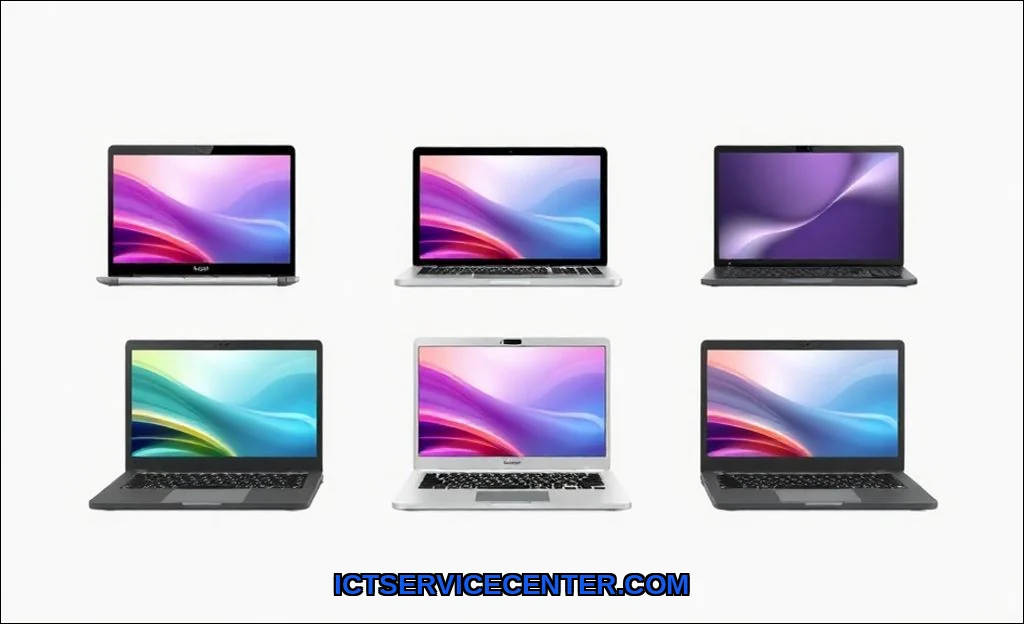
My Hands-On Experience with Different Laptop Types
Walking into a store, you’re bombarded with terms: Ultrabook, gaming laptop, 2-in-1. They’re more than just labels; they represent completely different design philosophies. I remember the first time I unboxed a true gaming laptop, the ASUS ROG Strix. The weight was immediate. The aggressive angles and RGB lighting screamed performance, but I quickly learned its true nature: it’s a desktop replacement that happens to be portable, not a true mobile companion. The fans spin up during even moderate tasks, a constant reminder of the power inside.
Contrast that with an Ultrabook. My daily driver for years was a Dell XPS 13. Opening it felt effortless, the hinge smooth, the chassis cool and silent. It disappeared into my workflow. But push it with too many browser tabs and a Zoom call, and you’d feel the bottom get warm, a gentle hint of its limits. Each laptop category makes these trade-offs. A 2-in-1 convertible adds a touchscreen and a flexible hinge, but often at the cost of a slightly wobbly display and a thicker profile. It’s all about compromise.
Laptop vs Notebook: Is There Even a Difference?
You’ll see these terms used interchangeably, and honestly, in 2024, the line is blurred. Historically, “notebook” implied something thinner and lighter than a “laptop.” Today, I use “laptop” as the umbrella term. When someone says “notebook,” they’re usually picturing what we now call an Ultrabooka supremely portable machine focused on battery life and silence. Think of it as a sub-category. So when you’re comparing a laptop vs notebook, you’re really comparing a standard clamshell to its slimmer, more mobile-focused sibling.
Matching Laptop Form Factor to Your Daily Life
The physical design, or form factor, dictates everything about your experience. It’s the first thing you interact with. I group them by primary use case because that’s how you should choose.
The Mobile Professional & Student: Ultrabooks & 2-in-1s
If your life involves libraries, lectures, client meetings, or cross-campus treks, portability is king. An Ultrabook is your best friend. We’re talking under 3 pounds, all-day battery, and a premium build (aluminum or magnesium). The keyboard and trackpad feel are critical hereyou’ll be typing for hours. I’ve found HP’s Spectre and Lenovo’s Yoga series consistently nail this.
For students or creatives who sketch or mark up documents, a 2-in-1 convertible is a game-changer. Laying it flat to read a PDF or using a stylus to brainstorm feels natural. But are 2-in-1 laptops good for professionals? Absolutely, but with a caveat. If you live in spreadsheets and code, a rock-solid traditional hinge might serve you better. The 2-in-1’s flexibility is a fantastic bonus, not a core productivity tool for everyone.
The Power User & Gamer: Gaming Laptops & Mobile Workstations
This is where raw performance takes priority. A gaming laptop like the ASUS ROG Strix is built around a dedicated NVIDIA GeForce RTX GPU and a high-wattage Intel Core i7 or i9 CPU. The trade-off? They’re thick, heavy, and have battery life measured in hours, not a full workday. Thermal throttlingwhere the CPU slows down to avoid overheatingis the eternal battle. Cooling systems are massive and loud. The screen, however, is often stunning: high refresh rates for smooth motion and excellent color for immersion.
It’s the classic difference between ultrabook and gaming laptop. One prioritizes silence and mobility, the other unleashes power at the cost of both. For a deeper dive into how all computers fit together, check out our guide on the different types of computers explained.
The Everyday User: The Budget All-Rounder & Chromebooks
For web browsing, streaming, and document work, you don’t need extreme power. The best budget laptop type for everyday use is a Windows machine with a modern AMD Ryzen 3/5 or Intel Core i3, 8GB RAM, and critically, an SSD. Avoid hard drives at all costs; they feel sluggish from the moment you power on. Brands like Acer and ASUS excel here.
Then there’s the Chromebook. It runs ChromeOS, not Windows or macOS. I recommend it with a very specific user in mind: someone who lives entirely in a web browser (Gmail, Docs, Netflix). It boots instantly, gets stellar battery life, and is very secure. It’s arguably the perfect student laptop for K-12 or a secondary device. But try to install Photoshop or even the full desktop version of Microsoft Office, and you’ll hit a wall.
Under the Hood: Performance & Hardware Explained
Specs tell the real story. Let’s move beyond the marketing.
CPU, GPU, RAM: The Performance Trinity
- CPU (Processor): Intel Core and AMD Ryzen are the players. For most, an i5 or Ryzen 5 is the sweet spot. An i7/Ryzen 7 is for heavy multitasking or coding. I rarely recommend i9 for laptops unless money is no object; the thermal headroom often isn’t there to use it fully.
- GPU (Graphics): Integrated graphics (in the CPU) are fine for everyday tasks. A dedicated GPU (NVIDIA GeForce RTX, AMD Radeon) is mandatory for gaming, 3D work, or serious video editing. It’s the single biggest factor in a gaming laptop.
- RAM: 8GB is the absolute minimum in 2024. 16GB is my recommended standard for comfortable multitasking. 32GB is for professionals running virtual machines or massive creative projects.
Storage & Display: Feel and Quality
This is where competitors often miss the mark. They list “SSD” but don’t explain why it’s non-negotiable. An SSD is the single biggest upgrade for perceived speed. Your laptop wakes from sleep instantly. Apps launch in a blink. For a detailed breakdown, our article on SSD vs HDD storage in laptops is essential reading.
Screen quality is deeply personal. For photo editing, you need 100% sRGB color accuracy. For coding or writing, a taller 16:10 aspect ratio gives you more vertical lines of text. For gaming, a 144Hz or higher refresh rate makes motion buttery smooth. Always check reviews for screen brightness (300 nits minimum) and color coverage.
| Component | Everyday Use | Gaming/Creative | Ultra-Mobile |
|---|---|---|---|
| CPU | Intel Core i5 / AMD Ryzen 5 | Intel Core i7/i9 / AMD Ryzen 7/9 | Intel Core i5 / i7 (U-series) |
| GPU | Integrated Graphics | NVIDIA RTX 4060 or higher | Integrated Graphics |
| RAM | 8GB – 16GB | 16GB – 32GB | 16GB (often soldered) |
| Storage | 512GB SSD | 1TB+ SSD | 512GB SSD |
| Key Focus | Value, reliability | Raw power, cooling | Weight, battery, build |
The OS Factor: Windows, macOS, or ChromeOS?
The operating system is your ecosystem. It dictates the software you run and the accessories you buy.
- Windows: The universal choice. Maximum hardware variety, from $200 to $5000. Runs everything. The downside? You need to manage itupdate, secure, troubleshoot. It’s the flexible, sometimes fussy, workhorse.
- macOS (Apple): Exclusive to MacBooks. I find the integration between hardware and software sublime. The trackpad is still the best. It’s fantastic for creatives in the Apple ecosystem (iPhone, iPad). But you pay a premium, and gaming support is limited. It’s a curated, polished experience.
- ChromeOS: As mentioned, it’s the web. Simple, secure, and limited. Perfect for a specific, cloud-centric use case.
Your choice often comes down to the other devices you own and the specific professional software you need.
My Recommendations Based on Real-World Testing
So, what type of laptop do I need for college? Let’s get practical.
For the Student:
Prioritize weight and battery. A 13-inch Ultrabook or a 2-in-1 if you take handwritten notes. 16GB RAM will future-proof you through four years. Don’t get sucked into a gaming laptop for “computer science” unless you actually plan to game; the weight isn’t worth it.
For the Hybrid Professional:
A 14-inch Ultrabook strikes the perfect balance. Enough screen for real work, but still portable. Look for excellent keyboard feel (Lenovo ThinkPad keys are legendary) and Thunderbolt 4 ports for a single-cable docking setup at your desk.
For the Content Creator/Gamer:
You’re choosing between a sleek but powerful creator laptop (like a MacBook Pro or Dell XPS 15) or a full-blown gaming rig. If color-accurate video/photo editing is your focus, lean creator. If frame rates and AAA games are the goal, embrace the bulk of a dedicated gaming laptop. There’s no perfect hybrid here.
The landscape of laptop classifications is vast, but it doesn’t have to be confusing. Forget the “best” laptop. Focus on the best laptop for your hands, your bag, and your daily tasks. Feel the keyboard in a store. Listen to the fans under load. Check the screen in bright light. Your perfect match is out there, waiting to disappear into your workflowor roar to life, depending on what you need it to do.