
We throw around the term “laptop form factor” a lot. It sounds like industry jargon, and honestly, it kind of is. But after years of testing, repairing, and living with dozens of machines, I’ve learned it’s the single most important decision you’ll make. It’s not just about laptop dimensions or laptop weight. It’s the DNA of the devicedictating everything from the keyboard feel to the internal component layout and, ultimately, how it fits into your life.
Think of it as the chassis philosophy. A gaming laptop’s form factor prioritizes cooling and power delivery, resulting in a thick, angular laptop chassis. An ultrabook’s form factor sacrifices some of that raw power for a svelte, all-day portable computer. Choosing wrong means daily frustration. I’ve seen students struggle with 17-inch behemoths in lecture halls, and professionals fumble with flimsy convertibles that can’t handle real work. Let’s cut through the specs and talk about what these designs actually feel like to use.
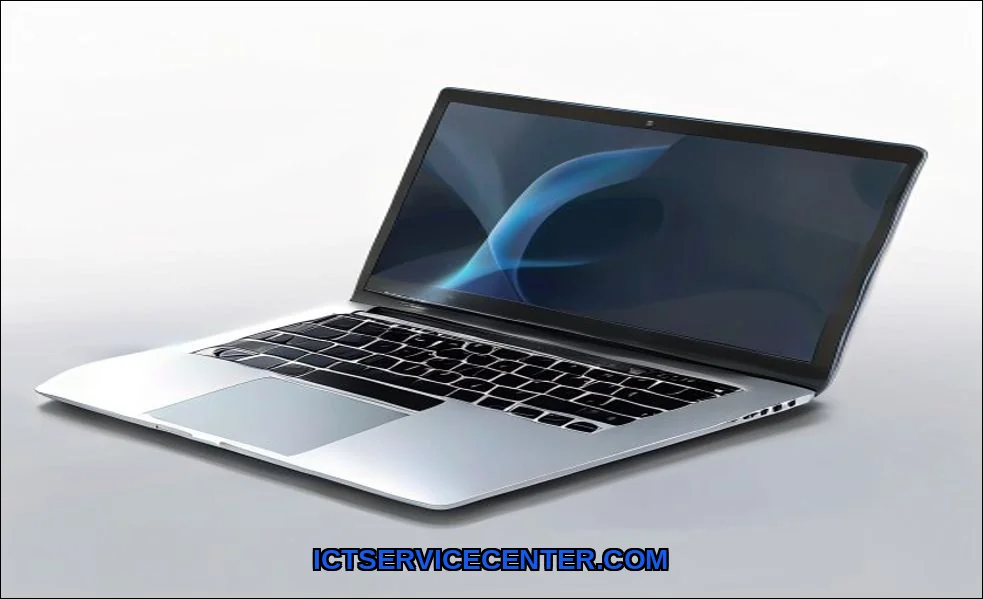
What Laptop Form Factor Really Means (Beyond Just Size)
When I assess a new notebook computer, I look past the screen size. Form factor is the holistic blueprint. It encompasses the physical design, the hinge mechanism, the intended posture (lap, desk, tablet), and the engineering compromises made to get there. A 13-inch Clamshell and a 13-inch 2-in-1 Convertible share a diagonal measurement but promise completely different experiences. The former is a focused work tool; the latter is a flexible companion. This blueprint directly answers the core question of what a laptop is fundamentally used for in your specific context.
It also dictates hidden realities like upgradability. That sleek, unibody aluminum ultrabook? Its RAM is likely soldered for thinness. The plastic business laptop might have an easy-access panel for adding storage. These are form factor decisions. We often focus on CPU and GPU, but the laptop body type determines their potential.
The 5 Main Laptop Form Factors I’ve Tested & Used
Based on my hands-on time, these are the five dominant portable PC design categories. Each has a distinct personality.
1. The Classic: Clamshell Laptops
This is the traditional notebook form factor. Lid opens, you type, lid closes. It’s a refined, purpose-driven tool. From budget models to premium machines like Apple’s MacBook Air, the clamshell is about efficiency. The typing angle is fixed, which often means a better keyboard experience. I find the palm rest is usually more substantial. The build materials here range from cost-effective plastic to CNC aluminum, directly affecting durability and perceived qualitya missing entity in many basic discussions.
2. The Shape-Shifter: 2-in-1 Convertible Laptops
These machines, like many from Lenovo’s Yoga line, feature a 360-degree hinge. You can use them as a standard laptop, a tent for presentations, a stand for media, or a flat tablet. The flexibility is fantastic for note-takers or presenters. However, the hinge complexity can be a point of failure, and the keyboard is often shallower. When folded into tablet mode, it’s heavier than a dedicated tablet. It’s a jack-of-all-trades, master-of-none design that works if you truly need all those modes.
3. The Hybrid: Detachable Tablets
Think Microsoft Surface Pro or iPad Pro with a keyboard folio. The screen detaches completely from its keyboard base. This form factor excels as a tablet first. It’s incredibly light and portable in hand. But as a laptop replacement? The typing experience is compromised, the lapability is poor, and performance can be throttled in the slim tablet body. I recommend these primarily for digital artists or those who consume far more than they create.
4. The Specialist: Gaming Laptop Behemoths
This is where computer form factors diverge radically. Gaming laptops are about housing powerful, hot components. They have massive cooling systems, which means thickness, weight, and aggressive styling. The laptop chassis is designed for airflow, not your backpack. Brands like Dell with their Alienware line push this to the extreme. You gain desktop-like performance but lose all semblance of portability. The trade-off is absolute.
5. The Refined Standard: Ultrabook
Coined by Intel, this isn’t just a thin laptop. It’s a strict specification for thickness, battery life, and instant wake. An Ultrabook form factor, like the HP Latest Ultrabook, prioritizes portability and all-day productivity. They use low-power components and premium materials like magnesium alloy to cut weight. The difference between an ultrabook and a traditional laptop form factor is stark: one slips into a sleeve, the other needs a dedicated bag. For most mobile professionals, this is the sweet spot.
| Form Factor | Best For | Typical Weight | Key Trade-off |
|---|---|---|---|
| Clamshell | Focused work, typing, value | 2.5 – 4.5 lbs | Limited postures, less flexible |
| 2-in-1 Convertible | Students, presenters, media consumers | 3.0 – 4.0 lbs | Weaker keyboard, heavier as tablet |
| Detachable | Tablet-first users, artists | 1.5 – 2.5 lbs (tablet only) | Poor lap typing, accessory-dependent |
| Gaming Laptop | High-performance gaming, content creation | 5.0 – 10+ lbs | Very poor portability, short battery |
| Ultrabook | Business travel, everyday carry | 2.0 – 3.0 lbs | Limited upgradability, integrated graphics |
How I Choose the Right Form Factor for My Needs
My decision tree starts with a brutal honesty check about my primary task. If I’m writing for hours, a clamshell with a great keyboard wins. If I’m reviewing sketches or watching movies on a plane, a 2-in-1’s tent mode is perfect. For a deep dive on the internal components that these form factors house, resources like this guide on understanding different laptop parts are invaluable.
I then consider the environment. A coffee shop warrior needs light weight and good battery. A dorm room gamer can handle a desktop replacement. Finally, I think about longevity. A sealed ultrabook might feel great now, but will I regret not being able to upgrade the RAM in two years? This is the how does laptop form factor affect performance question over the long term.
The Trade-offs: What You Gain & Lose with Each Design
Every choice is a compromise. This is the heart of laptop form factor.
- Thinness vs. Cooling: A razor-thin profile chokes powerful components. Thermal throttling is real.
- Lightweight vs. Durability: Magnesium alloy is light and strong but expensive. Plastic is cheaper and heavier or more flexible.
- Flexibility vs. Rigidity: A 360-degree hinge introduces potential wobble and points of failure compared to a simple clamshell.
- Upgradability vs. Sleekness: User-accessible slots require internal space and panels, adding millimeters and complexity.
You cannot have it all. A laptop form factor comparison chart helps visualize these dichotomies. The perfect machine doesn’t exist. You find the one whose compromises you can live with.
Future Trends: Where Laptop Design is Heading
The lines are blurring. We’re seeing gaming laptops adopt more subdued, professional looks. Convertibles are getting better keyboards. The universal trend is efficiency: doing more with less space and power. ARM-based chips (like Apple’s M-series) are enabling incredible performance in fanless designs, redefining the ultrabook category. Foldable screens are on the horizon, promising a new form factor entirelya tablet that unfolds into a laptop. Materials science will continue to drive weight down without sacrificing strength.
My Final Recommendation Based on Hands-On Experience
So, what is the best laptop form factor for students or professionals? There’s no single answer, but I have strong guidelines.
- For most people, start with a clamshell or ultrabook. They do the core job best. If you never use touchscreen or tablet mode, you’ve paid for and carried unnecessary hardware.
- Only choose a 2-in-1 if you can name the specific use for the tablet/tent modes. “Maybe taking notes” isn’t specific enough. If it’s for digital art, a detachable might be better.
- Buy a gaming laptop only if it will rarely move from your desk. Otherwise, build a desktop and get a cheap laptop for mobility.
- Prioritize build quality and keyboard feel. You interact with these elements every minute. A creaky plastic chassis or mushy keys will ruin the experience, regardless of the CPU speed.
Before you finalize any purchase, remember that your choice of form factor will also influence future maintenance. For instance, performing a factory reset on a sealed ultrabook often involves different key combinations or software steps compared to a traditional business laptop. The design dictates the repair and recovery pathway.
Look past the marketing. Hold the machine if you can. Feel the hinge. Type on the keyboard. Ask yourself not what it can do, but what you will do with it, day after day. That’s how you find your perfect form factor match.