
I’ve spent the last month with two laptops on my desk: a sleek, silver ultrabook and a hulking, RGB-lit gaming machine. One is for writing and calls, the other for pushing pixels in the latest titles. The question I kept asking myself, and the one I’ll answer for you, is what’s the real-world difference? It’s not just about playing games. It’s about how each machine feels, sounds, and performs in your daily life. For those diving into high-performance needs, a model like the ASUS ROG Strix often becomes the benchmark, embodying the raw powerand trade-offsI’m about to describe.
This isn’t a spec sheet regurgitation. It’s my hands-on experience comparing them side-by-side for work, play, and everything in between. Let’s cut through the marketing.
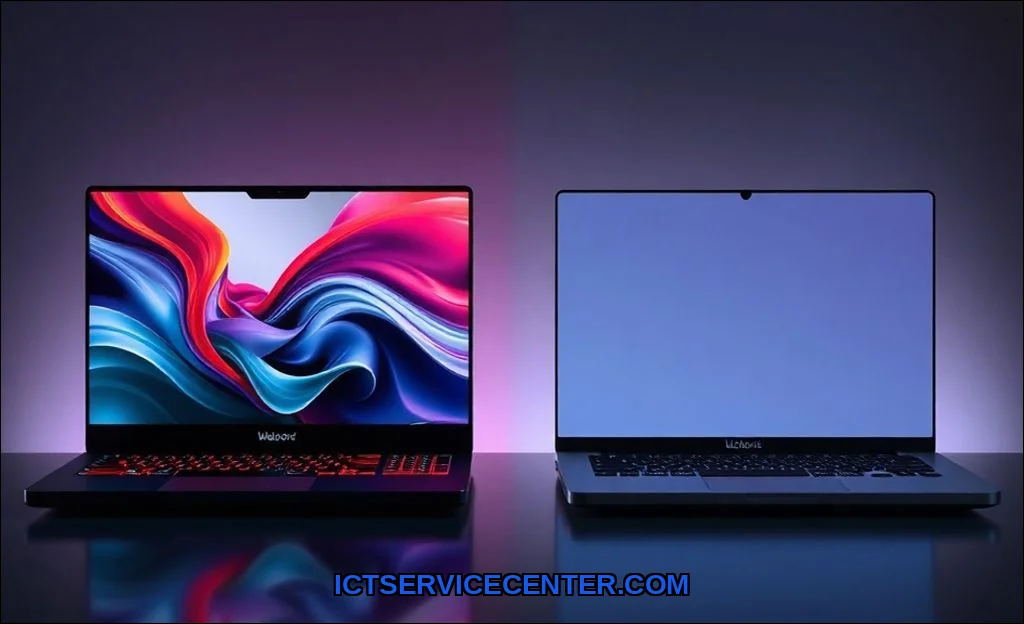
My Hands-On Experience: Gaming vs. Normal Laptops Side-by-Side
Opening both lids tells the story instantly. The normal laptop is quiet, cool to the touch, and boots into a clean desktop. The gaming laptop rumbles to life, its fans spinning briefly, a rainbow wave flowing across the keyboard. One feels like a tool. The other feels like an event. Using them back-to-back highlighted contrasts I didn’t fully appreciate until I lived with them. The weight in my bag, the battery drain during a meeting, the fan noise while on a video callthese are the practical differences that matter far more than theoretical peak performance.
The Core Difference: It’s All About the Graphics Card (GPU)
Forget the CPU or RAM for a second. The single biggest factor is the dedicated GPU. A normal laptop, whether an ultrabook or business class, typically relies on integrated graphics. These are tiny processors baked into the main CPU, designed for efficiency. They handle your desktop, videos, and basic photo editing just fine.
A gaming laptop packs a separate, far more powerful graphics card from NVIDIA or AMD. This dedicated GPU is a powerhouse built to render complex 3D environments in real-time. It’s the difference between watching a movie and being inside one. This component alone dictates the performance gap and explains much of the cost, heat, and power draw. If you’re curious about how other components contribute to speed, our guide on what makes a laptop fast breaks it down further.
Performance Under Pressure: Gaming Laptops Push Harder, But Get Hotter
Under load, the gaming laptop is a different beast. I fired up a demanding game on both. The normal laptop struggled immediately, with choppy, unplayable frames. The gaming laptop was smooth but loud. The fans roared like a small jet engine. This is where thermal design becomes critical.
Gaming laptops use elaborate cooling systemsmultiple heat pipes, large fans, and sometimes even vapor chambers or liquid metal thermal pasteto manage the intense heat from the CPU and GPU. Despite this, they often skirt the edge of thermal throttling, where components automatically slow down to prevent damage from overheating. That fancy performance can dip if the cooling can’t keep up.
- Fan Noise: In a quiet room, a gaming laptop under load can hit 50-55 dBA. That’s noticeable, even distracting. A normal laptop might peak at 35-40 dBA, often remaining whisper-quiet.
- Software Bloat: Gaming laptops come laden with brand-specific utilities (like Armoury Crate or Control Center) for RGB and performance profiles. They’re powerful but can be buggy. Normal laptops have cleaner OEM software, focused on security and battery life.
Design & Daily Use: Gaming Laptops Shout, Normal Laptops Whisper
This is the most visceral difference. Carrying them tells you everything.
| Aspect | Gaming Laptop | Normal Laptop (Ultrabook/Business) |
|---|---|---|
| Portability | Often over 5.5 lbs, thick chassis, large power brick. | Often under 3.5 lbs, slim profile, compact charger. |
| Aesthetics | Aggressive angles, RGB lighting, bold logos. | Minimalist, professional, subdued colors. |
| Keyboard | Often features mechanical-style switches, per-key RGB. | Scissor-switch keys, focused on quiet, comfortable typing. |
| Battery Life | The Achilles’ heel. 2-4 hours under light use is common. | 8-14 hours is standard, built for all-day mobility. |
So, is a gaming laptop good for work? It can be, if your work involves 3D modeling, video editing, or data science. For spreadsheets, emails, and video calls, it’s massive overkill. The loud fans and short battery life become active hindrances in a coffee shop or library. This directly addresses the long-tail question: is a gaming laptop overkill for office work? For most people, absolutely yes.
The Display Showdown: Speed vs. Accuracy for Your Eyes
I compared the screens meticulously. The gaming laptop panel prioritized a high refresh rate144Hz or 240Hzmaking motion incredibly smooth in games and even when scrolling web pages. The trade-off? Color accuracy was sometimes just “good enough.”
The normal laptop, especially a premium business model, often has a calibrated, color-accurate display perfect for photo editing, but it’s typically locked at a standard 60Hz. It’s a choice between fluid motion and precise color reproduction. You rarely get both without a significant price jump.
Making the Choice: Who Really Needs a Gaming Laptop?
Let’s be honest. Most people don’t. Based on my testing, heres who should seriously consider one:
- Dedicated Gamers: This is obvious. If you want to play modern AAA titles anywhere, it’s your only laptop choice.
- Creative Pros on the Go: Video editors, 3D animators, and engineers using CAD software will leverage that GPU power for rendering.
- Hybrid Power Users: Someone who works with virtual machines, compiles code, and wants to game at night.
And who should avoid it?
- Primary Students/Business Users: The poor battery life and weight are deal-breakers. Can you use a gaming laptop for school? Technically, yes. Should you? For most students, no. The gaming laptop disadvantages for everyday usebulk, noise, batteryare magnified in an academic setting.
- Budget-Conscious Buyers: You pay a premium for the gaming pedigree. At the same price point, a normal laptop will offer better build quality, display, and battery.
The debate around should I buy a gaming laptop for college is a constant one on forums. For a deeper community perspective on value, this Reddit discussion on laptop versus desktop performance at the same budget offers raw, user-driven insights that are worth a look.
What About Using a Normal Laptop for Games?
Can a normal laptop run games? It depends. Older titles, indie games, and esports titles like League of Legends or Valorant (on low settings) might run. But forget about Cyberpunk 2077 or Alan Wake 2. The experience will be compromised, often severely. It’s the fundamental difference between gaming and normal laptop capability.
My Final Verdict: Picking the Right Tool for Your Job
After this extended test, my conclusion is simple. A gaming laptop is a specialized, high-performance machine compromised for portability and battery life. A normal laptop is a refined, efficient tool compromised for raw graphical power.
Don’t buy a gaming laptop hoping it will be a great all-rounder. It’s a desktop replacement that you can move, with the thermal and acoustic footprint to match. Don’t buy a sleek ultrabook expecting to game on it. You’ll be disappointed.
Think about your primary use case. If it’s 80% work/study and 20% gaming, a normal laptop plus a cloud gaming service or a console is a smarter combo. If it’s 50/50 or you need that GPU for work, then a gaming laptop earns its place on your desk (and in your backpack). For a foundational look at how these machines are built, our article on what a laptop is and how it works provides great context.
Choose the tool that fits your actual job. Not the one that promises to do everything, but ends up being a master of none.