
 By
You are comparing two laptops with the same chip, and one spec sheet lists 28W while the other lists 45W. That number is the TDP, and it says more about how fast each laptop will run than the chip name alone.
In short: TDP stands for thermal design power. It is the heat, measured in watts, that a laptop processor is built to give off while it runs at its base speed under a heavy workload. The figure tells the laptop maker how much cooling the chip needs. It is not the most power the chip can draw, and it is not how much power the laptop uses at idle.
Key takeaways
- TDP means thermal design power: the heat, in watts, a chip is built to shed while it runs at base speed.
- Intel now calls the same figure processor base power, and lists a higher maximum turbo power beside it.
- A chip can draw well above its TDP for short bursts, then settles back to its sustained limit.
- The same chip runs faster in a laptop with better cooling, where the maker sets a higher power limit.
- Apple publishes no TDP figure for its M-series chips, so compare MacBooks by battery life and real use, not watts.
What TDP stands for
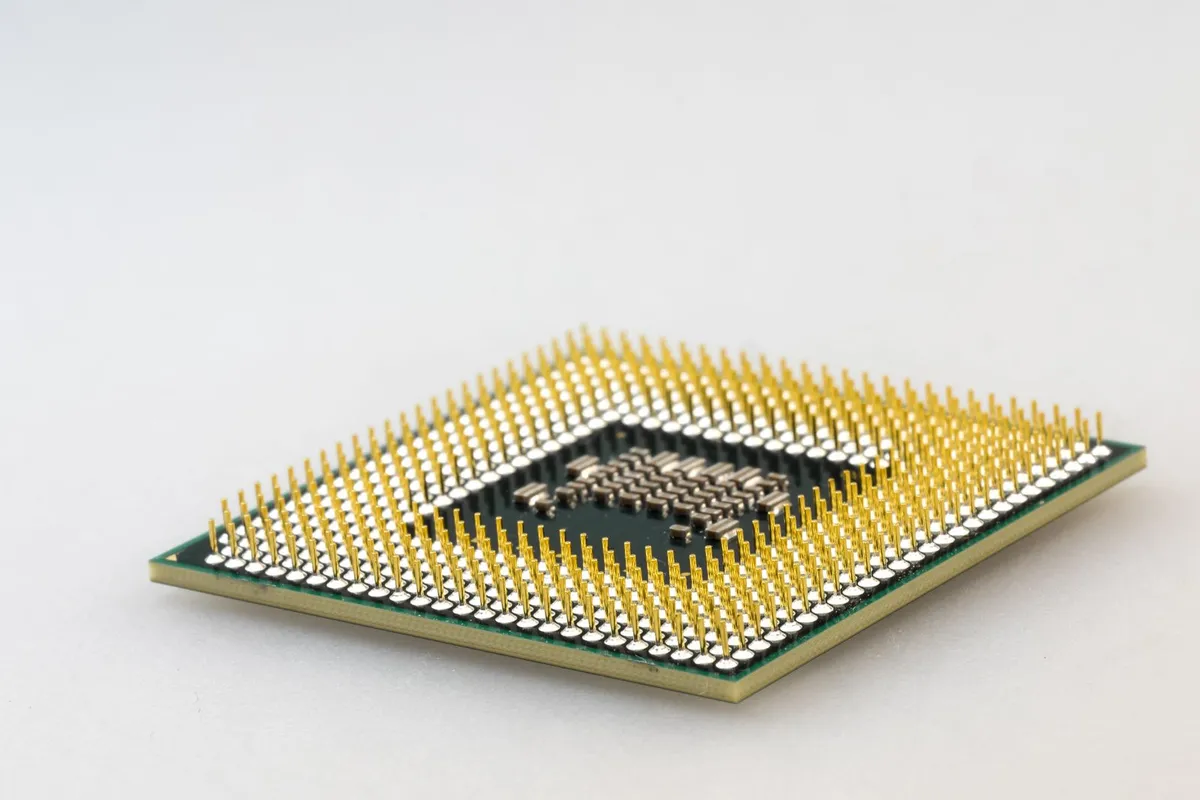
TDP is short for thermal design power. The word thermal is the clue: it is about heat, not speed.
A 28W TDP means the cooling system must carry away 28 watts of heat while the chip works hard at its base speed, and the maker uses it to size the fan, the heat pipes, the vents, and the chassis.
We cover what does cores and threads mean for a computer in a guide of its own.
That number is a design target, not a measurement of your laptop. If the cooling cannot remove the heat, the chip slows itself down to protect the hardware.
Three things TDP is not: the most power the chip can draw, the total power the laptop uses, or a speed score. The screen, memory, storage, and wireless radio draw power too, and a higher TDP does not always mean a faster chip. Our guide to what a laptop processor is explains the chip itself.
Base power vs boost power: PL1 and PL2
Modern laptop chips carry two power figures, not one: Intel lists processor base power and maximum turbo power, and AMD lists a default TDP and a configurable range. One figure covers long tasks, and the other covers short bursts.
Two limits sit behind those figures, called PL1 and PL2. PL1 is the long-term average power limit, and Intel recommends setting it equal to processor base power. PL2 is the higher short-term limit for bursts, which lasts a stretch set by the maker, usually tens of seconds, before the chip settles back toward PL1.
Take the Intel Core Ultra 7 155H: Intel lists its base power at 28W and its maximum turbo power at 115W. Under a short heavy task it can draw up to 115W, then settle near 28W for long work.
That gap is why a laptop feels quick when you open a program and slower during a long video export: the burst is over, and the chip is back at its sustained limit.
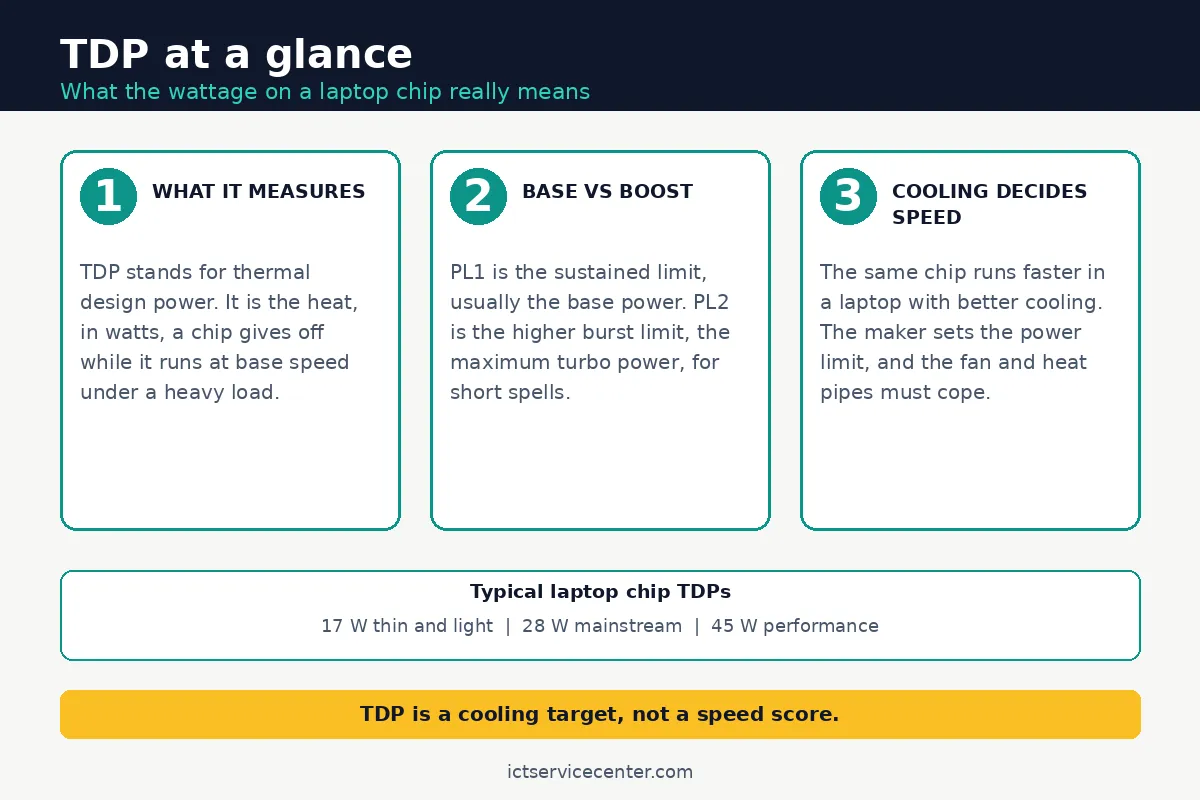
Intel defines maximum turbo power as the highest sustained power the chip can reach for more than a second, limited by current and temperature controls, and the laptop maker can set the value for each model. Our guide to how thermal design affects laptop performance explains what happens when the cooling cannot keep up. It helps to understand diagnosing zero current draw before going further.
When you compare two laptops, look for both numbers. The base power tells you how the laptop runs during long work, and the maximum turbo power tells you how it handles short bursts.
Why the same chip runs faster in one laptop than another
The chip maker sets the rated figures, but the laptop maker sets the power limit inside each model. A thin laptop may cap the Core Ultra 7 155H well below 28W to fit its slim body and small fan, while a thicker laptop lets the same chip hold the full 28W, so it stays faster during long heavy work.
Cooling hardware decides how high that limit can go: bigger fans, wider heat pipes, and more vents carry more heat away, so the chip can hold a higher limit without overheating. A thin body has less room for all three, so the maker sets a lower limit.
Firmware modes matter too. Many laptops ship with Silent, Balanced, and Performance modes that change the power limit. Our guide to how modern processors improve efficiency explains how chips save power when the work is light.
Heat is the other half of the story. When a laptop cannot shed heat fast enough, the chip cuts its speed to cool down, which is called thermal throttling. If your laptop slows down when it gets hot, our guide to avoid thermal throttling on a laptop covers the fixes that help.
Common TDP numbers for current laptop chips
Here are the rated figures for the laptop chips you will see most often in new laptops: Intel gives a base power and a maximum turbo power, and AMD gives a default TDP and a configurable range. There is more on gpu performance comparison laptop desktop in a separate guide.
| Chip | Base or default TDP | Boost or configurable limit | Where it fits |
|---|---|---|---|
| Intel Core Ultra 7 258V | 17 W | 37 W turbo | Thin and light laptops |
| Intel Core Ultra 7 155H | 28 W | 115 W turbo | Mainstream laptops |
| Intel Core Ultra 9 185H | 45 W | 115 W turbo | Performance laptops |
| AMD Ryzen AI 7 350 | 28 W | 15-54 W configurable | Thin to performance laptops |
| AMD Ryzen AI 9 HX 370 | 28 W | 15-54 W configurable | Performance laptops |
| Apple M4 | No TDP published | No TDP published | Use battery life instead |
AMD’s configurable range is wide on purpose: a Ryzen AI 7 350 can be set anywhere from 15W to 54W, so one thin laptop may run it near 15W while a thicker model runs it near 45W. Intel also lists a minimum assured power, the low end of the range: 8W on the 258V, 20W on the 155H, and 35W on the 185H.
Apple is the exception: its MacBook Air tech specs list the core count, memory bandwidth, battery life, and charger wattage for the M4, but no TDP figure for the chip itself. Any wattage a seller quotes for an M-series chip is an estimate, not an Apple rating.
How to check the TDP on your laptop
Windows does not show TDP in Settings, but you can find it in a few minutes from the chip name.
- Find your exact chip name. Open Settings, then System, then About, and read the Processor line. Task Manager shows it too under Performance, then CPU.
- Look the chip up on the maker’s spec page: Intel ARK lists Processor Base Power and Maximum Turbo Power, and AMD lists Default TDP and Configurable TDP.
- Check the laptop maker’s spec page for your exact model. Some makers list the configured TDP or the power modes for that model, and that is the number that decides how your laptop behaves.
- Watch the live watts if you want proof. HWiNFO64, in Sensors-only mode, shows CPU Package Power in watts as you work; get it from the maker’s own site, hwinfo.com. Run a heavy task and watch the number rise toward the burst limit, then settle back.
- Compare what you found with the table above. If your chip’s base power is 28W but your laptop holds far less under load, cooling or the maker’s power limit is the cause.
Check the exact model number, not just the chip name. Two laptops with the same chip can ship with different power limits, so the model page is the one that counts.
What TDP means when you buy a laptop
Match the chip to the body: a 17W chip suits a thin laptop you carry all day, a 28W chip suits a mainstream laptop for work and study, and a 45W chip belongs in a thicker laptop with room for bigger fans. The wattage is only a good buy when the body can shed the heat.
Cooling matters more than the chip name. A well-cooled 28W laptop can beat a thin 45W laptop at long tasks, because the thin one has to slow down once it gets hot. Our guide to choose a laptop processor for daily use walks through the rest of the choice. For the rest of the specs that decide a laptop, see our Specs Explained hub.
Battery life does not follow TDP in a straight line. At idle or during light work, these chips draw only a few watts, so a high-TDP laptop can still last through a day of browsing and documents. Screen size and brightness, and the battery size in watt-hours, matter as much. Our guide to choose future-proof laptop specs covers how to weigh the chip against the battery.
A high TDP in a thin body is a warning sign, not a selling point: if the cooling cannot remove the heat, the chip slows down, the fan gets loud, and the extra watts buy you nothing.
Mistakes to avoid
Reading TDP as the chip’s top power draw. The chip can draw far more in short bursts, so check the maximum turbo power or the configurable range too.
Reading TDP as battery drain. TDP describes heat under load, not power at idle. Check the battery size in watt-hours and tested battery life instead.
Comparing TDP across brands as a speed score. The same wattage does not mean the same speed. Compare the exact models on tested performance and battery life instead.
Buying the highest TDP chip in the thinnest body. A 45W chip needs room for cooling, so in a thin body it slows down under load and runs loud, while a 28W chip with room to breathe can be faster in practice.
Trusting a quoted TDP for a MacBook. Apple publishes no TDP for M-series chips, so judge a MacBook by its battery life and how it handles your work.
Frequently asked questions
What does TDP stand for?
TDP stands for thermal design power: the heat, in watts, that a processor is built to give off at base speed under a heavy workload. The figure tells the laptop maker how much cooling the chip needs. It is not the most power the chip can draw: most laptop chips draw well above their TDP for short bursts, then settle back near it.
Is a higher TDP better?
Not on its own. A higher TDP usually means the chip can hold higher speeds for longer, but only if the laptop can remove the extra heat. In a thin laptop, a high TDP chip can mean more fan noise and more slowing down under load. Match the chip to the body: 17W for thin laptops, 28W for mainstream use, 45W for thicker performance models.
Does TDP affect battery life?
It matters under heavy load, when the chip draws more power and drains the battery faster. At idle or during light work, these chips draw only a few watts, so TDP alone does not decide battery life. Screen size and brightness, and the battery size in watt-hours, matter as much.
What is the TDP of an Apple M4 chip?
Apple does not publish a TDP figure for the M4 or any other M-series chip. Its MacBook Air tech specs list the core count, memory bandwidth, battery life, and charger wattage instead. Any wattage you see quoted for an M-series chip is an estimate from another source, not an Apple rating.
Can I change the TDP on my laptop?
There is no TDP setting in Windows. Some laptops offer Silent, Balanced, and Performance modes in the maker’s own app, and those modes change the power limit the chip may hold. That is the safe way to trade speed for quiet running or battery life. Do not use third-party tools to raise power limits.
Bottom line: TDP is the heat a laptop chip is built to shed, in watts, at base speed.
Check both the base power and the maximum turbo power on the maker’s spec page, and match the chip to a body with room to cool it.
For a thin laptop you carry all day, a 17W or 28W chip with good cooling beats a 45W chip in a body that cannot shed the heat.
Sources: AMD, Ryzen AI 9 HX 370 specifications; AMD, Ryzen AI 7 350 specifications; Intel, Package Power Control (PL1, PL2 and Tau); Apple Support, MacBook Air M4 Tech Specs. Photos: Pixabay, Sergei Starostin, Alexandre P. Junior, Eterna Media, Lisa Fotios via Pexels. Diagram: ICT Service Center.