
 By
You are staring at a sleek brand tower and a scattered table of components, unsure which one will actually save you time and money. This page cuts the noise, shows you the real cost differences, and tells you exactly which route fits your skill level right now.
In short: For most readers, a prebuilt PC wins on ease and speed because it arrives tested with a single warranty. A custom build wins on value, control, and upgradeability if you have the confidence to handle component compatibility. You should pick the path that matches your comfort zone and long-term plan, not just the sticker price.
Quick picks
Our shortlist for this job · tap one to see today's price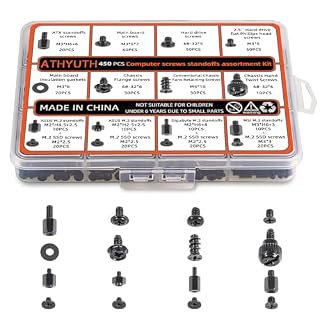
Organized screws prevent you from losing critical parts during a stressful initial assembly.

Includes fans and glass panel so you can see and manage your custom build later.
The differences at a glance
Prebuilt systems are complete, tested machines from a single vendor. You get immediate convenience but limited control over specific components. The hardware is assembled, tested, and usually includes bloatware you will need to remove on day one. There is more on used vs new pc 2026 in a separate guide.
Custom builds are assemblies you source and put together yourself. You choose the exact CPU, GPU, and RAM, but you take on the labor and the risk of a first-boot failure. Your total cost depends entirely on which parts you select and when you buy them.
| Factor | Prebuilt PC | Custom PC |
|---|---|---|
| Time to working system | Immediate | Days to weeks |
| Single warranty | Yes | No |
| Component choice | Fixed | Total control |
| Upgrade potential | Often limited | High |
Pro tip: Prebuilt is faster; custom is more controllable.
Ease of use: prebuilt wins the first boot
The prebuilt approach wins the ease category without competition. You unbox, plug in a monitor, and it boots. You do not have to figure out which power cable goes where or how to handle a fragile CPU. The system is tested by the manufacturer before it ships to your door.
With a custom build, ease drops sharply. You need a tool and patience to assemble the board. If you misplace a screw or forget to apply thermal paste, the system will not start. The ‘first boot’ is a moment of pure anxiety for many users who are unfamiliar with the wiring.
- Prebuilt: Zero assembly, zero compatibility checks.
- Custom: Requires tools, manuals, and basic troubleshooting.
Pro tip: If the thought of thermal paste makes you anxious, a prebuilt is the safer choice for your peace of mind.
A dedicated screw kit ensures you have the right size when you finally sit down to assemble your custom build.
- All-In-One Kit: This 450-piece computer screw set covers virtually every screw needed
- Premium Materials Built to Last:Our computer screws are crafted from high-quality
Value for money: where your dollars go
On paper, a custom build is usually cheaper for the same performance. You avoid the brand premium that major manufacturers add for the assembly and testing services. You also get to allocate your budget to the components that matter most to you, like a better graphics card or faster RAM.
However, ‘cheaper’ is relative to your skill. A custom build costs you time researching parts and the potential cost of making a mistake. A prebuilt is a premium service that guarantees a working system on arrival. You are paying for the certainty, not just the parts. There is more on budget pc vs high end pc in a separate guide.
Pro tip: Shop for parts during sales to narrow the price gap between a prebuilt and a custom build.
Control and future-proofing: the custom edge
Custom builds give you total control over the specs. You can choose a motherboard with extra M.2 slots for future storage or a power supply with plenty of wattage for a higher-end GPU later. This makes the system ‘future-proof’ because you designed the headroom yourself.
Prebuilts are often ‘walled gardens.’ They may use proprietary power connectors or cramped cases that make it nearly impossible to upgrade. If you plan to build a custom system, you are investing in the machine’s long-term life. You can swap the graphics card in three years without buying a new tower.
A good mid-tower case with built-in fans makes it easy to see and manage your custom build's airflow and upgrades later.
- AURA GC1 ELITE ARGB sports an airflow-focused mesh front panel equipped with 4 ARGB
- 【Stylish Gaming PC Case with Side Tempered Glass】The computer case showcases the inner
Warranty and support: the single-point difference
The most practical difference for many owners is support. If a prebuilt fails, you call one number. The manufacturer handles the diagnosis and the repair, which is a significant relief if you are not tech-savvy. You do not have to guess if it is the GPU or the power supply causing the black screen on startup.
With a custom build, you have fragmented support. If the motherboard fails, you go to the board maker. If the GPU fails, you go to the card maker. It is more work to get a replacement, but you are not tied to one vendor’s service policy. Each part has its own individual warranty period and rules.
Which should you buy?
The right choice depends on your primary use case and your comfort with hardware. There is no universal ‘best,’ but there is a clear winner for specific types of people. The decision comes down to whether you value your time or your control over the machine. For the detail, see our notes on choosing between building and buying.
- For the busy professional: Buy a prebuilt. You need it to work for work today, and you don’t have time to source parts and read manuals.
- For the enthusiast or gamer: Build a custom. You want the highest performance per dollar and you enjoy the process of putting it together.
- For the content creator: Build a custom. You need specific multi-core CPUs and high-speed NVMe storage that prebuilts often omit or limit.
- For the anxious user: Buy a prebuilt. If the process of building sounds stressful, the prebuilt’s single warranty is worth the premium.

Applying a high-quality thermal paste like MX-4 is the most important step to ensure your custom build runs cool and lasts for years.
- Our thermal paste packaging design has evolved over time, but the formula has remained
- ARCTIC MX-4 thermal paste is made of carbon microparticles, guaranteeing extremely high
The bottom line
Choose a prebuilt if you want a single warranty and a working system today without any assembly. Choose a custom build if you want better value, total control over specs, and high upgrade potential. The next step is to research the specific parts you need and decide if you have the time to learn the assembly process.
- Our thermal paste packaging design has evolved over time, but the formula has remained
- ARCTIC MX-4 thermal paste is made of carbon microparticles, guaranteeing extremely high
Frequently asked questions
Is a custom PC always cheaper than a prebuilt?
No, not always. A custom PC is usually cheaper for the same performance because you avoid the brand premium. However, if you buy high-end parts or make a mistake that requires a return, the total cost can exceed that of a prebuilt system.
Can I upgrade a prebuilt PC later?
Sometimes, but it is often limited. Many prebuilts use proprietary parts or cramped cases that make it difficult to swap the GPU or add more RAM. You can usually upgrade the storage or add a second drive, but the most common parts are often locked in.
Do I need to know how to build a PC to buy a custom one?
Yes. If you are not comfortable reading manuals and following a build guide, you will likely have a difficult time. A custom build requires you to verify component compatibility and handle delicate parts like the CPU. If this sounds like a lot of work, stick with a prebuilt.
Which is better for gaming, prebuilt or custom?
A custom PC is usually better for gaming because you can get a higher-end graphics card and better cooling for the same price. However, a prebuilt gaming PC from a reputable brand will still perform very well, you just pay a bit more for the convenience of it.