
 By
A warranty check takes about two minutes once you have the serial number. The maker lookup page then shows the start date, the end date, and what is covered, so you know before you book a repair whether it is free.
In short: Find the serial number on the sticker, in BIOS, or with one PowerShell command, then enter it on the official warranty page for your maker.
Dell uses the Service Tag, HP and Lenovo use the serial number, Asus uses the serial number, Acer uses the serial number or SNID, and Apple uses the serial number at its Check Coverage page.
The result shows the start date, the end date, and the coverage type.
Key takeaways
- The serial number is the key to every warranty lookup: find it on the sticker, in BIOS, or with one command.
- Each maker has its own lookup page, and no third-party warranty checker is needed.
- The end date is the date that matters: coverage runs out at the end of that day.
- A wrong start date can usually be fixed with the receipt.
- Out of warranty does not mean unrepairable: get a quote before you pay for a new laptop.
Find the serial number first

Every maker lookup starts with the serial number, the code that ties the warranty to your exact laptop. Two laptops with the same model name share everything except this number. The other half of this decision is why the device gets hot when plugged in.
Read the sticker. Turn the laptop off, close the lid, and turn it over. The label on the base shows the serial number, usually marked S/N, Serial No., or Serial Number. On Dell laptops the same label shows the Service Tag, a seven-character code. If the text is small or worn, photograph it and zoom in.
Read it in BIOS or UEFI. If the sticker is unreadable, restart the laptop and press the setup key shown on the first screen, often F2, Delete, or Esc. The main information screen lists the serial number, and on Dell machines the Service Tag too. This works even when Windows will not start, since the number is stored in the firmware.
Read it with one command. On a working Windows laptop, PowerShell reads the serial number the maker stored in the firmware, so it matches the sticker exactly.
- Select Start, type PowerShell, then select Windows PowerShell.
- Type Get-CimInstance -ClassName Win32_BIOS | Select-Object SerialNumber and press Enter.
- Read the SerialNumber shown and write it down exactly, letter for letter.
- On a Mac, click the Apple menu, choose About This Mac, and read the Serial Number.
The older command wmic bios get serialnumber still works on many Windows 11 machines, but Microsoft is removing wmic, so learn the PowerShell command above. A blank result means the maker did not store a serial in the firmware.
Tip: Photograph the sticker and the receipt the day you buy a laptop.
Pick the right lookup page
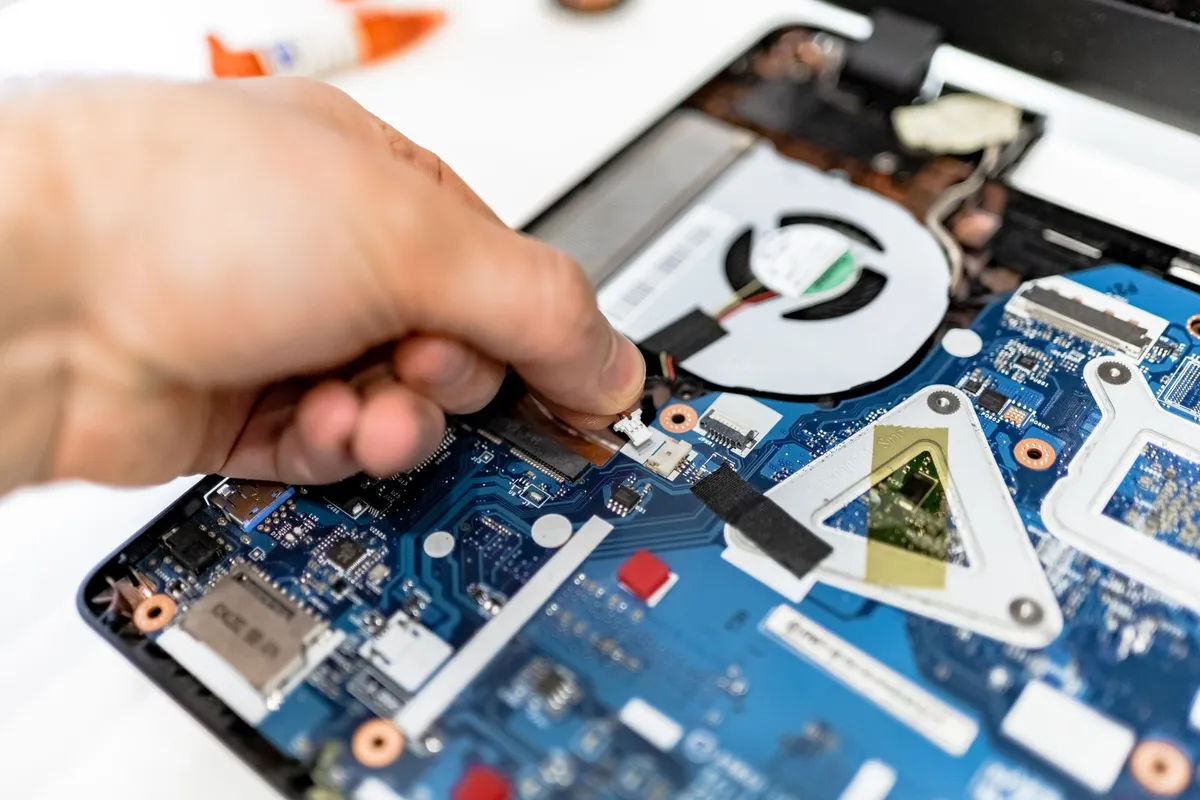
Each maker runs its own warranty lookup. Use the maker page only: third-party checker sites add nothing and hand your serial to a stranger.
| Maker | Where to check | What you need |
|---|---|---|
| Dell | Dell Support warranty page | Service Tag or Express Service Code |
| HP | HP Product Warranty Checker | Serial number and country |
| Lenovo | Lenovo Warranty Lookup | Serial number and machine type |
| Asus | ASUS Warranty Status Inquiry page | Serial number |
| Acer | Acer support site, search by serial number or SNID | Serial number or SNID |
| Apple | Apple Check Coverage page | Serial number |
No lookup page asks for payment or needs an account for a basic check. Pick your country first: warranty terms are regional. Before you buy anything, it is worth looking at adding login security fast.
Check a Dell warranty
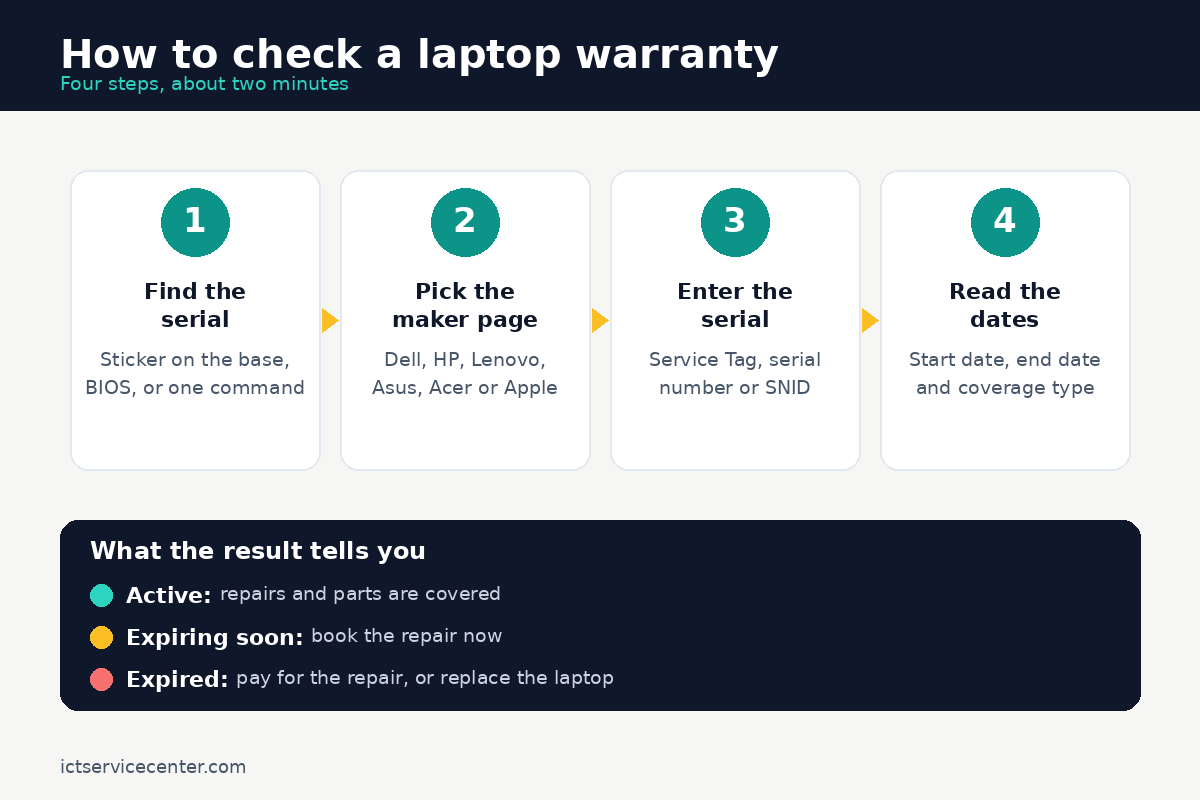
Dell ties everything to the Service Tag, a seven-character code of letters and numbers printed on the base sticker and shown in BIOS. The Express Service Code is the same identifier in numeric form.
- Open the Dell Support warranty page in any browser.
- Type the Service Tag or the Express Service Code into the box and submit it.
- Select your product, then open Review Services or View Warranty Details.
- Read the warranty status, the service plan name, and the start and end dates.
The status is usually Active, Expiring soon, or Expired. The plan name tells you what kind of cover you have: Basic is the standard limited hardware warranty, while ProSupport and Premium Support add faster response and, on some plans, accidental damage cover. If the page cannot find your Service Tag, check it character by character: the tag never contains the letter O.
Check an HP or Lenovo warranty
HP and Lenovo both run on the serial number, but they ask for it in different places, and each has a support app that can find the number for you.
HP. Open the HP Product Warranty Checker, select the country where you bought the laptop, enter the serial number, and click Check Warranty. The result shows the warranty status, the start and end dates, and the warranty type.
If the sticker is unreadable, open HP Support Assistant, or press Ctrl + Alt + S to open HP System Information: both show the serial number.
Keep the product number (P/N) nearby too, since HP support sometimes asks for it, but the lookup itself runs on the serial. Our guide on whether HP laptops are reliable covers what HP cover usually includes.
Lenovo. Open the Lenovo Warranty Lookup page and enter the serial number. Lenovo also asks for the machine type on some models: the first four characters of the model number on the same base label. The result shows the warranty status and the service details. Lenovo Vantage shows the serial number under the device name on its Device tab.
Check an Asus, Acer or Apple warranty
The last three makers follow the same pattern with their own pages and their own apps. Asus and Apple have a named lookup page each, while Acer runs its check through the product support search. The other half of this decision is check macbook battery health.
Asus. Open the ASUS Warranty Status Inquiry page, enter the serial number, tick the privacy policy box, and click Submit. The result shows the warranty end date and the coverage type. MyASUS can do the same check from the User Center. If you cannot show a purchase invoice, Asus starts the warranty from the delivery date, so keep the receipt.
Acer. Acer checks warranty by serial number or SNID, the short code printed next to the serial on the base label.
Open the Acer support site, search with the serial number or SNID, and open the product support page: it lists the warranty expiration date among the product details. Acer Care Center, the app on most Acer laptops, shows the same details without typing.
If the date is wrong, Acer has a Correct Warranty Date step, and an invoice usually fixes it.
Apple. Open the Apple Check Coverage page, enter the serial number, and submit it. The result shows whether the Mac is covered by the one-year limited warranty or by AppleCare, and until when. The same cover shows on the Mac under System Settings, General, then AppleCare and Warranty.
Tip: Open the maker page directly, not from a search result. A lookalike page that asks for the serial number and a payment is not the maker.
What the dates and coverage types mean
The lookup result is short, but every line on it matters. Read it in this order.
Start date. This is the day the warranty clock started. For most makers it is the purchase date, or the ship date when the maker has no purchase record. A start date months before your purchase usually means the laptop sat in a shop first. Send the maker the receipt to get it corrected to the purchase date.
End date. This is the last day of cover. Coverage runs out at the end of that day, so a repair booked on the end date is still covered, and one booked the day after is not. If the end date is close, book the repair now.
Status. Active means covered today, Expiring soon means the end date is near, and Expired means repairs are paid for.
Coverage type. A limited hardware warranty covers defects in materials and workmanship: parts and labour for a fault that is the maker fault, not yours. It does not cover accidental damage, a battery that has worn down through normal use, or software problems.
Accidental damage protection is a separate, paid add-on that covers drops and spills. One year is the standard for most Windows laptops and for Apple, though some lines carry two or three years.
Our ranking of the best laptop brands notes where warranty length differs between makers.
Out of warranty? Here is what to do next
An expired result only changes who pays. Work through the options in this order, cheapest first.
Get a quote before you decide anything. Ask the maker for a repair price, then ask an independent repair shop for the same job. A screen, a keyboard, or a battery on a laptop that is otherwise sound is often worth fixing, and the maker quote is the number to beat. Our guide to how to check laptop battery health covers the battery check first.
Check whether extended cover is still available. Most makers sell extended warranty only while the standard warranty is still active, or for a short grace period after it ends. Once that window closes, the option is gone.
Keep the receipt and the box. The receipt is the proof of purchase that fixes a wrong start date and supports a claim. Photograph it, save the photo where you can find it, and keep the paper copy with the box. The box label carries the serial number too.
If you are buying used, check before you pay. A used laptop with six months of maker warranty left is a different buy from the same laptop with none.
Ask the seller for the serial number, run the lookup while you are still deciding, and read the start and end dates yourself.
Our refurbished laptop buying checklist walks through the rest of the checks, and our guide to deep cleaning an out-of-warranty laptop covers the cleaning makers charge for.
Mistakes to avoid
- Checking with the model name only. The model name is shared by thousands of laptops. The lookup needs the serial number, Service Tag, or SNID for your exact unit.
- Trusting a third-party warranty checker. Only the maker page holds the real record. Other sites guess or collect serial numbers for their own use.
- Mixing up the serial and product numbers on HP. HP labels show both. The lookup runs on the serial number (S/N). The product number (P/N) identifies the configuration, not your unit.
- Ignoring a wrong start date. A start date months before your purchase means lost cover. Send the maker the receipt and ask for the date to be corrected to the purchase date.
- Throwing away the receipt and the box. Without proof of purchase you cannot fix a wrong start date.
Frequently asked questions
Can I check a laptop warranty without the serial number?
Not on the maker lookup page, which needs the serial number, Service Tag, or SNID. If the sticker is gone and the laptop still boots, the maker support app on the laptop can find the number for you: SupportAssist on Dell, HP Support Assistant on HP, Lenovo Vantage on Lenovo, and MyASUS on Asus.
How long does a laptop warranty usually last?
One year is the standard limited warranty for most Windows laptops and for Apple. Some models and business lines carry two or three years, and some makers sell extended cover that adds a year or two. Check the maker lookup page for the exact dates on your laptop.
What does a limited warranty cover?
A limited hardware warranty covers defects in materials and workmanship: parts and labour to fix a fault that is the maker fault. It does not cover accidental damage such as drops and spills, a battery that has worn down through normal use, or software problems.
My warranty shows expired but I just bought the laptop. What do I do?
The start date was probably set at the ship date, not your purchase date, because the maker had no purchase record. Send the maker your receipt or order confirmation and ask for the start date to be corrected to the purchase date.
Bottom line: Find the serial number, enter it on the maker page, and read the end date. If the date is wrong, send the receipt to get it fixed. If the laptop is out of warranty, get a repair quote before you replace it. Browse our laptop care and maintenance guides for the next check.
Sources: Dell Support, Dell warranty check (dell.com); HP Support, Product Warranty Checker (support.hp.com); Lenovo Support, Warranty Lookup (pcsupport.lenovo.com); Apple Support, Check Coverage (checkcoverage.apple.com). Photos: EVG Kowalievska, IT services EU, KATRIN BOLOVTSOVA, Quang Nguyen Vinh and Mikhail Nilov via Pexels. Diagram: ictservicecenter.com.