
 By
By You clicked an icon and the app appeared, but you wonder what the computer actually did between that click and the open window. This page traces the system-side path: how the OS finds the program, pulls it into memory, and hands it to the hardware.
In short: When you launch an app, the operating system resolves its file path, requests data from the storage, loads executable code into RAM, and asks the CPU and GPU to begin processing. The kernel manages this flow, granting the app its own memory space and handling hardware requests like drawing pixels or accessing the network.
Our pick
Tap to see today's price on Amazon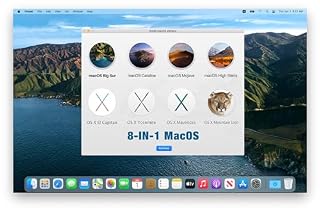
Creates a bootable USB to verify your Mac's OS can load apps from a clean system environment.
What the Operating System Does When You Click
The moment you click an icon, the desktop shell sends a command to the operating system. It does not run the app directly. Instead, it asks the kernel to start a new process. It helps to understand system repair tools before going further.
The OS looks up the app’s file path. This is a specific location on your drive, like C:Program Files…app.exe on Windows or /Applications/… on macOS. If the path is missing or corrupted, the app will not open. This is why broken shortcuts fail even when the file still exists in another folder.
Before running the code, the system checks permissions. It verifies that your user account is allowed to execute that specific file. If the file is locked by another process or marked as read-only, the OS will block the launch and throw an error.
- The shell identifies the executable file.
- The OS verifies permissions to run that file.
- The kernel prepares a new process environment.

A fast external drive helps verify if an app opens correctly when moved from internal storage.
- Get NVMe solid state performance with up to 1050MB/s read and 1000MB/s write speeds in
- Up to 3-meter drop protection and IP65 water and dust resistance mean this tough drive
From Disk to RAM: How Code Gets Loaded
Applications are stored as static files on your hard drive or SSD. They cannot run there. The CPU can only execute instructions that are physically in Random Access Memory (RAM).
The OS uses a mechanism called virtual memory to map parts of the app file into RAM. It does not load the whole thing at once. It loads the executable code first, then pulls in specific data files only when the app requests them. This is why opening a heavy video editor feels slower than opening a notepad.
If your computer has low RAM, the system may start swapping. It moves inactive data from RAM to a file on your disk. This is slow because disks are far slower than memory. The result is the lag you feel when many apps are open.
- OS requests the file header from the storage.
- Executable code is mapped into reserved RAM blocks.
- Dependencies like libraries are loaded on demand.
Pro tip: Close background apps before launching heavy programs to keep free RAM available for the new app. We cover safely opening the power port in a guide of its own.
The Role of the CPU and GPU
Once the code is in RAM, the CPU takes over. It decodes the app’s instructions and executes them. This includes calculating logic, handling user input, and managing data flow between components.
When the app needs to show anything on screen, it calls the Graphics Processing Unit (GPU). The GPU does not display pixels itself; it processes geometry, shading, and textures. It outputs a final image that the monitor displays. This is why gaming or video editing requires a strong GPU, while word processing does not.
For simple apps, the integrated graphics on the CPU are enough. But if you run a 3D game, the dedicated GPU takes the load. If the GPU driver crashes, the app may freeze or show a black screen.
| Component | Task in App Launch |
|---|---|
| CPU | Runs the main application logic and system calls |
| GPU | Prepares the visual interface for the monitor |
| RAM | Holds the active code and data during the session |
When Apps Open Automatically at Startup
Some apps are configured to launch the moment your computer turns on. This happens through Startup folders or Task Scheduler on Windows, and Login Items on macOS.
The operating system processes these commands during the boot sequence, right after the kernel loads. This is why a slow startup often means too many apps are fighting for CPU and RAM at the same time.
To manage this, look for the official settings:
- On Windows, press Ctrl + Shift + Esc to open Task Manager. Click the Startup tab.
- On macOS, go to System Settings > General > Login Items.
- Disable any app you do not need immediately when you sit down.
If an app opens but you did not launch it, check the Run keys in the registry on Windows. Malware often hides here. Loaders in this spot often ask about resolving startup freezes as well.
Common Myths About How Apps Run
Many users believe that deleting an app removes all its data instantly. This is false. Uninstallers remove the main executable files, but temporary settings and caches often remain in folders like AppData on Windows or Library on macOS.
Another myth is that a faster hard drive makes the interface look better. A faster SSD reduces load times, but the frame rate of the window itself depends on the GPU and CPU. If the app runs slowly once open, storage speed is rarely the cause.
Finally, people think the computer “keeps the app running” when closed. It does not. When you close a window, the process ends, and its memory is freed. If it is still using resources, it is a background service that failed to exit cleanly.
- Myth: More RAM always makes games faster.
- Fact: It prevents swapping, but the GPU is usually the bottleneck in visuals.
- Myth: Deleting files from the recycle bin removes them from disk.
- Fact: They are marked as free space until overwritten.
Pro tip: Uninstalling an app does not always delete its configuration files. Check your user profile folders for leftovers if you are reinstalling.
How to Check if an App Is Stuck or Crashing
If an app opens but freezes, the system side is likely failing to allocate resources. Check Resource Monitor to see if the app is using 100% of your RAM or CPU.
If the app crashes immediately, the Event Viewer on Windows or Console on macOS logs the exact error. These logs tell you if the problem is a missing driver, a corrupted file, or a conflict with another program.
For a deeper check on Macs, you can boot from a recovery environment. This isolates the hardware from the main hard drive to see if the issue is the app or the system.
Use a dedicated tool to manage this process safely without altering your main system drive.
- Open Task Manager or Activity Monitor.
- Sort by CPU and Memory usage.
- Look for the app IDling at 0% or Spiking to 100%.
Safety first: Never puncture a laptop battery if it is swollen. If your laptop will not boot due to battery issues, stop and take it to a repair shop.
The bottom line
Understanding the system side means you know that app speed depends on RAM, disk, and CPU together. If apps open slowly, upgrade your storage to an SSD or add more RAM. If they crash, check the system logs for errors. Most users should get an SSD first, as it is the biggest single improvement for launch times.
- ✅8-IN-1 USB drive 3.2: Big Sur 11.7、Catalina 11.15.7、Mojave 11.14.6、High Sierra
- ✅1. Plug-In USB Drive
Frequently asked questions
How do I stop an app from opening when my computer turns on?
Go to the Startup section in Task Manager on Windows or Login Items in macOS System Settings. Disable the app you want to remove from the automatic launch list.
Why does my app open slowly?
It is usually because the app is large and your storage is slow, or because your computer lacks enough free RAM. Upgrading to an SSD and adding RAM are the two most effective fixes.
Does the GPU help with opening non-graphic apps?
No. For text-based or simple apps, the GPU does almost no work. The CPU and RAM are the only components that matter for opening standard office or utility software.
What is the difference between opening an app and loading a game?
A standard app loads a small amount of code into memory. A game loads gigabytes of assets and requires the GPU to compile shaders, which is why games have much longer initial launch times.
Can I run an app without installing it?
Yes, some apps are ‘portable’ and run from a USB drive without touching your system registry or installation folders. However, they still use your computer’s RAM and CPU to run.