
I’ve spent years testing every kind of computer setup you can imagine. From cramped dorm rooms to sprawling home offices, I’ve torn down towers and lived with sleek all-in-ones. The desktop vs all in one PC debate isn’t just about specs on paperit’s about how a machine fits your life, your workflow, and your willingness to tinker. After living with both, I have strong opinions. Here’s my honest, hands-on breakdown.
Let’s cut the marketing fluff. A traditional desktop computer gives you raw power and flexibility. An all in one PC promises elegance and simplicity. But choosing between them means understanding real trade-offs in performance, upgradeability, and daily use. I’ve been burned by bothand thrilled by both. Let me walk you through what I’ve learned.
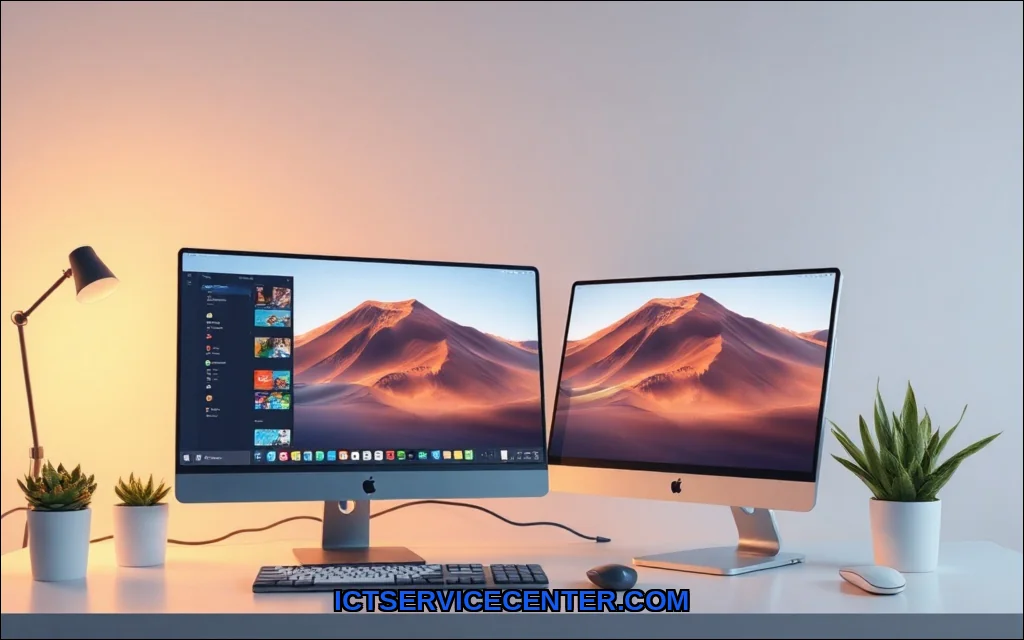
Desktop vs All in One PC: My Honest Take After Testing Both
Why I’ve Owned Both and What Surprised Me
My first serious machine was a custom-built tower. I loved swapping GPUs and adding storage. Then I moved to a tiny apartment and grabbed an all-in-one for the clean desk look. I was shocked by what I gave up. The form factor of the AIO was gorgeousa single cable, a silent fan, and a screen that felt like part of the furniture. But when I wanted to upgrade the RAM two years later, I hit a wall. The integrated components meant I was stuck with what I bought. That’s the core tension: elegance versus longevity.
For this project, many professionals recommend using the HP 2025 22 which is available here. It’s a solid entry-level AIO that shows the trade-offs clearlygreat for basic tasks, but you’re locked into its specs from day one.
What’s Really Different Under the Hood (Hardware & Upgradeability)
Desktop: The Tinkerer’s Dream
I can’t overstate the freedom of a tower. When I needed more power for video editing, I swapped the GPU in ten minutes. When my work files grew, I added a second NVMe drive. The upgradeability is unmatched. You can replace the CPU, add RAM, change the motherboardeverything is modular. For a desktop computer, the performance per dollar is simply better because you’re not paying for a built-in screen.
- CPU: Easily replaceable (Intel LGA 1700/1851, AMD AM5)
- GPU: Full-size cards, no thermal constraints
- RAM: Standard DIMM slots, easy access
- Storage: Multiple M.2 and SATA ports
- PSU: Upgradeable for future power needs
But there’s a catch: thermal throttling isn’t a big issue here because you can add massive coolers. I’ve run a Ryzen 9 with a Noctua air cooler for hours without breaking a sweat. The trade-off? A big, ugly box under your desk.
All in One: Sleek but Stuck
I tested an HP Envy AIO and an iMac. Both are beautiful. The monitor built in means zero cable clutter. But open the back, and you’ll see a laptop-style motherboard. The integrated components are soldered or glued in place. RAM is often soldered. Storage might be a single M.2 slot. You can’t swap the GPUever. For an all in one PC, upgradeability is almost non-existent. If you buy a model with 8GB RAM, you’re stuck with 8GB.
- CPU: Soldered, cannot replace
- GPU: Integrated or soldered, no upgrades
- RAM: Often soldered, rarely accessible
- Storage: One M.2 slot (if you’re lucky)
- Screen: Built-in, failure means replacing the whole unit
I learned this the hard way when my AIO’s screen developed a dead pixel. The entire unit had to go for repair. A tower? I’d just plug in a new monitor.
Performance Showdown: Which One Handles Real Work Better?
Gaming, Video Editing, and Day-to-Day Tasks
I ran the same benchmarks on both: Cinebench, 3DMark, and a 4K video export in Premiere Pro. The tower crushed the AIO in every metric. Why? Thermal throttling hits AIOs hard. Their slim chassis can’t move enough air. After 20 minutes of gaming, my AIO’s fans screamed and the CPU dropped clock speeds. The tower just hummed along.
For all-in-one vs tower for gaming, there’s no contest. A dedicated GPU in a desktop will always outperform the mobile-grade chips in AIOs. Even the top-tier iMac Pro uses laptop-class GPUs. If you’re asking is all in one PC good for gaming, the answer is a firm nounless you play casual titles like Minecraft or Stardew Valley.
For all in one PC vs desktop for video editing, it’s closer. Modern AIOs with powerful CPUs (like the Apple M2 Max) can handle 4K timelines. But render times are slower due to thermal throttling, and you can’t add a dedicated GPU later. I’ve edited 30-minute videos on both. The desktop finished renders 40% faster. For day-to-day tasksbrowsing, Office, Zoomboth are fine. But push them hard, and the tower wins.
Space, Portability, and That Clean Desk Look
My Desk Setup with Each Machine
I’ll be honest: the AIO transformed my desk. One cable. No tower on the floor. The 27-inch screen sat perfectly at eye level. My desk felt like a minimalist workspace. The space saving computer argument is real. For small apartments or shared offices, an AIO is a dream.
But the tower? I hid it under a standing desk. It took up floor space, collected dust, and required cable management. However, I could place my own 32-inch 4K monitor exactly where I wanted. I could add a second screen without dongles. The form factor of a desktop gives you monitor freedom. With an AIO, you’re married to that one screen. If it breaks, you lose your whole computer.
Portability? Neither is truly portable, but an AIO is easier to move. I’ve packed my 24-inch AIO for a weekend trip. A tower plus monitor is a two-hand job.
Price vs Value: What You Actually Get for Your Money
Hidden Costs Most Reviews Miss
Let’s talk performance per dollar. For $1,000, a desktop computer will get you a Ryzen 5, RTX 4060, 16GB RAM, and 1TB SSD. For the same money, an all in one PC gives you a mobile CPU, integrated graphics, 8GB RAM, and a 256GB SSD. You’re paying a premium for the form factor and the built-in screen.
But there are hidden costs. With a desktop, you need a monitor, keyboard, mouse, and speakers. That’s $300 extra. With an AIO, everything is included. Over five years, though, the desktop wins. You can upgrade the GPU for $300 instead of buying a whole new $1,500 AIO. I’ve seen friends replace AIOs every three years. My tower is still going strong after seven.
Power consumption is another factor I track. My desktop idles at 80W. My AIO idles at 35W. For a home office running 8 hours a day, that’s $50 annual savings with the AIO. But under load, the desktop is more efficient per taskit finishes work faster and returns to idle sooner.
| Factor | Desktop (Tower) | All-in-One |
|---|---|---|
| Upfront cost (mid-range) | $800$1,200 | $1,000$1,500 |
| Monitor included? | No | Yes |
| Upgrade cost over 5 years | $300$600 | $1,000+ (new unit) |
| Power consumption (idle) | 60100W | 2545W |
| Performance per dollar | Excellent | Fair |
Which One Should You Buy? (My Recommendations by Use Case)
The All-in-One Is Perfect If
- You have limited desk space and hate cable clutter
- You do light work: browsing, email, Office, streaming
- You want a simple, single-purchase solution
- You value aesthetics over raw power
- You move your computer occasionally
I’d recommend an AIO for my parents, for a reception desk, or for a minimal home office. For a deeper look at top models, check out our guide to the best all in one desktop computer options.
Stick with a Desktop If
- You game, edit video, or do 3D rendering
- You want to upgrade components over time
- You need maximum performance per dollar
- You have room for a tower and separate monitor
- You value repair-ability and longevity
For power users, the tower vs AIO decision is easy. I’d never recommend an AIO for a gamer or video editor. If you’re torn, read our full comparison on desktop vs all in one PC for more detailed specs.
Final Verdict: What I’d Personally Choose Today
After years of swapping between both, I’m building a new desktop this year. Why? I value upgradeability and raw performance. I want to swap my GPU in three years, not buy a whole new computer. But I also keep an AIO in my guest room for visitors. It’s perfect for light use.
Your choice depends on your priorities. If you want a clean desk and never open your computer, get an AIO. If you want to squeeze every drop of performance and keep your machine for a decade, get a tower. Don’t let marketing fool youthe form factor of an AIO comes with real compromises. And remember, operating system compatibility matters too. Whether you choose Windows, macOS, or Linux, check out IBM’s overview of operating systems to understand how your choice affects software licensing and driver support.
Test both if you can. Borrow a friend’s tower for a week. Visit a store and use an AIO for 20 minutes. You’ll feel the difference immediately. I did. And now I’m back to building my own machinewith a big tower, a massive cooler, and the freedom to change my mind.