
You just need a computer that starts up fast, stays cool, and lets you browse and create without frustration. This guide tells you exactly what to look for to skip the steep learning curve and avoid a machine that lags by month three.
In short: A beginner-friendly laptop needs 8GB of RAM, a solid-state drive, and a processor powerful enough for multiple tabs. It also needs to run your preferred operating system so software you actually use is already supported. Focus on these specs, verify battery health, and you will have a machine that is fast and lasts all day.
Quick picks
Our shortlist for this job · tap one to see today's price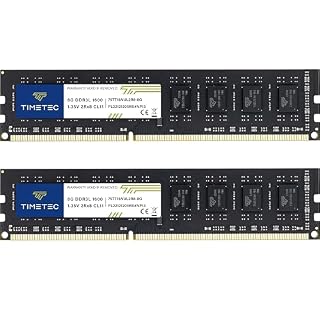
The Timetec 16GB DDR3/DDR3L Kit solves the 4GB RAM bottleneck common in older laptops, enabling smooth multitasking.
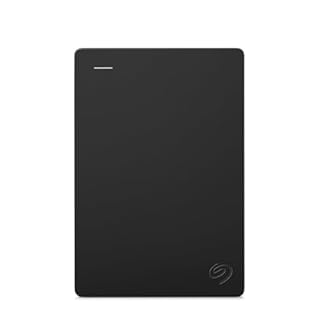
The Seagate Portable 1TB Drive keeps your massive files off the main system drive, keeping the laptop responsive.

The VJYUIJAY 65W Universal Charger easily plugs into many new laptops that use a single USB-C port for power.
The 4 Specs Beginners Must Check First
A good laptop for beginners is defined by its ability to handle your specific tasks. If you are looking at a used or older machine, these specs are non-negotiable for a smooth experience. There is more on my experience with the best custom built pc setup ever in a separate guide.
Start with the processor. An Intel Celeron, AMD A4, or similar entry-level chip will bottleneck anything beyond basic web browsing. Aim for an Intel Core i5 or an AMD Ryzen 5 for everyday speed and long-term reliability.
Next is memory. Four gigabytes of RAM is the bare minimum for modern operating systems like Windows 11. It will work, but you will feel every browser tab you open and close. This is the most common reason beginners feel their computer is ‘slow’ in its first few months.
- RAM: 8GB minimum, 16GB if you plan to run virtual machines or light video editing. This ensures your multitasking remains smooth.
- Storage: Always 256GB or larger. Solid-State Drives (SSD) are a required standard; avoid older hard drives entirely for the operating system.
- OS: Confirm if it runs Windows or macOS. Windows gives you more driver flexibility; macOS is locked to Apple hardware but offers a more integrated user experience.
- Display: Look for 1080p resolution. 768p screens look blurry and cause eye strain during long study or work sessions.
If your chosen laptop has 4GB RAM or a 512MB dedicated chip that is hard to move, this 16GB kit makes heavy browsing and office work significantly faster.
- PCB color may vary (black or green) depending on production batch. Quality and
- DDR3L / DDR3 1600MHz PC3L-12800 / PC3-12800 240-Pin Unbuffered Non-ECC 1.35V / 1.5V
Best for Low-Budget Buyers: Timetec 16GB DDR3 Kit
Many beginners inherit older, cheaper laptops that struggle with 4GB of memory. Upgrading a budget machine is usually much cheaper than buying a new one from a major manufacturer.
The Timetec 16GB Kit is a direct, practical fix for this exact problem. It provides two 8GB sticks, which enables dual-channel performance for a noticeable speed bump in your daily use, such as opening a music app while writing in a word processor.
This upgrade transforms a sluggish machine into one that feels responsive and modern. You will no longer have to close ten browser tabs just to open a simple PDF document. It is the most cost-effective way to extend the life of a budget laptop that is otherwise in good physical shape.
Who should skip it: If your laptop is less than two years old, it will likely require a newer, more expensive DDR4 or DDR5 memory standard. Buy this only if you are reviving an older, specific model that uses DDR3 or DDR3L sockets. It helps to understand building a design workflow before going further.
Best for Large Collections: Seagate 1TB External Hard Drive
Beginner laptops often come with 128GB or 256GB of storage. This is plenty for the operating system, but it fills up quickly if you store photos, videos, or music on the internal drive. Once an SSD is over 80% full, your laptop’s performance begins to degrade.
The Seagate Portable Drive is the simplest way to add massive storage without opening your laptop. You plug it in via USB, and it acts as an extended storage space for your files. This keeps your main system drive light and fast while providing a safe place for your digital archive.
External drives are also excellent for backing up. You can simply drag and drop important files to the drive and store it in a drawer. This protects your data from accidental deletion or system crashes without needing complex cloud subscriptions.
Who should skip it: If your primary need is running massive, installed applications like video editors or games, an external drive will be too slow for the actual program itself. Use it for files, not for the operating system.
The Seagate drive moves your heavy media files out of your laptop's fast SSD, keeping your main machine snappy while providing ample space.
- Easily store and access 1TB to content on the go with the Seagate Portable Drive, a USB
- Designed to work with Windows or Mac computers, this external hard drive makes backup a
Universal Power: VJYUIJAY 65W USB-C Charger
Many modern laptops have stripped out traditional plugs in favor of a single, tiny USB-C port. Losing or breaking the original charger can be confusing and expensive at a kiosk, as many people do not realize they need a high-wattage power brick to charge a full-size laptop.
The VJYUIJAY 65W charger is a universal fix. It supports a wide range of standard laptops and Chromebooks, meaning you can travel with just one cable and one plug for your entire household. This reduces clutter and makes it easier to find a compatible charger when you are on the go. It helps to understand building a functional home workspace before going further.
Before you buy any charger, check your laptop’s bottom or power jack. If it says 65W, a 65W charger is a perfect match for it. If your laptop requires 45W, the 65W charger will still work perfectly because it can simply throttle its output down to what the computer needs.
A 65W universal charger replaces fragile, proprietary charging bricks with a single, easy-to-replace power source for modern laptops.
- USB C Laptop charger:Watt: 65W 45W Input :100-240V 1.5A 50-60Hz Output:5V-3A or 9V-3A
- VJYUIJAY Computer Charger Type C Compatible with ThinkPad L390 L480 L490 L580 L590 E480
How to Choose a Laptop: 5 Simple Rules
When looking at new options, use these rules to narrow down the thousands of models available. These criteria will ensure you are not paying for features you will never use while ignoring the ones you need every day.
- Budget: Set a hard limit before you look. A budget machine handles email and video; a premium machine handles professional software and heavy multitasking.
- Portability: A 13-inch laptop is light for travel. A 15-inch laptop has a bigger screen and is great for desks. Decide where you will work most often.
- Display: High-DPI (Retina) screens are sharper but can drain batteries faster. For pure portability, a standard 1080p panel is often better and easier on your eyes.
- Battery: Ask how long it runs on a single charge under normal workloads. For students, you want a battery that lasts at least 6 to 8 hours of video playback.
- Weight: Under 3 lbs (1.4 kg) is the gold standard for being carried all day. Above 4 lbs will feel heavy on your back.
Pro tip: Do not buy a laptop with a mechanical hard drive (HDD). The internal spinning parts make it bulky, fragile, and significantly slower than a solid-state drive (SSD). If a deal looks too good, check the storage type first.
Comparison: The Essentials at a Glance
This table breaks down the most important factors for a new user. Use this as a quick reference when you are looking at specific models to ensure they meet the baseline requirements.
| Factor | Why It Matters for Beginners |
|---|---|
| Processor | The ‘brain’. i5/Ryzen 5 prevents the dreaded ‘spinning wheel’ or ‘blue screen of death’ lag. It ensures smooth transitions between apps. |
| RAM (8GB+) | The ‘workspace’. Keeps your documents and tabs open at the same time without crashing. It is the first upgrade to make if your computer is slow. |
| SSD Storage | The ‘library’. Makes the computer boot up in seconds instead of a full minute. A fast SSD is more important than a slow hard drive with more space. |
| Display Size | 13″ is easier to carry. 15″ is better for reading and looking at data. Consider the physical weight if you are commuting. |
If you buy a new laptop, confirm all of these specs are met before you click ‘Buy’. If you buy used, you must physically test the battery and the screen for brightness and dead pixels. A quick test on a dark, black background will reveal any damaged pixels.
Safety first: Do not open your laptop's internal battery with a screwdriver if you are not fully confident. Swollen batteries are dangerous and should be handled by a repair desk. Always unplug the power before opening the case.
Setting Up Your New or Upgraded Machine
Once you have your laptop and its accessories, the first thing you should do is enable automatic backups. For Windows, this means setting up OneDrive or a local backup to the Seagate external drive. For macOS, use Time Machine.
Install your operating system updates immediately. Manufacturers release these to fix security vulnerabilities and improve performance. A clean install or a well-maintained update process ensures your laptop is secure and running at its peak efficiency from day one.
Finally, learn the shortcut keys for your specific OS. Mastering a few of these, like ‘copy and paste’ or ‘save file’, will make your computer feel much more intuitive and professional. This is where the ‘easy setup’ truly begins.
The bottom line
For most people, a 15-inch laptop with an Intel Core i5, 8GB of RAM, and a 512GB SSD is the perfect balance of speed and portability. If you are stuck with an older machine, a RAM upgrade and a universal USB-C charger will instantly modernize it. Choose your machine based on what you type and where you work, don't rely on the price tag alone.
- USB C Laptop charger:Watt: 65W 45W Input :100-240V 1.5A 50-60Hz Output:5V-3A or 9V-3A
- VJYUIJAY Computer Charger Type C Compatible with ThinkPad L390 L480 L490 L580 L590 E480
Frequently asked questions
Is a 4GB RAM laptop still okay for beginners?
It is usable, but you will experience significant slowdowns when opening multiple browser tabs or video calls. For the cheapest laptop you can find, consider using a 16GB RAM upgrade kit so the operating system has room to breathe.
What is the difference between an SSD and a standard hard drive?
An SSD (Solid-State Drive) has no moving parts and is much faster. It makes your computer boot up in seconds. A standard hard drive is slower, noisier, and will eventually slow down your entire operating system.
How do I know if my laptop has USB-C ports?
Look at the side of your laptop. USB-C ports are small, oval-shaped, and symmetrical. You can plug the connector in either way. If your laptop only has these, the VJYUIJAY 65W charger is the most versatile plug-and-play power source for it.
Can I install Windows on any beginner laptop?
Yes, but you must check the manufacturer’s specific drivers. A MacBook can run Linux, but standard laptops come with Windows 11. Installing a different operating system on older hardware requires downloading specific manufacturer tools for audio and Wi-Fi.