
 By
You have added the ASUS Dual Radeon RX 9060 XT to your cart, but the flashy ROG Strix and TUF options make you wonder if you are missing out. This page breaks down exactly what the Dual offers, where it cuts corners, and how it fits your specific build constraints.
In short: The ASUS Dual Radeon RX 9060 XT is a balanced mid-range GPU that prioritizes physical fit and fan longevity over extreme performance. It suits most gamers and creators who need 1440p performance and reliable airflow without sacrificing case space or fan lifespan.
Our pick
Tap to see today's price on Amazon
Choose this if you want the newer RX 9070 XT chip with improved Axial-tech fan geometry.
What the ASUS Dual Series Actually Does Differently
The ASUS Dual series sits between the entry-level cards and the flagship ROG Strix line. It is not a stripped-down budget model, but a focused engineering choice. ASUS designs these cards to balance cooling efficiency, physical size, and component longevity without the premium pricing of the top-tier Strix lineup. Loaders in this spot often ask about best silent computer setup as well.
Most gamers do not need the absolute maximum thermal limits. What they need is a card that fits their case, stays quiet, and does not fail after a few years of use. The Dual series targets exactly that middle ground by optimizing the features that affect daily use.
- 2.5-slot design: Thinner than the 3-slot Strix, allowing it to clear larger CPU coolers and fit in compact cases.
- Standard clock speeds: Conservative factory overclocks that leave room for manual tuning without stressing the power delivery.
- Reliability focus: Higher-grade bearings and sturdy backplates compared to basic dual-fan cards from other brands.
If you want the next step up in ASUS GPU performance, this RX 9070 XT model uses the same cooling philosophy but a newer chip.
- Axial-tech fans now feature a smaller fan hub that facilitates longer blades and a
- Phase-change GPU thermal pad helps ensure optimal heat transfer, lowering GPU
How the Axial-tech Fans and 0dB Mode Work
The cooler uses a modified Axial-tech fan design. ASUS shrinks the central fan hub to make room for longer fan blades. Longer blades move more air at the same rotation speed, which means the fans do not have to spin as fast to push enough air through the heatsink.
A key visual cue for you is the 0dB mode. When the GPU temperature stays below a specific threshold, the fan controller cuts power to the fans completely. The card becomes a passive heatsink. This is not just a marketing term; it changes how the PC feels in a quiet room.
The fans also feature a barrier ring on the shroud. This ring forces the airflow downward onto the heatsink fins instead of letting it scatter sideways. Combined with dual ball bearings, which are rated for longer lifespans than cheap sleeve bearings, the cooler is built to last a long time without noise degradation.
Pro tip: Check your GPU temperature in AMD Adrenalin. If it idles under the 0dB threshold, you should hear total silence. If it hums, the fans are cycling, which is normal under light load.
When the 16GB VRAM and Port Selection Matter to You
Memory is the main reason many buyers choose a card in this tier. The RX 9060 XT comes with 16GB of GDDR6. Modern games with high-resolution texture packs and ray tracing are getting hungry for memory. If you have been forced to drop texture quality to stop stuttering, this card solves that specific problem. There is more on evaluating the amd gpu boost in a separate guide.
Connectivity matters for high-refresh monitors. You get HDMI 2.1 and DisplayPort 2.1 outputs. These standards support the high bandwidth needed for 4K displays at high refresh rates. If you use a multi-monitor setup or plan to add a VR headset later, the port selection gives you flexibility without needing adapters.
- For gamers: Handles 1440p at high refresh rates with room for ray tracing.
- For creators: 16GB VRAM helps with 4K video timelines and 3D rendering without swapping to system RAM.
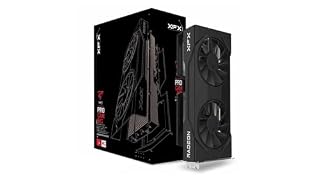
Use this search to find a specific stock of the RX 9060 XT if the ASUS version is unavailable, as the core specs remain the same.
- Chipset: AMD RX 9060 XT
- Memory: 16 GB GDDR6
Dual BIOS: Why You Should Change the Default Setting
Most graphics cards have a physical switch on the edge that changes the fan behavior. Many owners never touch it. This is a mistake if you care about noise. The switch lets you toggle between Performance and Quiet modes.
The Quiet mode allows the GPU to run a bit warmer but keeps the fan RPMs much lower. The Performance mode spins the fans aggressively to keep temperatures down, which adds a noticeable hum to your system. For daily gaming and desktop work, the temperature difference is minor. The noise reduction in Quiet mode is significant.
Leave the switch on Quiet for daily use. Only flip it to Performance if you are running long, sustained render jobs or benchmarking. You get the best of both worlds by physically choosing the profile that matches your current task.
Common Myths About the Dual Series Build Quality
There is a persistent myth that any card without an RGB light strip is a low-quality card. This is not true. The ASUS Dual line often skips RGB lighting entirely. This is a design choice to keep the card slim and reliable, not a sign of poor components.
Myth: Thinner coolers always run significantly hotter and louder than thicker ones. Loaders in this spot often ask about XFX graphics card performance as well.
Fact: A well-designed 2.5-slot cooler with larger fans and a barrier ring can outperform a poorly tuned 3-slot cooler. The card size matters less than the airflow geometry.
Myth: You need a 3-slot card to fit any PC.
Fact: Many mid-tower cases cannot even hold a 3-slot card properly. The 2.5-slot design on the Dual series is safer for most builds because it leaves room for airflow between components.
Pro tip: Before buying, measure the length of your case and check the clearance for your CPU cooler. A 2.5-slot card like the Dual series is the safest bet for most standard towers.
Who Should Skip the ASUS Dual Radeon RX
This card is not for everyone. If you are gaming exclusively at 4K resolution with all settings maxed out, you need more raw processing power than the RX 9060 XT offers. The 16GB of memory helps, but the compute units are not designed to sustain ultra-high settings at that resolution.
Hardcore overclockers who want to push the card to its absolute physical limit should look at the ROG Strix. The Strix has a more robust power delivery system and a larger heatsink designed for extreme tuning. The Dual series components are high quality, but they are not built for sub-zero or extreme overclocking scenarios.
If your main goal is the quietest possible build under load, the Dual series works well in Quiet mode, but the Strix has more thermal headroom to run cooler under the same fan curve. Choose the Strix if silence at maximum performance is your only priority.
The bottom line
The ASUS Dual Radeon RX 9060 XT is the smartest choice for most gamers who need 1440p performance without the bulk of a flagship card. If you want the next step up in power and the latest chip, check the specs on the RX 9070 XT. For this build, set the BIOS switch to Quiet and enjoy the silence.
- Axial-tech fans now feature a smaller fan hub that facilitates longer blades and a
- Phase-change GPU thermal pad helps ensure optimal heat transfer, lowering GPU
Frequently asked questions
Is the ASUS Dual cooler good for a small PC build?
Yes, it is a 2.5-slot design. It fits in cases where a 3-slot card would block your CPU cooler or choke airflow. Always check the specific length of the card against your case clearance first.
Do the fans really stop when not under load?
Yes, the card uses 0dB technology. When the GPU is cool, the fans stop completely. It will not make a low humming sound when idle, which is a common complaint with cheaper GPUs.
Can I use the Dual BIOS switch to make it faster?
No, the switch only changes the fan curve, not the clock speeds. It trades temperature for noise. You will not get a performance boost by flipping the switch, only a quieter or cooler-running card.
Does this card have RGB lighting?
No, the Dual series typically does not include RGB lighting. This helps keep the card thin and the power draw low. If you need a light show, you will need to look at the Strix or TUF lines.