5 Key Advantages of Desktop Over Laptop for Power Users
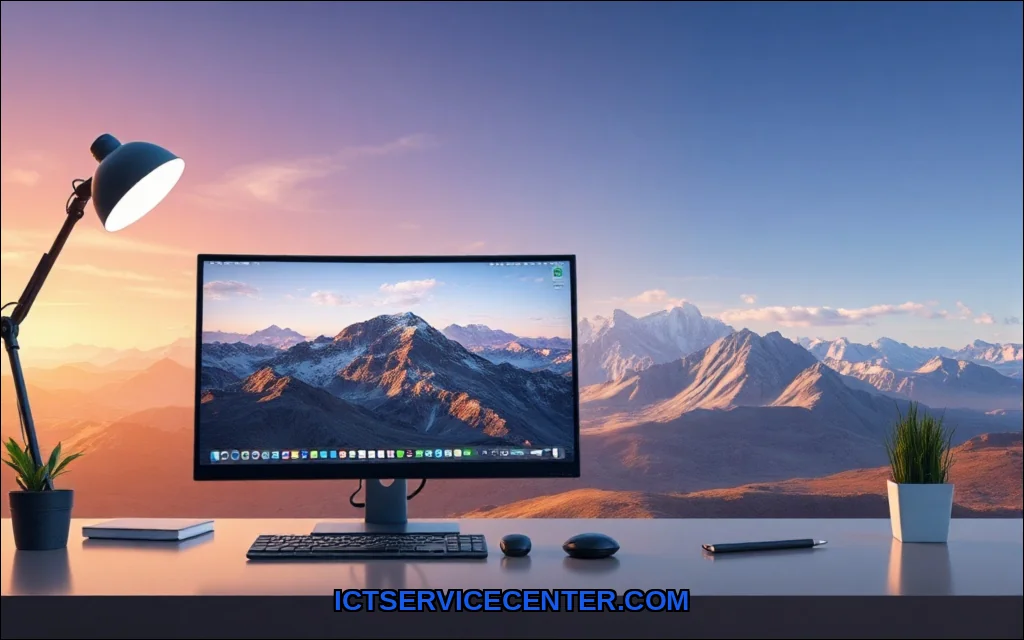
For years, I was a laptop loyalist. The idea of being chained to a desk felt like a tech sin. I carried my work, my gaming, my life, in a sleek, silver chassis. But somewhere between my third external monitor setup and a near-constant battle with fan noise, I had a revelation. I wasn’t using a laptop as a laptop. I was using it as a poorly designed desktop.
I finally made the switch back. And honestly? My only regret is not doing it sooner. If you’re on the fence about desktop vs laptop, let me walk you through my hands-on experience. I’ve tested both sides of this coin, and the advantages of a desktop are more compelling than ever in 2025.
Why I Switched Back to a Desktop (And You Might Too)
It wasn’t a single event, but a slow burn of frustration. Every time I tried to render a video, my laptop would sound like a jet engine taking off. The wrist rest on my keyboard got hot to the touch. I was constantly juggling dongles for a stable network connection. I looked at my setup: a closed laptop, a giant monitor, a mechanical keyboard, and a mouse. I was essentially using a desktop with a built-in, expensive, and fragile battery.
The Moment I Realized My Laptop Was Holding Me Back
The breaking point came during a live stream. My laptop, a high-end model from just two years prior, hit its thermal ceiling. The frame rate dropped. The stream stuttered. My audience saw it. I realized then that the premium I paid for portability was actively hurting my performance. I needed raw, sustained power, not a burst of speed followed by thermal throttling.
Raw Performance No Throttling, No Compromises
This is the single biggest difference. A laptop has to fit a CPU, GPU, cooling, battery, and screen into a space that’s maybe an inch thick. Physics is a cruel mistress. To prevent melting your lap, the system has to limit power. A desktop, on the other hand, has room for massive heatsinks, multiple fans, and serious airflow.
Desktop CPUs and GPUs Don’t Play the Power-Limiting Game
I run an AMD Ryzen 9 and an Nvidia RTX 4070 in my current desktop. In a laptop, that same GPU might draw 100-120 watts. In my desktop, it pulls the full 200 watts it was designed for. My desktop renders 4K video 40% faster than my old laptop did. During gaming, the frame rates are not just higherthey are consistent. No dips when the action gets heavy. No fan ramp-up that sounds like a vacuum cleaner. For anyone asking, why choose a desktop over a laptop for home office or creative work, this is the answer: sustained, uncompromised power.
If you are looking for a reliable workstation that doesn’t break the bank, many professionals recommend the Dell Optiplex 7040. It’s a perfect example of the cost-effective, business-class hardware that thrives in a desktop environment.
Upgradability The Desktop That Grows With You
This is where the financial logic of a desktop becomes undeniable. My laptop from three years ago? It’s a paperweight. The RAM is soldered. The storage is soldered. The GPU is integrated. I can’t do a thing with it. My current desktop? I’ve already upgraded it twice.
Swapping a GPU vs. Buying a Whole New Laptop
When a new graphics card came out, I spent $400 to upgrade your desktop. The performance jump was massive. To get that same jump in a laptop, I would have to spend $1,500+ on an entirely new machine. This is the core of desktop computer advantages. You don’t buy a new computer; you replace a part. I’ve swapped the RAM, added an M.2 SSD, and changed the CPU cooler. Each upgrade cost a fraction of a new laptop and extended the life of my system by years. For more insight into this long-term value, check out this analysis on desktop vs laptop for long term value.
Cost Per Dollar of Performance Desktops Win Every Time
Let’s talk money. If I have $1,500 to spend, the difference in what I get is staggering. A laptop at that price will have a mid-range GPU, a decent CPU, and 16GB of RAM. A desktop at that same price will have a top-tier CPU, a high-end GPU, and 32GB of faster RAM.
Why $1,500 Goes Further in a Desktop Than a Laptop
You are not paying for the engineering required to miniaturize everything. You are not paying for a battery, a screen, or a thin chassis. Every single dollar goes directly into performance. The cost per performance ratio heavily favors the desktop. If you are building a desktop for gaming or a desktop for video editing, your budget will simply buy you more. It’s the most practical choice for anyone who prioritizes power over portability.
| Component | $1,500 Laptop | $1,500 Desktop |
|---|---|---|
| CPU | Mid-range (e.g., Intel i7-1360P) | High-end (e.g., AMD Ryzen 7 7800X3D) |
| GPU | Mobile RTX 4060 | Desktop RTX 4070 Super |
| RAM | 16GB DDR5 (often soldered) | 32GB DDR5 (upgradable) |
| Storage | 512GB SSD | 1TB NVMe SSD |
Ergonomics and Comfort My Back Thanks Me
This is the hidden cost of laptop use. I spent years hunched over a small screen, my neck craned down. It led to chronic shoulder pain. A desktop setup forces you to separate the screen from the keyboard. This is non-negotiable for desktop ergonomics.
Proper Monitor Placement, Full-Size Keyboard, and a Real Mouse
I now have my monitor at eye level. My keyboard is at a comfortable distance. I use a real, full-sized mechanical keyboard and a high-precision mouse. My posture has improved dramatically. The trackpad on a laptop is a compromise. The built-in keyboard is a compromise. Even the screen size is a compromise. A desktop allows you to choose the best tools for your body. It’s not just about comfort; it’s about long-term health.
Repairability and Longevity The Desktop That Lasts a Decade
I can fix my desktop. I can’t fix my laptop. That’s the simple truth. If the charging port on my laptop dies, it’s often a motherboard replacement which costs more than the machine is worth.
Easy Part Replacement vs. Soldered Everything
When my desktop’s power supply died last year, I spent $80 and 20 minutes replacing it. The machine was back up and running. If a fan breaks, I buy a $15 fan. If I want more storage, I plug in a drive. This desktop repairability is a massive advantage. The hardware-software interface is also more flexible. I can install any operating system I want. I can dual-boot Linux and Windows for specific development tasks. I have total control over the program execution architecture. A laptop often locks you into a specific ecosystem with limited BIOS options. For a deep dive into how the hardware works, the open textbook on computer hardware and software is a fantastic resource.
The One Thing You’ll Miss Portability
I have to be honest. I miss being able to work from the couch. I miss taking my computer to a coffee shop. That is the one and only advantage of a laptop that a desktop cannot match. If you need to work on a train, in a library, or on an airplane, a laptop is the only option.
When a Laptop Still Makes Sense (Honest Take)
If you are a student moving between classes, or a digital nomad living out of a backpack, get a laptop. It is the right tool for the job. But if you work from a home office, or if you have a dedicated desk, the trade-off is clear. You give up portability for power, comfort, repairability, and value. For a specific recommendation on hardware, I strongly suggest looking at the best desktop computer for home use to see what fits your needs.
Final Verdict Who Should Buy a Desktop in 2025?
Buy a desktop if you value raw performance, want the best cost per performance, and intend to keep your machine for more than 3 years. Buy a desktop if you are a gamer, a video editor, a developer, or anyone who needs sustained compute power. Buy a desktop if you care about ergonomics and want to avoid chronic pain.
For me, the switch was a revelation. I no longer fight thermal throttling. I no longer worry about a dead battery. I have a machine that I can repair your desktop and upgrade for years to come. The laptop will always have its place. But for a serious, long-term computing investment? The desktop is still the undisputed king.