144Hz vs 240Hz Monitors: Is the Upgrade Worth It?
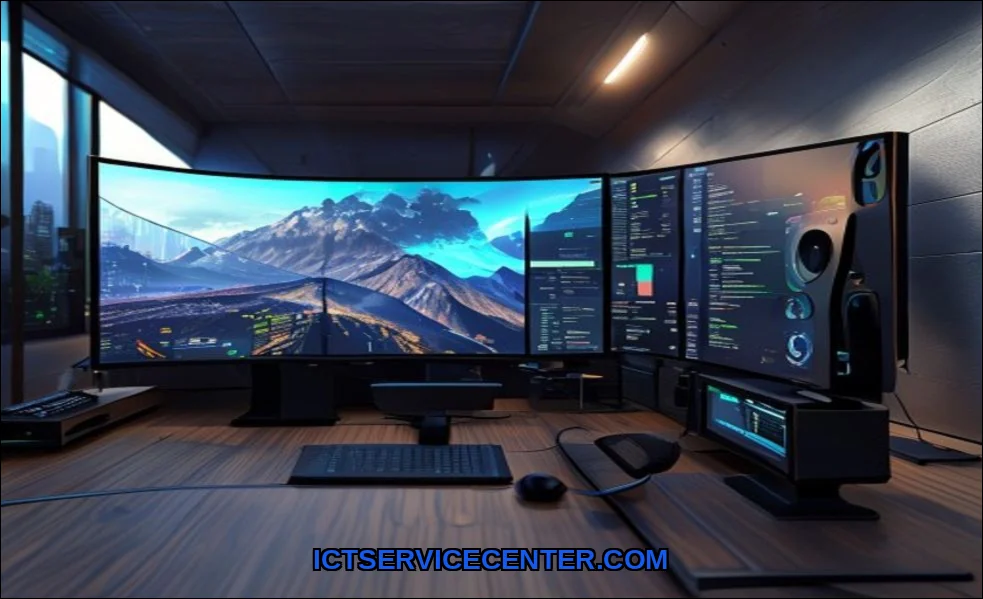
I remember the first time I plugged into a 144Hz monitor. It felt like wiping a smudged lens clean. Everything was just smoother. Fast forward, and Im now staring at a 240Hz panel, wondering if the jump is just marketing hype or a genuine game-changer. Ive spent weeks with both, swapping between them in everything from frantic esports titles to casual browsing. The difference is real, but its not what everyone expects.
If youre chasing that ultimate competitive edge, a monitor like the Dell 24 240Hz is a compelling contender. Its speed is undeniable, but whether its the right tool for you depends entirely on your setup and goals. Lets break it down.
My Hands-On Experience with High Refresh Rates
Moving from 60Hz to 144Hz was a revelation. Windows felt liquid. In-game aiming became more connected. The jump from 144Hz to 240Hz, however, was subtler. I didnt gasp. Instead, I noticed a heightened sense of precision in split-second moments. Tracking a strafing target in Valorant felt slightly more locked on. The world just felt a tiny bit more solid. Its an incremental gain, but in the right context, it matters.
The Core Difference: What Refresh Rate Actually Means
Think of refresh rate (Hz) as how many times your monitor updates the picture per second. A 144Hz display refreshes 144 times; a 240Hz does it 240 times. This works in tandem with your PCs frame rate (FPS). Higher refresh rates reduce motion blur and make motion appear more lifelike. Its the difference between a choppy flipbook and a smooth animation. The panel technology itselfwhether its a fast IPS, TN, or VAalso plays a huge role in motion clarity. For a deeper dive on that, Ive compared IPS vs TN vs OLED display technologies in detail.
Why Its Not Just About the Number
A high refresh rate alone isnt a magic bullet. You need a high, stable frame rate from your GPU to feed it. You also need a low pixel response time to prevent ghosting. Technologies like NVIDIA G-Sync or AMD FreeSync are crucial to prevent screen tearing when your FPS and refresh rate fall out of sync. Its an ecosystem, not a single spec.
Side-by-Side: Gaming Performance You Can Feel
I tested both rates back-to-back in three scenarios: competitive FPS, fast-paced racing, and a story-driven RPG.
- Competitive Gaming (Valorant, Counter-Strike 2): This is where 240Hz shines. The reduction in perceived blur during quick flicks and fast turns is tangible. Information reaches your eyes milliseconds faster. For esports pros or aspiring champions, thats a legitimate competitive edge. For the average player? The diminishing returns are real. 144Hz is already incredibly smooth.
- Racing & Fast-Paced Action (Forza Horizon 5): The sensation of speed is enhanced. Environments whizzing by feel slightly more coherent at 240Hz. Its immersive, but less critical for winning.
- Story Games & RPGs (Cyberpunk 2077): Here, the difference nearly vanished. Visual fidelity, HDR, and contrast ratio mattered far more than the jump from 144Hz to 240Hz. This is where a gorgeous OLED display on a laptop would provide a more dramatic wow factor.
So, can you tell the difference between 144Hz and 240Hz? Yes, with focused attention in fast games. Is it night and day? No. Its a refinement.
The Hardware Reality Check: Can Your PC Keep Up?
This is the most critical question. A 240Hz monitor demands a powerful rig. Pushing 240 FPS consistently at 1080p, let alone 1440p, requires top-tier hardware.
| Game (1080p High Settings) | ~144 FPS Target GPU | ~240 FPS Target GPU |
|---|---|---|
| Valorant | NVIDIA RTX 3060 / AMD RX 6600 XT | NVIDIA RTX 4070 / AMD RX 7800 XT |
| Call of Duty: Warzone | NVIDIA RTX 4070 / AMD RX 6800 | NVIDIA RTX 4080 / AMD RX 7900 XTX |
If your GPU cant hit high frame rates, your expensive 240Hz monitor becomes a system bottleneck. You wont experience the smoothness you paid for. Always ask: what GPU do I need for 240Hz in my favorite games? Use a site like Nanoreview for detailed laptop and component comparisons to gauge real-world performance.
Dont Forget Console Gaming
Own a PS5 or Xbox Series X? Most console games are capped at 120Hz. A 240Hz monitor is overkill here, as the console cant utilize the extra headroom. For console players, a high-quality 120Hz or 144Hz display is the sweet spot.
Beyond Gaming: Everyday Use and Content Creation
Scrolling through web pages and moving windows is buttery smooth on both 144Hz and 240Hz. Once youre used to high refresh rates, 60Hz feels broken. For content creation, the benefit is minimal. Color accuracy, resolution, and panel uniformity are far more important for photo or video editing. The smooth cursor movement is nice, but not a deciding factor.
Who Really Needs 240Hz? Making the Right Choice
Lets cut through the noise. Who is 240Hz actually for?
- Professional or Hyper-Competitive Esports Players: If your livelihood or intense passion depends on every millisecond of advantage, 240Hz is a justifiable tool.
- High-End Enthusiasts with No Budget Constraints: You want the absolute best, regardless of diminishing returns. Pair it with a flagship GPU.
- Players Exclusively in Fast-Paced Genres: If you only play competitive FPS, fighting games, or arena shooters, youll appreciate the difference.
For everyone elsethe casual competitive player, the multi-genre gamer, the person on a budgeta good 144Hz or 165Hz monitor is the smarter buy. The value is exceptional. The performance is 95% of the way there. So, do I need 240Hz or is 144Hz enough? For most, 144Hz is more than enough.
Missing Context: Eye Strain and Game Genres
I found less eye strain during long sessions at higher refresh rates, as motion is more natural for your eyes to track. Also, consider your main game genre. The benefit in a tactical MOBA like League of Legends is far less than in a twitch-based FPS like Apex Legends. Genre impact is real.
My Final Verdict & Personal Recommendation
After all this testing, my stance is practical. The jump from 144Hz to 240Hz is a luxury, not a necessity. Its the final 5% of polish for those who must have it. The core, transformative leap happens when you leave 60Hz behind.
Invest in a great 144Hz or 170Hz monitor first. Spend the money you save on a better GPU, a more color-accurate panel, or a larger screen. That will improve your experience more dramatically. If you already have a top-tier 144Hz setup and youre chasing every possible advantage in esports, thenand only thenconsider the 240Hz realm. Just make sure your PC is ready for the challenge.