ASUS vs Dell Laptops: Key Differences Compared
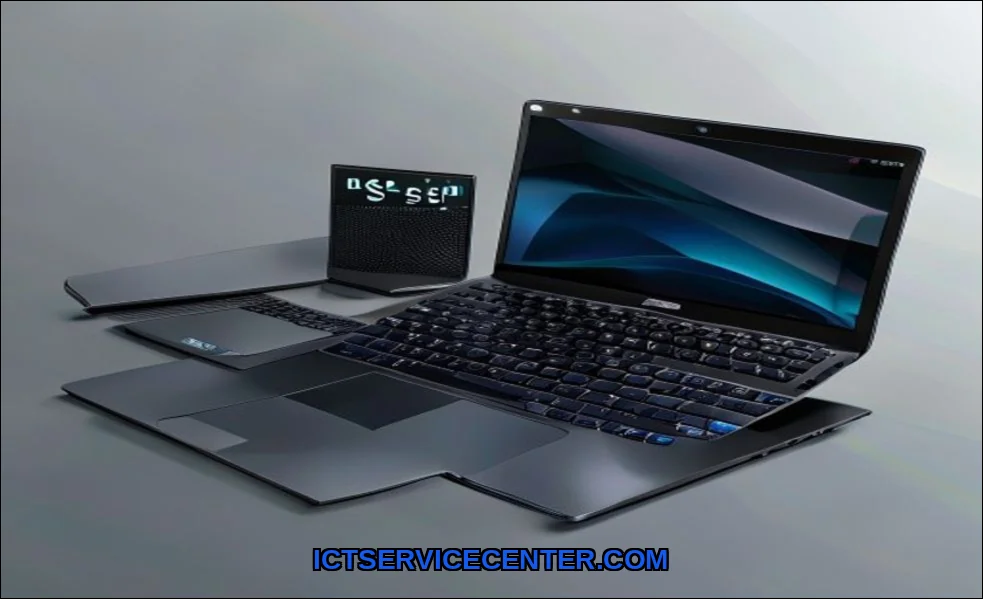
I’ve spent the last month with a pile of ASUS and Dell laptops on my desk. Not just reading spec sheets, but living with them. I used a Dell XPS for client calls, pushed an ASUS ROG through a gaming marathon, and carried a ZenBook and a Latitude on my daily commute. This isn’t about which brand is objectively “better.” It’s about which one is better for you. Let’s get into it.
For instance, when I was stress-testing gaming performance, the ASUS ROG Strix stood out for its raw power and aggressive cooling. It’s a beast, and if your priority is max frames, it’s a compelling choice. But that’s just one piece of the puzzle. The real story is in the daily grind.
My Hands-On Experience with Both Brands
My history with these brands is personal. I’ve recommended Dells to corporate clients for years, valuing their predictable service. But I’ve also seen the excitement an ASUS Zephyrus brings to a creative pro. This comparison stems from that real-world, sometimes messy, user experience. We’re covering everything from the feel of the keyboard to the frustration of bloatware.
Side-by-Side: Build, Design, and Feel
Pick up a Dell XPS and an ASUS ZenBook. The difference is immediate. Dell’s premium line, like the XPS, champions minimalist, almost austere elegance. It’s machined aluminum that feels cool, dense, and unyielding. The hinge is smooth and confident. In my durability tests, this construction inspires long-term trust.
ASUS approaches build quality differently. With the ZenBook, you get dazzling craftsmanshipoften at a lower price point. The iconic concentric circle finish, the ErgoLift hinge. It feels innovative. But across their vast range, from Vivobook to ROG, consistency varies. Some plastic chassis have more flex. The hinge on a budget model might not feel as robust after hundreds of cycles. It’s a trade-off.
- Dell Vibe: Conservative, corporate, built-like-a-tank reliability.
- ASUS Vibe: Experimental, gamer/creator-focused, often more flash per dollar.
For sheer laptop durability in a business environment, Dell’s Latitude and XPS lines have a proven track record. ASUS wins on design daring and performance per dollar in the mid-range.
Performance Showdown: Real-World Speed Tests
Specs on paper are a promise. Real-world use is the truth. I loaded identical software suites on a Dell XPS 15 and an ASUS ZenBook Pro 15, both with similar Intel Core i7 and RTX graphics.
The Dell was steady, quiet, and relentlessly consistent. Rendering a video or compiling code, the performance curve was a flat line. Dell conservatively manages power and thermals to ensure stability, which is perfect for a business laptop.
The ASUS, particularly in its “Performance” mode, pushed harder. Initial render times were slightly faster. But you hear the fans. You feel the heat. This is where thermal performance becomes crucial. ASUS’s higher-wattage designs in its ROG and ProArt lines can eke out more frames or shorten render times, but the system works harder for it. For a gaming laptop, that trade-off is expected and often desired.
| Task | Dell XPS 15 (Impression) | ASUS ZenBook Pro 15 (Impression) |
|---|---|---|
| 4K Video Export | Quiet, steady, predictable time. | Slightly faster, but fans spin up aggressively. |
| Gaming (1440p) | Competent, but thermally limited. | Higher sustained FPS in performance mode. |
| Multitasking (20+ tabs, apps) | Seamless, no stutters. | Mostly seamless, occasional background process hiccup. |
Screen, Keyboard, and Daily Usability
This is where you live. The user experience.
Dell’s XPS displays are consistently superb. Excellent color accuracy, bright, and with minimal bezels that just disappear. It’s a window. ASUS matches and sometimes exceeds this, especially in its ProArt and OLED-equipped models, offering stunning contrast and vibrancy that makes media pop.
The keyboard is a major divider. Dell’s keyboards are shallow but precise. They’re good. ASUS, however, often invests in deeper keyboard travel. On models like the ZenBook, typing feels more substantive, more engaging. For long writing sessions, I preferred the ASUS. For quick, error-free entry, both excel, but the feel is distinct.
Now, software. This is a missing entity in many comparisons. Dell installs its own support utilities, which are actually useful for driver updates. The bloat is minimal. ASUS, in my testing, layers on more: Armoury Crate for gaming, proprietary utilities for audio and display. Some are powerful (Armoury Crate is deep), but they can feel like clutter if you just want a clean Windows machine.
Battery Life and Portability in My Routine
Manufacturer claims are one thing. My real-world battery drain test involved a standard workday: Wi-Fi on, brightness at 40%, a mix of Google Docs, Slack, 15 Chrome tabs, and occasional YouTube.
The Dell XPS 13 consistently outlasted comparable ASUS ZenBooks by about 45 minutes to an hour. Dell’s optimization for efficiency is tangible. It’s the safer choice for all-day, unplugged work. ASUS models, particularly those with high-refresh-rate screens or powerful discrete GPUs, drained faster under mixed use. For a student laptop racing between classes, that extra margin matters.
Portability is close. Both brands make incredibly thin ultrabooks. ASUS sometimes feels lighter, but Dell’s build often feels denser and more solid in the hand. It’s a preference between agile and substantial.
Price Check: Where Your Money Goes
This is the core of the ASUS vs Dell comparison. At the high end, the Dell XPS vs ASUS ZenBook fight is fierce. You pay a premium for the Dell badge and its holistic, polished experiencetop-tier support, conservative design, and business-grade reliability.
ASUS typically gives you more raw specs for your money. You might get a better GPU or a brighter OLED screen in a similarly priced machine. This makes ASUS a strong contender for the best value laptop brand in the creative and gaming segments. For a budget laptop, ASUS’s Vivobook line often undercuts Dell’s Inspiron series with more appealing designs, though you must scrutinize build materials.
Is ASUS more reliable than Dell? In my experience, Dell’s consistency across the board is higher. But a well-built ASUS, like a ZenBook or ProArt, can be just as reliable. The variance is greater with ASUS.
My Final Verdict: Who Each Brand is For
So, Dell vs ASUS which is better? It’s not one answer.
You’re a Dell person if:
- You prioritize stability, professional aesthetics, and top-tier after-sales support.
- You’re a business user, a conservative professional, or a student who values all-day battery and durability.
- You want a “set it and forget it” machine with minimal software fuss.
- Your workflow demands consistent, reliable performance over peak burst speeds.
You’re an ASUS person if:
- You want maximum hardware specs and innovative features for your budget.
- You’re a gamer (look to ROG), a content creator (look to ProArt), or a power user who loves tinkering with performance modes.
- You value striking design, superior keyboard feel, and often, more dazzling displays.
- You’re comfortable in a more complex software ecosystem to unlock that extra performance.
For the student asking which is better for students ASUS or Dell, I’d lean Dell for longevity and support. For the gamer researching ASUS vs Dell for gaming 2024, ASUS’s ROG and TUF lines are more purpose-built. The Alienware (Dell’s gaming subsidiary) vs ROG battle is a topic for another day, but it mirrors the parent brands’ philosophies.
Choosing between a laptop and a desktop involves different priorities altogether, which we’ve detailed in our guide on laptop vs desktop which is better. And if you’re still weighing the fundamental role of a portable computer, our explainer on what a laptop is and how it works breaks it down.
In the end, my weeks of testing revealed two brilliant, but philosophically different, approaches. Dell builds polished tools. ASUS builds exciting machines. Your choice depends entirely on which world you live in. For a granular, spec-by-spec breakdown beyond my experiential take, sites like Versus offer detailed technical comparisons that are worth a look. But remember, specs don’t tell the whole story. The feel, the reliability, the daily joy or frustrationthat’s what this laptop brand showdown is really about.