MacBook vs HP Laptop: Key Differences Compared
Contents
I’ve spent the last month with a MacBook Air M2 and an HP Spectre x360 14 side-by-side on my desk. Not just glancing at spec sheets, but actually living with themwriting, editing, browsing, and even trying to squeeze in some gaming. The MacBook vs HP debate isn’t about a single winner; it’s about which ecosystem, design philosophy, and daily experience fits your life. If your primary goal is high-fps gaming, you’re looking at a different category altogether, where dedicated Windows machines like the BEST GAMING LAPTOPS reign supreme. But for everything else? Let’s break it down.
This comparison goes beyond Apple vs Windows laptop. We’re digging into the feel of the keyboard, the frustration of dongles, and that intangible “it just works” feeling versus ultimate flexibility. I’ll share what I loved, what annoyed me, and who I think each machine is really for.
My Hands-On Testing Experience: Setting the Stage
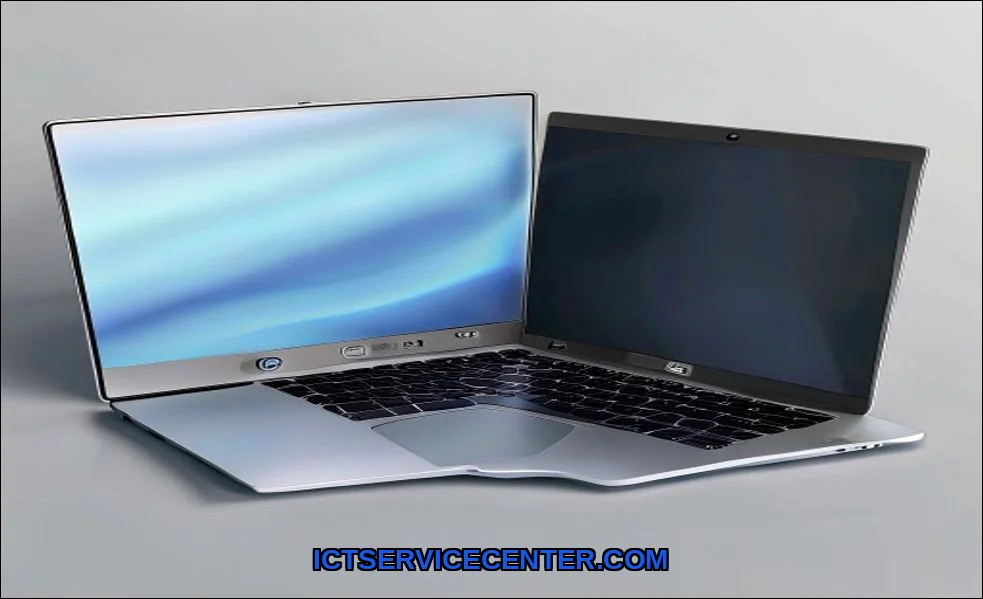
For this face-off, I chose two flagship ultrabooks: the Apple MacBook Air with the M2 chip and the HP Spectre x360 14 with an Intel Core i7. Both represent the pinnacle of their brand’s portable design. My testing routine involved my actual work: coding in VS Code, editing photos in Lightroom, managing dozens of browser tabs, and video calls. I also pushed them with benchmark tools to see if the numbers matched the real-world feel. It’s one thing to read about Apple Silicon; it’s another to feel a fanless laptop render a video without breaking a sweat.
Raw Power & Performance: Benchmarks vs Real-World Use
On paper, this is an Intel Core vs Apple M-chip showdown. In practice, it’s a lesson in architectural philosophy. The M2 MacBook Air, with its unified memory, feels effortlessly fast for daily tasks. Apps launch instantly, and switching between them is seamless. I never heard the fanbecause there isn’t one. It simply doesn’t get hot under standard loads.
The HP Spectre, with its Intel chip, delivers raw horsepower that shines in specific scenarios. When running native Windows apps or certain professional tools, it can feel snappier in short bursts. But I observed noticeable thermal throttling during sustained loads like video exportsthe fans spin up audibly, and performance dips. For a typical student or professional, the MacBook’s consistent, silent performance is often more valuable than peak benchmark scores.
- For Creators: If your workflow is optimized for macOS (Final Cut, Logic), the MacBook is untouchable. For Adobe suite users, it’s a closer call, but the M-chip efficiency is a major win.
- For Multitaskers: Both handle it well, but the MacBook’s memory management feels more graceful when you’re deep into research with 40 tabs open.
This core performance difference fundamentally shapes the value proposition. You’re choosing between optimized efficiency and flexible, raw power.
Gaming & Specialized Workloads: A Clear Divide
Let’s address gaming laptop HP or MacBook directly. For serious gaming, this isn’t a contest. The HP, especially models with discrete NVIDIA graphics like the Omen line, runs a vast library of Windows games. The MacBook’s gaming library, while growing, is still limited. For a true HP Omen vs MacBook Pro for video editing 2024 comparison, the Omen might render faster in some Windows apps, but the MacBook Pro’s media engines and battery life during editing are industry-leading. It depends entirely on your software.
The Daily Grind: Design, Keyboard, Trackpad & Portability
This is where personal preference dominates. The MacBook’s aluminum unibody is iconic. It feels dense, rigid, and supremely polished. The HP Spectre’s design is equally premium feel, with sharp edges and a convertible 2-in-1 hinge that the MacBook can’t match. The ability to flip it into tablet mode for notes or reading is a genuine advantage.
- Keyboard: I prefer the MacBook’s Magic Keyboard. The key travel is shallow but crisp. The HP’s keys are good, just a bit mushier in comparison.
- Trackpad: Apple wins. It’s not close. The MacBook’s Force Touch trackpad is larger, and the haptic feedback feels more precise than the Spectre’s physical click.
- Ports: HP wins decisively. The Spectre x360 includes two USB-C/Thunderbolt ports AND a USB-A port. The MacBook Air has only two USB-C ports. Forgetting a dongle is a real headache with the MacBook.
If you’re constantly plugging in older peripherals or an SD card, the HP’s practicality is a major factor. It’s a key point in any business laptop comparison.
macOS vs Windows: It’s More Than Just an OS
This is the heart of the decision. It’s not just macOS vs Windows 11; it’s about the ecosystem surrounding it.
macOS is a walled garden. It’s cohesive, secure, and incredibly stable. Handoff with my iPhone, universal clipboard, and AirDrop create a seamless flow if you’re already an Apple user. This integration is a huge part of the MacBook’s appeal, but it also creates a subtle ecosystem lock-in. The question Should I buy an HP laptop if I have an iPhone? is valid. You’ll lose that seamless connectivity, but gain freedom.
Windows 11 on the HP is about freedom and compatibility. You can install anything from any source, tweak every setting, and connect to any hardware. It’s the platform for enterprise software, specific engineering tools, and of course, PC gaming. For some, this flexibility is non-negotiable. Understanding your core needs is critical, which is why we have a guide on the fundamental differences between laptops and desktops to help frame your decision.
Battery Life & Display: What You Actually See and Feel
My battery life test was simple: a typical workday of writing, web research, and streaming. The MacBook Air M2 consistently delivered 14-16 hours. The HP Spectre managed a very respectable 8-10 hours. The difference is stark and changes how you use the device. With the MacBook, I never thought about the charger. With the HP, I started looking for outlets by mid-afternoon.
Both displays are excellent. The MacBook’s Liquid Retina display is slightly brighter with incredibly accurate colors. The Spectre’s OLED option offers perfect blacks and more vibrant contrast for media consumption. It’s a draw, but for outdoor use, the MacBook’s brightness gives it an edge.
This real-world stamina is a massive point for students or travelers, directly answering Is a MacBook worth it over an HP for college? If you’re hopping between classes all day, that extra battery life is a lifesaver.
| Aspect | MacBook Air M2 | HP Spectre x360 14 |
|---|---|---|
| Performance Feel | Consistent, silent, efficient | Peaky, fan noise under load |
| OS & Ecosystem | Integrated, stable, locked | Flexible, compatible, open |
| Battery Life | Exceptional (14-16 hrs) | Good (8-10 hrs) |
| Design & Ports | Unibody premium, minimal ports | Convertible premium, full port selection |
| Best For | Apple ecosystem users, students, creators in macOS apps | Windows power users, IT professionals, 2-in-1 needers |
Who Wins? My Verdict Based on Your Needs
So, MacBook vs HP which is better? There’s no universal answer, only a right tool for the right person.
Choose the MacBook Air or Pro if: You live in the Apple ecosystem, value all-day battery life and silent operation above all, use creative apps optimized for Apple Silicon, and your workflow doesn’t rely on specific Windows-only software. The higher upfront cost is justified by its longevity and resale value. For a deeper dive into what makes a laptop tick, check out our article on how a laptop works internally.
Choose an HP Spectre, Envy, or Omen if: You need Windows for work, school, or gaming. You want the flexibility of a 2-in-1, require a variety of ports without dongles, or need to run specialized x86 applications. The value is in its versatility and hardware compatibility.
For a detailed, spec-by-spec breakdown of specific models like the MacBook Air M2 vs HP Spectre x360 14, I often turn to a reliable third-party tool like Nanoreview’s laptop comparison engine.
The Missing Conversation: Long-Term Costs
Most reviews ignore long-term durability and repair costs. Apple’s build quality is stellar, but out-of-warranty repairs are expensive. HP laptops can be easier to self-serviceupgrading RAM or storage is often possible on models like the Pavilion, unlike modern MacBooks. Consider your entire ownership journey, not just the unboxing.
My final take? I reach for the MacBook for its seamless, worry-free endurance. But I keep the HP Spectre around for its pure utility and that brilliant convertible screen. Your needs will tell you which one to buy.