Are HP Laptops Reliable? Durability & Performance Review
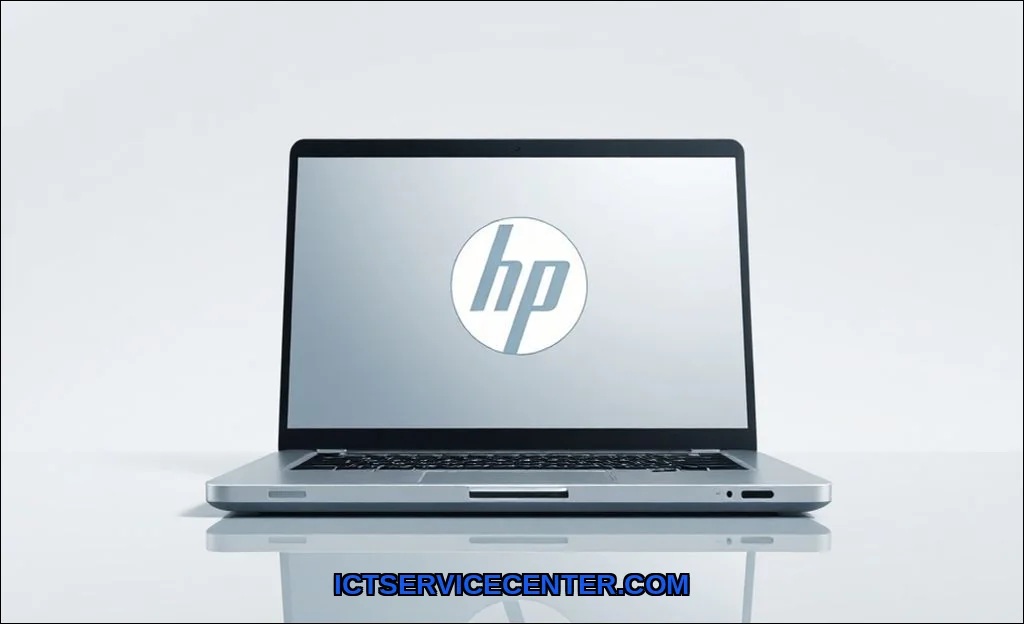
I’ve been opening up, testing, and repairing laptops for over a decade. HP models cross my bench more than almost any other brand. That gives me a unique, hands-on perspective on their real-world reliability. It’s not just about specs on a page; it’s about how the hinge feels after two years, how the thermals handle a software update, and what happens when you need a repair.
So, are HP laptops reliable? The answer isn’t a simple yes or no. It’s a nuanced “it depends.” It depends on the specific model, the year it was made, and what you need it for. A budget Pavilion and a premium Spectre live in different universes of build quality. Let’s break down my experience, the good, the bad, and who should actually consider buying one.
My Experience with HP Laptops Over the Years
I’ve seen the full spectrum. I’ve unboxed sleek HP Spectre units that felt flawless and disassembled older Envy models where the battery had swollen dangerously. One clear trend: HP’s reliability has improved markedly in recent years, especially in their premium lines. The 2023 models I’ve tested feel more robust than their 2020 counterparts. That said, some common issues persist across the lineup, which we’ll get into.
For a specific, reliable use case, I often point people to the HP Chromebook 14. It’s a perfect example of HP doing one thing very well. For pure web-based work, school tasks, and media consumption, its simplicity is its strength. With ChromeOS, many traditional Windows longevity concerns like driver conflicts or registry bloat are eliminated. It’s a focused tool that typically lasts for years without a hiccup.
Where HP Laptops Shine: The Good Stuff
When HP gets it right, they create fantastic machines. Their recent focus has paid off in key areas.
Premium Build Quality That Competes
I was genuinely impressed the first time I handled a modern HP Spectre x360. The machined aluminum chassis, the precise hinge action, the minimal screen flexit felt every bit as solid as a high-end Dell XPS or Lenovo Yoga. This isn’t marketing fluff. In my hands-on HP laptop durability test, these premium models consistently show better resistance to chassis creaking and hinge wear than their consumer-grade siblings.
Strong Performance for the Price
HP often packs powerful CPUs and fast SSDs into their machines at competitive price points. An HP Envy with a Core i7 and 16GB RAM frequently costs less than a similarly configured Dell Inspiron. Out of the box, this translates to snappy performance for everyday tasks and even moderate content creation. The question of HP laptop performance over time is more complex, but the initial horsepower is usually there. For more on why raw specs don’t always tell the full speed story, I dig into the details in our guide on why some laptops feel faster than others.
Innovative Designs (When They Work)
From the gem-cut edges of the Spectre to the dual-screen experiments on the Omen, HP isn’t afraid to try new designs. This leads to some of the most visually striking laptops on the market. When these designs are engineered well, they’re a joy to use. It’s a double-edged sword, though.
Common Complaints and Where They Stumble
This is where my repair experience gets real. Certain HP laptop problems are almost predictable. I categorize them not to scare you, but to inform you.
The Dreaded Hinge Failure
This remains the single most frequent hardware issue I see, particularly on older Pavilion and some Envy models. The plastic mounting points for the hinge inside the lid can crack over time. It starts as a slight stiffness, then a creak, and can end with a damaged display cable. While improved in newer models, it’s a legacy issue that hurts their reputation for durability.
Thermal Throttling and Overheating
Many HP consumer laptops, especially slimmer models, run hot under sustained load. The cooling systems can struggle, leading to thermal throttlingwhere the CPU slows itself down to avoid damage. This directly impacts HP laptop longevity, as constant high heat is the enemy of internal components. It’s a key area where HP vs Dell reliability comparisons often favor Dell’s business-class cooling solutions.
Bloatware and Software Quirks
Out-of-the-box, HP systems are notorious for pre-installed trial software and utilities. While some, like HP Command Center for thermal management, are useful, much of it is clutter. This can slow down the initial experience. A clean Windows install often makes an HP laptop feel brand new again.
Component Failure Rates: A Technician’s View
Beyond hinges, I see patterns. Older models with mechanical hard drives fail far more often than those with SSDs. Certain budget lines used lower-quality Wi-Fi cards that were prone to dropping connections. It’s crucial to look at HP laptop build quality review teardowns that assess the specific components used, not just the outer shell.
How HP Stacks Up Against Dell and Lenovo
Reliability is relative. Heres my hands-on comparison.
| Brand | Strength in Reliability | Common Weak Points | Best For |
|---|---|---|---|
| HP | Design innovation, value-for-specs, strong premium builds. | Inconsistent thermals in mid-range, historical hinge issues, bloatware. | Users who want style and power for a good price, especially in the Spectre/Envy lines. |
| Dell | Rock-solid business laptops (Latitude/Vostro), excellent support options, consistent thermal design. | Consumer Inspiron line can feel cheap, often more expensive for similar specs. | Business users, remote workers, and anyone prioritizing stability and service. |
| Lenovo | Legendary keyboard durability, robust hinges (especially on ThinkPads), clean software experience. | Designs can be conservative, consumer Ideapad line has similar budget issues to HP Pavilion. | Typists, corporate IT departments, and users who value utilitarian toughness. |
For a deep dive into how these machines handle professional workloads, my thoughts on whether modern laptops are sufficient for serious work cover this battle in detail.
Which HP Models Are Actually Worth Your Money
Based on what I’ve seen on my workbench, heres my breakdown.
HP Spectre x360: The Premium Pick
HP Spectre reliability is generally high. The metal construction, better cooling, and higher-quality internal components justify the price. These are laptops I expect to last 4-5 years with care. Ideal for professionals and power users who want a convertible.
HP Envy Series: The Balanced Performer
Recent HP Envy durability has improved. They offer a taste of Spectre build at a lower cost, though with some compromises (often in thermal solution complexity). The Envy is a great “sweet spot” for most users if you avoid the absolute base configurations.
HP Pavilion & Laptops Under $600: Tread Carefully
This is where most HP reliability issues are concentrated. Components are chosen for cost-cutting. Hinges are weaker, chassis are plastic, and thermal management is minimal. They can be fine for very light, occasional use with managed expectations. For a primary machine, I usually suggest saving a bit more.
The Repairability Factor
This is a missing piece in many reviews. Some HP models are surprisingly easy to open and upgrade (like certain ProBook models), with standard screws and accessible RAM/SSD slots. Others, especially ultra-thins, use excessive glue and proprietary components, making even a battery replacement a major ordeal. Always check a teardown guide before buying if you plan to keep it long-term.
My Final Verdict: Who Should (and Shouldn’t) Buy HP
So, after all this, who is an HP laptop right for?
You SHOULD consider an HP laptop if:
- You’re buying a Spectre or a well-configured Envy. The value and design are compelling.
- You want a stylish, powerful machine and are willing to manage thermals (using a cooling pad for long sessions).
- You understand the software landscape and don’t mind doing a clean Windows install.
- You’re considering a Chromebook like the HP Chromebook 14 for a dedicated, simple task machine.
You should probably LOOK ELSEWHERE if:
- Your absolute top priority is 5-year+ durability with zero fuss. A Dell Latitude or Lenovo ThinkPad is a safer bet.
- You’re shopping strictly in the budget category (under $600). The compromises here are significant.
- You need sustained, heavy performance (like video rendering or simulation). HP’s thermal solutions in consumer lines often can’t keep up as well as some competitors.
- You want the simplest out-of-box experience. Apple’s ecosystem or a clean Windows install on another brand is easier.
For comprehensive, standardized testing data on current models, I always cross-reference with trusted sources like RTINGS.com’s detailed laptop reviews and comparisons.
Final thought: HP makes some excellent laptops. Their premium lines have closed the reliability gap with the best in the industry. But the brand’s reputation is dragged down by its budget segment and past sins. Do your homework on the specific model and year. Know that how long do HP laptops typically last? is directly tied to which series you choose. For the right person with the right model, an HP can be a fantastic, reliable partner. Just go in with your eyes open.