
You are staring at two laptop options: one standard, one high-refresh, and you are not sure if the extra cost buys you a real improvement. This guide cuts through the marketing jargon to show you exactly who benefits from the smoothness and who wastes money on it.
In short: For competitive gamers and creative professionals who work with fast visuals, 144Hz is a noticeable quality-of-life upgrade that reduces motion blur and input lag. For general productivity, email, and casual browsing, 60Hz is perfectly sufficient, and 144Hz will actually drain your battery faster without providing a meaningful benefit to your workflow.
Quick picks
Our shortlist for this job · tap one to see today's price
Gives you a 144Hz canvas to see the motion difference without buying a new laptop.
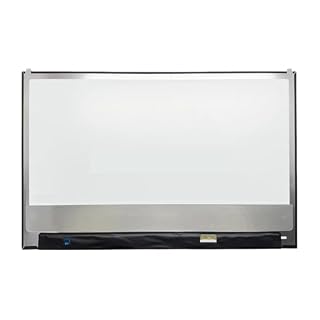
Upgrades an existing laptop's screen to 144Hz for a fraction of a new machine's cost.
The differences at a glance
The core difference lies in how many times the screen redraws the image each second. A 60Hz panel redraws 60 times; a 144Hz panel redraws 144 times. This higher frequency creates the sensation of smoother motion and reduces the “ghosting” effect when objects move quickly across the screen. It helps to understand gaming vs work laptops before going further.
However, refresh rate is not the whole story. The perceived smoothness depends on your graphics card actually producing frames faster than 60. If your laptop can only output 30 frames per second, a 144Hz screen will just display the same frame repeatedly, offering no visual benefit. The hardware must work in tandem with the display.
| Feature | 60Hz Laptop | 144Hz Laptop |
|---|---|---|
| Motion Smoothness | Standard, acceptable for static work | Visibly smoother, less blur in fast scenes |
| Battery Life | Optimal, lower power draw | Shorter, high-refresh drains power faster |
| Input Latency | Standard response time | Lower perceived lag, snappier cursor feel |
| Cost | Lower entry price | Premium price point |
Gaming performance: where 144Hz earns its keep
For competitive titles like Valorant, Apex Legends, or CS:GO, 144Hz is not just a luxury; it is a performance tool. The increased frame rate allows you to track fast-moving targets with less visual smear. It makes aiming feel more direct, as the screen updates nearly every time your graphics card renders a new frame.
This advantage disappears in slower, cinematic games. If you play story-driven titles like Red Dead Redemption 2 at 30-60 FPS, a 144Hz screen looks smooth, but it does not give you a competitive edge. The real bottleneck here is your GPU. To truly benefit, you need a dedicated graphics card that can consistently push high frame rates.
If you have integrated graphics only, the 144Hz panel will mostly be used for desktop smoothness, not high-FPS gaming. The panel will display the same frame multiple times, so the “high refresh” label is somewhat misleading for the actual gaming experience. Check the GPU specs before assuming the display will help your games.
Pro tip: To see if 144Hz helps you, open a fast-paced YouTube video or a browser tab on a 60Hz and 144Hz screen side-by-side. The difference in scrolling speed and cursor movement is immediate.
Lets you test 144Hz gaming on an external monitor before committing to a new laptop purchase.
- 24" 2K QHD (2560x1440) IPS Touchscreen Monitor – Responsive 10-point touch support
- 144Hz High Refresh Rate – Ultra-smooth motion for gaming. Touch response stays snappy
Productivity and creative work: subtle but real benefits
For office work, the difference is less dramatic. Scrolling through long spreadsheets or code files on a 144Hz display feels “buttery” because the cursor and text update more frequently.
This reduces eye strain for some users who find the slight stutter of 60Hz annoying after hours of use. It is a quality-of-life improvement rather than a functional necessity. Loaders in this spot often ask about balancing portability and performance as well.
For video editors and graphic designers, the benefit is more tangible. Scrubbing through a timeline or panning across a large canvas at 144Hz allows you to see frame-by-frame movement with incredible fluidity. It makes precise timing adjustments easier because the preview is not stuttering. If your workflow involves heavy visual manipulation, the upgrade pays for itself in comfort.
For general typing, email, and web browsing, 60Hz is plenty. Your eyes are not sensitive enough to detect the difference in still images or slow scrolling. Upgrading here is mostly about preferring a smoother desktop experience, not gaining any new capability. Do not let a spec sheet convince you that 144Hz is required for typing a report.
Battery life: the hidden cost of high refresh
High refresh rates consume more power. The screen and graphics driver work harder to render 144 frames per second, which drains the battery significantly faster. On many laptops, switching from 60Hz to 144Hz can cut your unplugged usage time by 15-20%.
If you are a mobile user who works in coffee shops or on the go, this is a major trade-off.
However, modern laptops often include a setting to switch to 60Hz when on battery power. You can enable the 144Hz smoothness when plugged in for work or gaming, then drop to 60Hz for travel.
This gives you the best of both worlds, but you must remember to configure this setting. Most brands put this in the driver control panel, not in Windows settings. There is more on 144hz vs 240hz in a separate guide.
If your primary use is unplugged, a 60Hz laptop is the smarter choice. You get longer battery life and avoid the confusion of managing refresh rate toggles. A 144Hz panel is a liability for all-day battery users unless you accept shorter run times.
Safety first: Never ignore the battery drain warning. If your 144Hz laptop feels dead in two hours, check your power settings. Many users forget to enable the battery-saving mode for the display.
Panel types matter more than the Hz number
Not all 144Hz screens are equal. The underlying panel technology defines how fast the pixels can actually change color. A 144Hz IPS panel with a slow response time will still show smearing if the pixels cannot keep up with the refresh rate. Look for specs that mention response time (e.g., 3ms or 1ms) in addition to refresh rate.
OLED panels are the premium option here. They offer instant pixel response, making 144Hz OLEDs incredibly smooth and crisp. However, they are more expensive and can have burn-in risks over many years.
IPS panels are the standard, offering a good balance of color accuracy, viewing angles, and cost. TN panels are rare now, but if you see one, be aware of their poor color and viewing angles despite fast response.
When comparing laptops, look at the specific model number of the panel if available. A “144Hz” label on a low-budget laptop might use a mediocre panel that lacks the color depth or response speed of a premium competitor. Do not just buy the number; buy the panel quality that matches it.
If you already have a laptop with a broken or low-refresh screen, this 144Hz replacement panel upgrades your existing machine.
- Compatible with multiple models, installation and replacement are simple and
- Using the same display specifications, the color saturation is uniform, and the picture
The bottom line
Buy a 144Hz laptop if you play competitive games or edit video and are usually plugged in. Stick with 60Hz if you prioritize battery life, play casual games, or are on a tight budget. For most general users, the 60Hz option offers better value and longer battery life, so the upgrade is not necessary for daily work.
- 24" 2K QHD (2560x1440) IPS Touchscreen Monitor – Responsive 10-point touch support
- 144Hz High Refresh Rate – Ultra-smooth motion for gaming. Touch response stays snappy
Frequently asked questions
Does 144Hz really make games look better?
Yes, in fast-paced games, it reduces motion blur and makes tracking targets easier. The benefit is most noticeable in esports titles. In slow, cinematic games, the difference is purely aesthetic and you will not gain a competitive advantage.
Can I force my 60Hz laptop to run at 144Hz?
No, refresh rate is a hardware limitation of the screen and GPU. You cannot make a 60Hz panel display 144 frames per second. You would need a new laptop or an external monitor upgrade to achieve that smoothness.
Is 144Hz worth it for office work?
It is a nice-to-have. Scrolling and window dragging feel smoother, which reduces eye fatigue for some. But it is not a requirement for productivity. If you value battery life or cost, 60Hz is perfectly fine for documents and spreadsheets.
Will 144Hz drain my battery significantly?
Yes, it will. High refresh rates use more power. Most laptops let you switch to 60Hz on battery to save power. If you are constantly unplugged, the drain is a real consideration that makes 60Hz the more efficient choice.