CPU Cores vs Threads Explained: What’s the Difference?
Contents
You’re shopping for a new computer or trying to make sense of a spec sheet, and you keep seeing numbers like “6 cores, 12 threads” or “8-core, 16-thread processor.” What does it all mean? Is more always better? Understanding cores and threads is key to making an informed purchase and getting the performance you actually need, whether you’re gaming, editing videos, or just browsing the web.
Think of your CPU as the brain of your computer. For years, performance was about making a single, faster brain. Now, it’s about adding more specialized brains that can work together. This shift to Parallel Processing is what cores and threads are all about. For users who need maximum multi-threaded power for intensive tasks like 3D rendering or scientific computation, a high-core-count CPU like the Horizon RGB I9 represents the enthusiast end of the spectrum.
What is a CPU Core? The Physical Workhorse
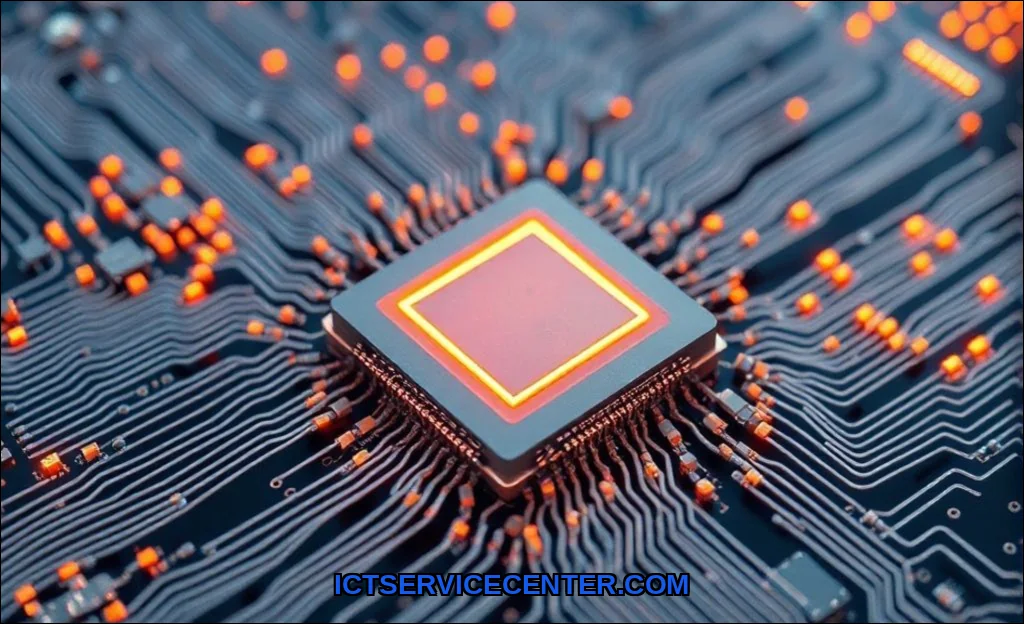
A Physical Core is an independent processing unit within the CPU. It’s a tangible piece of silicon that can execute a sequence of instructionsthe basic tasks that make up a program. Each core has its own arithmetic logic unit (ALU), control unit, and a small amount of cache memory. In the simplest terms, a core is a separate brain. A single-core CPU can only do one thing at a time with full attention. A dual-core CPU has two brains, a quad-core has four, and so on.
This is the foundation of multicore technology. More physical cores allow your computer to handle multiple demanding applications simultaneously without slowing to a crawl. For example, you could encode a video in one program while your antivirus runs a scan in the background, and each task can be assigned to its own core. This is a fundamental concept in how a CPU works.
Modern Core Complexity: P-cores and E-cores
The story gets more interesting with modern hybrid architectures from Intel (with their Performance and Efficiency cores) and Apple (with their performance and efficiency cores in M-series chips). Here, not all cores are created equal:
- Performance Cores (P-cores): These are larger, faster, and more power-hungry. They’re designed for heavy liftinggaming, video editing, complex calculations.
- Efficiency Cores (E-cores): These are smaller, slower, and sip power. They handle background tasks, like app updates, streaming music, or file syncing, freeing the P-cores for your primary work.
This design aims for a smarter balance between raw power and battery life, especially crucial in laptop vs desktop scenarios where thermal and power constraints differ greatly.
What is a Thread? The Virtual Assistant
A thread, specifically a Logical Thread, is a virtual pathway for instructions. It’s a sequence of programmed tasks that a core can execute. By default, one physical core handles one thread. However, technology like Intel’s Hyper-Threading (HT) and AMD’s Simultaneous Multithreading (SMT) allows a single physical core to manage two threads at once.
Think of it this way: if a core is a chef, a thread is a recipe. One chef (one core) can follow one recipe (one thread) at full speed. Hyper-Threading is like giving that chef the ability to prep ingredients for two different recipes simultaneously, switching between them so quickly that it seems like both are being made at once. The core isn’t magically doubled, but its idle resources are used more efficiently.
Core vs. Thread: The Key Differences
It’s easy to confuse them, but the distinction is critical. A core is hardware; a thread is software. A core is a factory floor; a thread is the work order running on it.
| Feature | Physical Core | Logical Thread |
|---|---|---|
| Nature | Hardware. A physical unit on the CPU die. | Software. A virtual sequence of instructions. |
| Function | Executes instructions with full resources (ALU, cache). | Represents a task or process for the core to execute. |
| Analogy | A worker on an assembly line. | The specific job assignment given to that worker. |
| Impact | Directly increases raw parallel processing power. | Improves efficiency and multitasking on existing cores. |
So, when you see “8 cores, 16 threads,” it means there are 8 physical processing units, each capable of handling 2 threads simultaneously via Hyper-Threading/SMT.
How Cores and Threads Affect Performance
The impact isn’t uniform. It depends entirely on the software you use.
- Single-Threaded Performance: Tasks that are linear and cannot be easily split. High clock speed and strong core architecture matter most here. Examples: older games, some web browsing tasks, certain legacy applications.
- Multi-Threaded Performance: Tasks that can be broken into parallel chunks. More cores and threads provide a massive boost. Examples: video rendering (Blender, DaVinci Resolve), 3D modeling, scientific simulations, compiling code, and modern game engines that leverage multiple threads.
This is the core of the question, what is the difference between a core and a thread in terms of performance? Adding cores gives you more dedicated workspaces. Adding threads (via HT/SMT) makes each workspace more efficient at juggling two related tasks. For a deep dive on system components, see our guide on what a computer is and how it works.
Hyper-Threading and SMT Explained
These technologies work by duplicating certain parts of the corespecifically, the architectural state (registers)but not the main execution resources. This allows the core to hold the context of two threads and switch between them in nanoseconds when one is waiting for data. The performance gain isn’t 100% (more like 15-30%), but it’s a significant efficiency boost for a relatively small silicon cost. It makes a 6-core CPU feel more responsive in heavy multitasking scenarios than a 6-core CPU without it.
How Many Cores and Threads Do You Need?
This is the ultimate question: how many cores do I need? Let’s break it down by use case.
Gaming
Should I get more cores or more threads for gaming? Modern games are increasingly multi-threaded. The current sweet spot is 6 performance cores. An 8-core CPU is excellent for future-proofing. Hyper-Threading/SMT is beneficial but secondary to strong single-core performance and high clock speeds. A 6-core/12-thread or 8-core/16-thread CPU from Intel or AMD’s latest generations is ideal.
Productivity & Content Creation
Here, more is almost always better. Video editing, rendering, and software compilation scale beautifully with core and thread count.
- Video Editing (Premiere Pro, DaVinci Resolve): Benefits from high thread counts for effects rendering and export. 12+ threads is a great start.
- 3D Rendering (Blender, V-Ray): This is where core/thread count shines. Rendering times can decrease almost linearly with more cores. 16 threads or more is recommended for professionals.
- General Office Multitasking: For heavy multitasking with dozens of browser tabs, office apps, and communication tools, 8 threads (e.g., a 4-core/8-thread or 6-core/6-thread CPU) provides a smooth experience.
Everyday Use & Basic Computing
For web browsing, email, and streaming, even a modern 4-core CPU is more than sufficient. The efficiency of the architecture matters more than sheer core count here.
How to Check Your CPU’s Cores and Threads
Wondering how to check how many cores and threads my CPU has? It’s simple.
- On Windows, press Ctrl + Shift + Esc to open the Task Manager.
- Click on the “Performance” tab.
- Select “CPU” from the left-hand menu.
- Look at the bottom right. You’ll see “Cores” and “Logical processors.” Logical processors = threads.
On macOS, go to Apple Menu > About This Mac > System Report > Hardware, and look for “Total Number of Cores” and “Total Number of Threads.”
Choosing a CPU is about matching hardware to your software demands. Cores are your dedicated workers; threads help them juggle tasks more efficiently. For most users today, a 6-core or 8-core CPU with simultaneous multithreading offers the best balance for gaming and productivity. Always consider the software you use dailyits ability to leverage parallel processing dictates how much benefit you’ll get from extra cores and threads. Don’t just chase the biggest number; chase the right architecture for your workflow.