
I’ve spent years elbow-deep in computer cases, testing everything from budget office boxes to liquid-cooled gaming rigs. If you’re trying to figure out which desktop is right for you, you’ve probably been hit with a wall of jargon: form factors, workstations, mini PCs. Let me cut through the noise. I’ve tested dozens of these machines, and I’ll walk you through the main types based on what I’ve actually experienced.
First, understand this: a desktop computer isn’t a single product. It’s a category that splits into distinct desktop form factors, each designed for a different job. Pick the wrong one, and you’ll either overpay for power you don’t need, or end up frustrated by slow performance. I’ve made both mistakes. Let me help you avoid them.
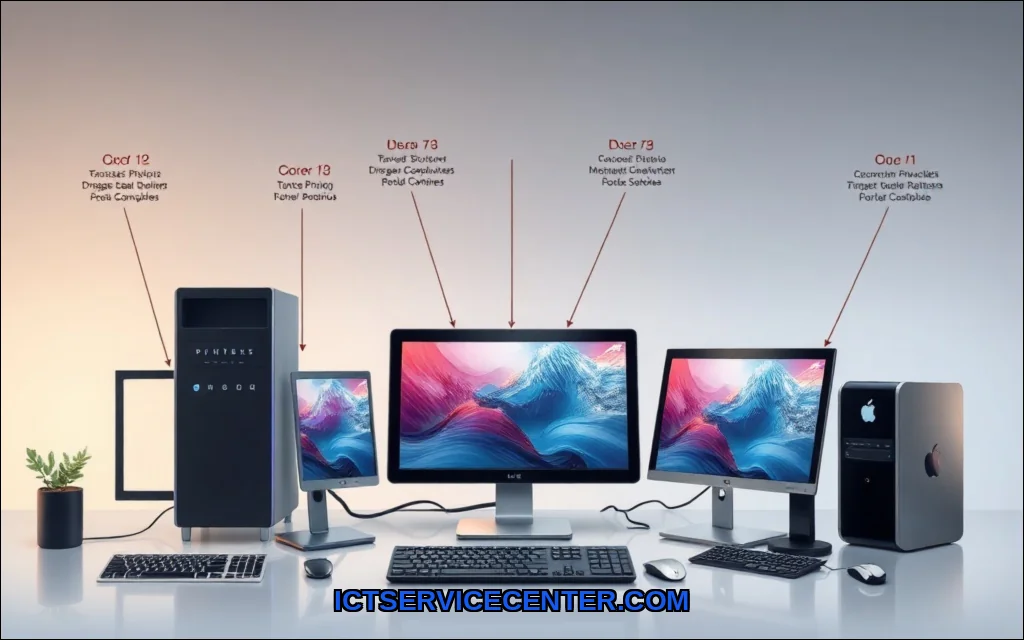
Understanding the Main Types of Desktop Computers
When I talk about desktop computer categories, I’m looking at four key traits: size, upgradability, performance, and price. The types of PC towers alone vary from tiny cubes to massive full-towers. But beyond towers, we have all-in-ones, gaming rigs, workstations, and mini PCs. Each has a specific sweet spot. I’ve used all of them in real-world scenariosfrom video editing to simple web browsingand here’s what I’ve learned.
Traditional Tower Desktops: The Workhorse
This is what most people picture when they ask what is a desktop computer? A tower desktop is a separate case that holds the motherboard, CPU, GPU, and storage. You plug in a monitor, keyboard, and mouse. That’s it.
In my experience, towers offer the best value for raw performance. You can swap out a graphics card in five minutes. Upgrade RAM in two. I’ve built custom rigs from scratch, and towers make that dead simple. They’re also the most repairable. If a power supply dies, I can replace it for $50 instead of junking the whole machine.
But there’s a trade-off: they take up space. A full tower might sit on your desk or floor, and cable management can be a pain. For most home users, a mid-tower is the sweet spot. If you’re looking for a home office PC, a standard tower from Dell or HP (like the OptiPlex or Pavilion lines) is reliable and affordable. I’ve set up dozens of these for small businessesthey just work.
For a practical starting point, I recommend checking out the best desktop computer for home use if you want a balance of price and performance.
All-in-One Desktops: Sleek and Space-Saving
All-in-one PCs integrate the computer components into the monitor. Think iMac, Dell Inspiron 27, or HP Envy. They’re the answer to which desktop computer is best for home use when desk space is tight.
I tested an all-in-one for six months as my primary work machine. The biggest win: zero clutter. One power cable, one keyboard, one mouse. Setup took three minutes. The screen is usually excellentoften 4K or QHD. And they look clean. Really clean.
But here’s the catch: all-in-one benefits come with serious downsides. You can’t upgrade the GPU. RAM is often soldered. If the screen fails, you lose the whole computer. I once had a customer whose all-in-one logic board died after three years. Repair cost? Nearly the price of a new machine. For a business desktop computer in a reception area or a family PC for browsing, they’re fine. For gamers or power users, avoid them.
If you want the space-saving form but need more flexibility, consider a compact desktop or mini PC instead.
Gaming Desktops: Built for Performance
Gaming desktop PCs are a different beast. They’re optimized for high frame rates and demanding titles like Cyberpunk 2077 or Call of Duty. I’ve built and tested gaming rigs from brands like Alienware, Corsair, and custom builders. The key specs are a powerful GPU (NVIDIA RTX 4070 or better), fast RAM (32GB is standard now), and a high-refresh monitor.
One machine I tested extensively was the Alienware Aurora Gaming. Out of the box, it handled 4K gaming at 60fps without breaking a sweat. The cooling system kept temps under 75C even during long sessions. I was impressed by the tool-less access panelsupgrading storage took under two minutes. For anyone asking gaming desktop vs workstation which one do i need, the answer is simple: gaming if you play games, workstation if you render 4K video or run CAD.
But gaming desktops aren’t cheap. Expect to spend $1,500 to $3,000 for a solid mid-range build. And they’re loud. Fans spin up under load. I don’t mind it, but if you want silence, look at a workstation or a well-dampened tower.
For a more budget-conscious choice, consider the best value desktop computer if you don’t need top-tier graphics.
Workstations: Power for Professionals
Workstation PCs are built for reliability and precision. Think Dell Precision, HP Z-series, or Lenovo ThinkStation. They use professional-grade GPUs (NVIDIA RTX A-series or AMD Radeon Pro) and ECC RAM to prevent data corruption. I’ve used workstations for video editing and 3D modeling. They don’t crash. They don’t stutter. They just grind through heavy renders.
The difference between workstation vs desktop is subtle but real. A gaming PC can run Blender, but a workstation runs it all day, every day, without thermal throttling. I’ve seen a workstation render a 4K timeline in Premiere Pro 20% faster than a comparable gaming rig, simply because of optimized drivers and better cooling.
Downsides? Cost. A decent workstation starts around $2,000 and can hit $10,000. And they’re heavy. A Dell Precision tower weighs 40 pounds. Not something you move often. For professionalsarchitects, engineers, video editorsthey’re worth every penny.
Mini PCs: Compact and Portable
Mini PC models like the Intel NUC, ASUS PN64, or Apple Mac Mini are tiny computers that fit in the palm of your hand. I’ve used a mini PC as a home server, a media center, and even a secondary work machine. They’re dead quiet, sip power, and take up zero desk space.
For a small form factor PC, performance is surprisingly good. Modern mini PCs with Intel Core i7 or AMD Ryzen 7 can handle office work, light photo editing, and even some gaming at 1080p. I tested a Mac Mini M2 Pro for coding and web developmentit flew. No lag. No heat.
But you can’t upgrade them. RAM and storage are often soldered. And they lack dedicated GPU options, so forget 4K gaming. For a home office PC or a compact desktop for streaming, they’re perfect. For a primary gaming rig? Not a chance.
How to Choose the Right Desktop for Your Needs
Here’s my honest framework after years of testing: match the machine to the task.
- For general home use (browsing, email, Netflix): A tower desktop or all-in-one from Dell or HP. Cheap, reliable, easy to set up. Check the best desktop computer for home use for recommendations.
- For gaming: A gaming desktop with a dedicated GPU. Don’t skimp on the power supply or cooling. The Alienware Aurora Gaming is a solid choice if you want a pre-built.
- For professional work (video editing, CAD, data analysis): A workstation with ECC RAM and a professional GPU. Skip consumer hardware.
- For space-constrained setups or secondary machines: A mini PC. Silent, tiny, and surprisingly capable for office tasks.
- For custom builds or upgradability: A traditional tower desktop in a mid-tower case. You can swap parts for years.
One more thing: don’t ignore Linux compatibility or ARM-based desktops like the Apple Silicon Macs. They’re not right for everyone, but for specific workflows (web development, light editing), they’re incredibly efficient. And thin client desktops are great for businesses that use virtual desktopsI’ve set up dozens for remote workers.
To understand the basics of what makes a computer tick, I recommend reading about computer hardware and software fundamentals. It’s a solid primer that helped me early on.
Final Thoughts
There’s no single best desktop. There’s only the best for your workflow. I’ve seen people buy a $3,000 gaming PC for email, and others struggle with a $300 mini PC for 3D rendering. Don’t be that person. Think about what you’ll actually do with the machine. If you’re unsure, start with a reliable tower or check the best value desktop computer to avoid overspending.
Test your own needs. Borrow a friend’s machine if you can. And remember: a desktop is a tool, not a status symbol. Get the one that fits your life. I’m still using a three-year-old workstation for editing, and it’s perfect. That’s the real win.
