
I’ve spent the last decade building, testing, and living with every kind of computer imaginable. From massive dual-GPU towers to sleek, silent boxes that hide behind monitors.
The choice between a compact desktop computer and a traditional desktop tower isn’t just about specs on a page. It’s about how you live with technology every single day.
Let’s cut through the marketing and talk about what really matters.
Recently, I needed a secondary system for light tasks and media streaming. I didn’t want another hulking tower. That’s when I started testing the KAMRUI Pinova P2.
It’s a perfect example of a modern small form factor PCtiny, fanless, and shockingly capable for its size. It made me reconsider what a “desktop” needs to be. But it also highlighted the clear, undeniable trade-offs when you shrink everything down.
My Hands-On Experience with Both Form Factors
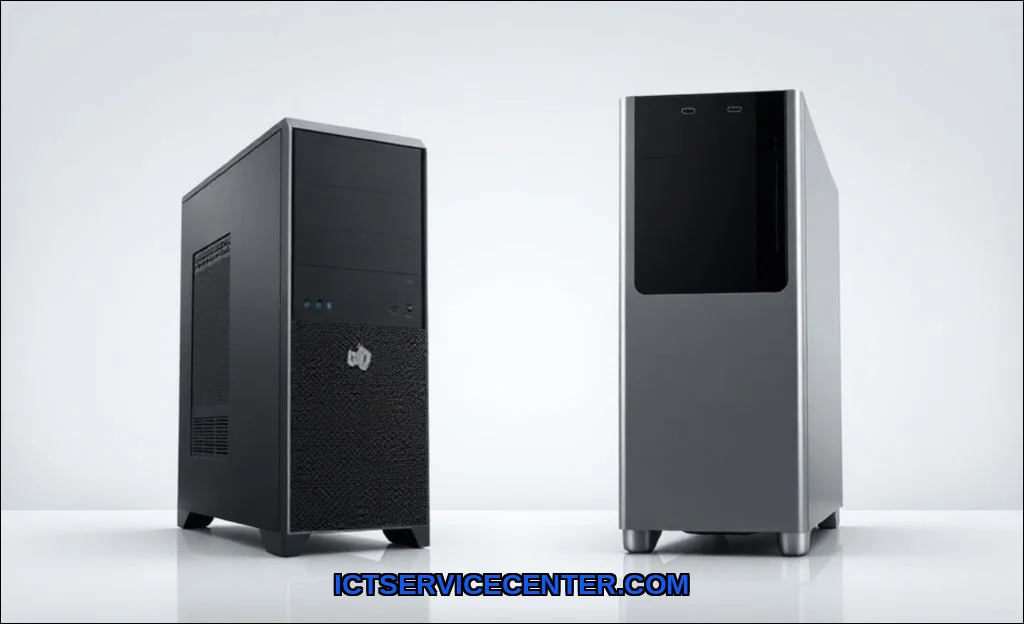
I’ve built gaming rigs in full-tower cases that felt like assembling furniture. I’ve also configured Intel NUCs and systems like the ASUS PN series for clients who value every square inch of desk space. The physical experience is night and day.
Unboxing a tower means handling heavy, sharp-edged components. Setting up a mini PC feels more like plugging in a streaming stick. That initial simplicity is seductive, but it sets the stage for the entire ownership journey.
The Space & Aesthetics Showdown: Where Do You Live?
This is the most obvious win for the space saving computer. My test mini PC literally velcroed to the back of my monitor, disappearing completely. For a clean home office setup or a living room media center, it’s unbeatable.
A traditional tower, even a mid-tower, demands real estate. It’s a statement piece, often with RGB lighting meant to be seen. Before you buy anything, it is worth looking at business vs consumer laptops.
- Mini PC/SFF: Lives on the desk, under the monitor, or mounted out of sight. Promotes minimalist aesthetics.
- Desktop Tower: Requires floor or desk space. Cable management becomes a visible project. It dominates its environment.
If your workspace is a kitchen table or a cramped dorm desk, the mini PC’s form factor isn’t just niceit’s necessary. For a dedicated office or gaming den, a tower’s presence can feel purposeful.
Raw Power & Future-Proofing: What Can You Really Do?
Here’s where the rubber meets the road. I pushed both form factors with video editing, coding compiles, and, of course, gaming.
For standard office work, web browsing, and 4K video playback, a modern mini PC with a recent Intel Core i5 or AMD Ryzen 5 is fantastic. The KAMRUI Pinova P2 I tested handled dozens of browser tabs and streaming without a hiccup. But when I loaded a project in DaVinci Resolve or tried running a modern game, the limits appeared.
Traditional desktop towers excel here because of their upgrade path. You start with a mid-range GPU; two years later, you can swap in a new one without changing anything else. Need more storage? Add another drive. RAM? Pop in new sticks.
Most mini PCs have a hard ceiling. The CPU is often soldered. You might get one slot for RAM and one M.2 SSD. That’s it. The question can you upgrade a mini pc like a desktop has a simple answer: not really. You’re buying a sealed performance envelope. For a workstation replacement demanding sustained, heavy loads, this is a critical drawback.
Gaming Performance: The Honest Truth
Let’s tackle is a mini pc powerful enough for gaming directly. Yes, but with major caveats. Mini PCs with dedicated mobile GPUs (like some higher-end Intel NUCs or ASUS models) can handle 1080p gaming on medium settings for many titles.
But you’ll never slot in an RTX 4080. The gaming performance crown belongs to the tower, full stop. A tower lets you chase high frame rates at 1440p or 4K. A mini PC is for casual or older games.
If gaming is a primary focus, the tower’s upgrade potential makes it the only sensible long-term choice. Loaders in this spot often ask about all-in-One PC vs Tower PC as well.
Portability & Daily Use: How Will You Actually Move It?
I’ve carried my mini PC between my home office and living room with one hand. It’s lighter than most laptops. This portability is transformative for certain users. Digital nomads, presenters, or anyone who splits time between locations can benefit hugely. A desktop tower is an anchor. Moving it is a planned event involving unplugging a nest of cables and careful heavy lifting.
Think about your daily routine. Does your computer need to be in two places? Or is it a permanent command center?
The Cost Breakdown: Upfront Price vs. Long-Term Value

At first glance, mini PCs seem cheaper. And for basic models, they are. But you must think in terms of total cost of ownership (TCO).
A $500 mini PC is a complete system. A $500 tower might just get you a case, power supply, motherboard, and RAMno CPU, storage, or GPU. The tower’s initial investment is higher.
However, in three years, that mini PC might feel slow. Your only option is to sell it and buy a new one. The tower?
You could spend $300 on a new GPU and CPU and have a system that feels brand new. Over 5-6 years, the tower often wins on value because you’re not replacing the entire system.
The mini pc vs desktop for home office debate hinges on this calculus: lower upfront cost versus modular, long-term savings.
Heat, Noise, and Power Bills: The Practical Realities
This is a huge, often overlooked differentiator. In my testing, a mini PC under load is often whisper-quiet or even silent (if fanless like the Pinova P2). But there’s a trade-off: constrained thermal performance.
To stay quiet and cool in a tiny case, the system will aggressively limit power (a process called thermal throttling). That sustained 4.5 GHz boost clock you see on the spec sheet?
It might only last 30 seconds before the system dials it back to prevent overheating. It helps to understand desktop vs all before going further.
A well-built tower with multiple fans and a large CPU cooler can maintain peak performance for hours. It will be louder, but it won’t slow down. This directly impacts rendering times, compile speeds, and gaming frame rate consistency.
And what about mini pc power consumption vs desktop tower? The mini PC wins, easily. A full gaming tower with a powerful GPU can draw 600-800 watts under load. A mini PC might sip 30-100 watts. For a machine running 8+ hours a day, that difference adds up on your electricity bill.
The Missing Discussion: PCIe Lanes and Port Density
Here’s a technical nuance most reviews miss. Mini PCs have severe PCIe lane limitations. This affects port density and expansion.
You might find that the USB ports, network jack, and SSD all share bandwidth. Plug in a fast external SSD and your Ethernet throughput might drop. In a tower, a proper motherboard offers dedicated lanes for key components.
Want to add a capture card, a 10GbE network card, and a second GPU? Only the tower can do that.
Connectivity & Expandability
Modern mini PCs are surprisingly well-equipped with portsUSB-C, HDMI, even 2.5Gb Ethernet. But it’s a fixed array. Need more? You’re using dongles and hubs, which can create clutter and potential compatibility issues.
A tower motherboard typically offers more rear ports, plus the entire interior of the case is your playground. Free PCIe slots mean you can add anything: professional audio interfaces, multiple GPUs for rendering, additional networking cards, or legacy ports. The expandability gap is monumental.
| Feature | Mini PC / SFF PC | Traditional Desktop Tower |
|---|---|---|
| Core Strength | Space efficiency, low power, portability | Raw power, customization, long-term upgrades |
| Best For | Office work, media streaming, light gaming, compact living spaces | Gaming, content creation, engineering software, future-proofing |
| Upgradeability | Very Limited (often just RAM/SSD) | Extensive (Every component can be changed) |
| Thermal Headroom | Low (Risk of thermal throttling) | High (Sustained peak performance) |
| Total Cost of Ownership | Lower upfront, higher long-term (full system replacement) | Higher upfront, lower long-term (modular upgrades) |
My Final Verdict: Who Should Choose What?
After living with both, the choice is clearer than I expected. It’s not about which is better, but which is better for you. We cover external storage in a guide of its own.
Choose a Mini PC if: Your desk is tiny. You want a silent, invisible computer for bills, streaming, and browsing. You need to move it around often. Your tasks are consistent and unlikely to grow in demand. You value a lower electricity bill and a clean aesthetic. The KAMRUI Pinova P2 and devices like the Apple Mac Mini are perfect for this role.
Choose a Desktop Tower if: Gaming, 3D rendering, or video editing is your passion or profession. You love tinkering and want the freedom to upgrade piece by piece. You run specialized software or hardware that requires internal expansion cards. You have the space and don’t mind the hum of fans under load. You’re building a system to last 5-7 years through strategic upgrades.
For many, the best setup might be a hybrid. A powerful tower as a primary workstation, and a mini PC as a secondary, portable node. This mirrors the broader decision between a laptop and a desktop for primary use.
It’s all about matching the tool to the task. And if you’re still weighing a portable computer against a stationary one, our breakdown of a laptop versus tablet versus desktop explores that middle ground further.
For another perspective on the core laptop vs. desktop decision, CDW’s hardware comparison offers a solid business-centric view.
Look at your space, honestly assess your performance needs, and think about how you’ll use the machine in three years. That will tell you everything. For pure, unadulterated flexibility and power, the tower remains king. For elegant simplicity in a confined space, the modern mini PC is a minor miracle.
