
You are standing in the PC shop or scrolling through an online store, cursor hovering over two CPU boxes that look identical except for one digit. This page tells you exactly which chip saves money or saves time, based on your actual tasks.
In short: For most people building a desktop in 2026, the Intel Core i5 is the better value buy. You get close to the i7’s gaming speed for significantly less cost, letting you upgrade the GPU or add more RAM. Choose the i7 only if you render video, compile large codebases, or run heavy multi-threaded work daily.
Quick picks
Our shortlist for this job · tap one to see today's price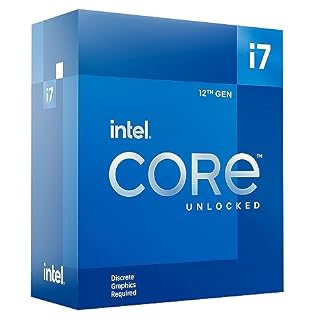
Picks the LGA-1700 i7-12700KF, giving you more cores and cache for rendering and coding.
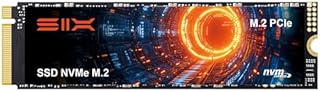
Adds a fast NVMe drive so your i5 or i7 system loads apps and files instantly.
The differences at a glance
The specs tell a story, but the numbers don’t explain how the chips feel in daily use. Here is what separates the two tiers in current and recent generations. For the detail, see our notes on comparing intel and ryzen for work.
| Feature | Intel Core i5 | Intel Core i7 |
|---|---|---|
| Performance Cores | Usually 6 | Usually 8 |
| Efficient Cores | Usually 8 | Usually 12 |
| Hyper-threading on P-cores | Often No | Yes |
| L3 Cache | ~24 MB | ~33 MB |
| Max Turbo Clock | ~5.1 GHz | ~5.4 GHz |
| Best For | Gaming, Office, Light Editing | Video Editing, 3D, Heavy Multitasking |
Hyper-threading is the key technical difference. It allows the i7 to handle two tasks on each performance core at once. This matters when you are running multiple heavy programs simultaneously, like editing video while checking email and running a database.
The i5 wins on value. You get 90% of the single-core performance for roughly 60% of the price. The i7 wins on multi-core capacity, adding more threads and higher sustained clocks for long renders and complex simulations.
- i5 sweet spot: Gamers and office users who want a fast system without overspending on the CPU.
- i7 sweet spot: Creative professionals and developers who bill by the hour or project.
Gaming performance: where the i5 holds its ground
For pure gaming, the Intel i5 is the smart choice. Most modern games rely heavily on single-core speed. The i5’s high clock speeds feed your GPU enough frames to run smoothly at 1080p and 1440p. You likely won’t notice a drop in frame rate compared to an i7 in most titles.
In titles like Cyberpunk 2077 or Call of Duty, the i7 might be 5-8% faster at 1080p. But at 4K resolution, that gap shrinks to 1-3%. At 4K, your graphics card is the bottleneck, not the processor. Adding a faster GPU will help your i5 build much more than swapping in an i7.
The one exception is streaming or recording gameplay. If you stream while you play, the i7’s extra threads handle the video encoding. On an i5, you might see frame drops during heavy scenes because the CPU is busy encoding the stream. If you record gameplay without streaming, the i5 is usually fine if you have a dedicated NVMe drive.
- 1080p Gaming: i5 is excellent. Save the difference for a better GPU or monitor.
- 4K Gaming: i5 is sufficient. The GPU matters far more than the CPU at this resolution.
- Gaming + Streaming: i7 is better. It encodes video without stealing resources from the game.
A fast NVMe SSD ensures your games and workloads load instantly, maximizing the i5's single-core speed.
- Unleash Upgraded power - Employing PCIe Gen4x4 High Speed Interface, SIX X7400 nvme m.2
- Work and Play - Whether you pursue science or culture, X7400 m.2 ssd 1TB accentuates
Productivity and creative work: where the i7 earns its premium
This is where the decision changes. If you edit video, render 3D models, or compile large code projects, the i7 saves you real time. Professionals who bill by the hour find that the extra cost of the i7 is easily offset by the hours saved on each project. We cover choosing a cpu for thinness in a guide of its own.
Multi-threaded tasks use every core available. The i7 has more performance and efficient cores. In DaVinci Resolve or Premiere Pro, exporting a 4K video can be 30-35% faster on an i7 compared to an i5.
For 3D rendering in Blender or Cinema 4D, the difference is even more pronounced. A task that takes 1 hour on an i5 might take 45 minutes on an i7.
For web developers, the i5 is usually enough. Compiling small projects and running Docker containers is fast on both. But if you run machine learning models, heavy simulations, or large-scale data analysis, the i7’s larger cache and core count are a significant advantage.
Check your specific workflow: if you are constantly waiting for renders or compilations, the i7 is worth it.
Remember that more cores also mean more heat. The i7 runs hotter than the i5. Ensure your case has good airflow and you have a capable cooler to keep temperatures stable during long work sessions. This prevents thermal throttling, which slows down the CPU and reduces performance.
The i7-12700KF offers the LGA-1700 platform, giving you the core count needed for professional video editing.
- Intel Core i7 3.60 GHz processor offers more cache space and the hyper-threading
- The Socket LGA-1700 socket allows processor to be placed on the PCB without soldering
Price vs. performance: the value gap
The i5 is the king of value. You get nearly the same gaming experience for a much lower price. The i7 costs roughly 50% more but does not give you 50% more performance in every task. This is why most gamers and casual users buy the i5. Loaders in this spot often ask about intel i3 vs i5 desktop as well.
In gaming, the jump is small. In multi-threaded work, the jump is large. The i7 can be 30-40% faster in video exports. This makes it a tool, not just a chip, for professionals. For a business owner, saving 20 minutes a day on a render is valuable time that can be spent on client work.
Remember the cooling costs. The i7 runs hotter. You will need a better air cooler or an AIO liquid cooler. This adds to the total build cost. The i5 runs cooler and can use a budget-friendly stock or basic air cooler. If you are building a quiet system, the i5 is easier to cool with a simple, large heatsink.
- Budget Gamer: i5. Save money for a better GPU, more RAM, or a high-refresh monitor.
- Pro Creator: i7. Save time on every project and increase your billable hours.
- Casual User: i5. It is more than enough for web browsing, office apps, and light media consumption.
Pro tip: Apply the 3-3-3 rule for thermal paste: three swipes vertically, three horizontally, and three diagonally. This ensures even coverage on either CPU.

This thermal paste ensures your CPU stays cool, which is critical for an i7 that runs hotter.
- High Thermal Conductivity thermal compound for optimal heat-transfer from the CPU/GPU
- Wide Working Temperature Range -50℃ to 240℃, GT-1 thermal paste is mainly made of
Which processor should you buy in 2026?
The answer depends on your primary task. Use this list to make the final call for your specific build. Most readers will find the i5 is the sensible default.
- You are a gamer: Buy the Intel Core i5. It is the best value. Spend the extra cash on a better graphics card or RAM.
- You are a video editor or 3D artist: Buy the Intel Core i7. The extra cores cut your render times significantly and improve timeline scrubbing.
- You are a web developer: Buy the Intel Core i5. It handles daily coding tasks just as well as the i7 for most stacks.
- You are a streamer: Buy the Intel Core i7. It handles game playback and video encoding simultaneously without stutter or frame drops.
- You are doing light office work: Buy the Intel Core i5. The i7 is overkill for email, spreadsheets, and video calls.
There is no single best processor. There is only the best processor for your specific job. If you are on the fence, start with the i5. You can often upgrade to an i7 later on the same motherboard platform, saving you the cost of a new board now.
For most readers, the i5 is the smart choice. It balances speed and cost perfectly. Only move to the i7 when your workflow actually requires the extra multi-core power for professional-grade tasks. This ensures you get the most value from every dollar spent. For the detail, see our notes on Intel i5 vs Ryzen 5 Desktop.
The bottom line
For most desktop users in 2026, the Intel Core i5 is the smarter buy. It delivers excellent gaming performance and handles everyday tasks at a lower price point. Choose the i7 only if you rely on multi-threaded professional workloads like video rendering or heavy development every day.
- Unleash Upgraded power - Employing PCIe Gen4x4 High Speed Interface, SIX X7400 nvme m.2
- Work and Play - Whether you pursue science or culture, X7400 m.2 ssd 1TB accentuates
Frequently asked questions
Can I upgrade an i5 to an i7 later?
Yes, if you use the same socket platform, like LGA-1700. You can swap the i5 CPU for an i7 CPU of the same generation. Ensure your cooler can handle the heat output of the i7 before installing to avoid throttling.
Is an i5 fast enough for 4K gaming?
Yes. At 4K resolution, the graphics card is the bottleneck. The i5 provides enough single-core speed to feed the GPU. You will not notice a frame rate difference compared to an i7 in most modern 4K games.
Which CPU uses more power?
The i7 typically uses more power and runs hotter. It has more cores and a higher maximum turbo speed. If you choose the i7, budget for a better cooler and good case airflow to keep temperatures under control.
Does an i7 make a PC boot faster?
Not significantly. Boot speed depends mostly on the storage drive. An NVMe SSD makes a huge difference. The CPU difference between i5 and i7 for boot times is negligible. Focus on storage for faster system start-ups.