
I remember the exact moment I decided to ditch my old laptop. It was a 5.5-pound beast, and after a full day of commuting and client meetings, my shoulder was screaming.
That ache wasn’t just physical; it was a daily reminder that my tech was working against me, not for me.
My search for the perfect backpack-friendly laptop began, and it taught me that weight is more than just a number on a spec sheet. It’s about the entire experience of carrying, using, and relying on a machine every single day.
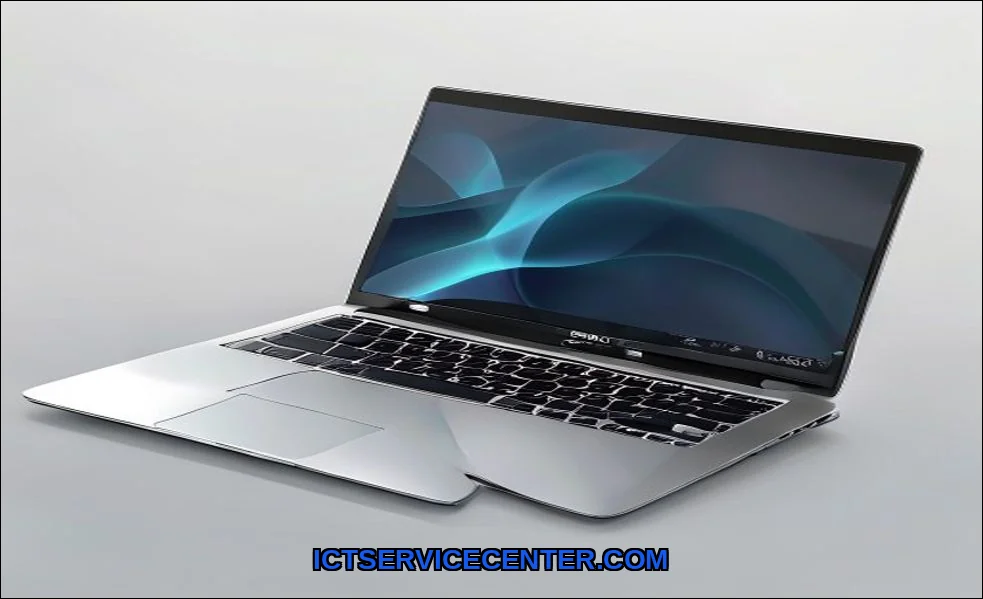
Through testing dozens of models, from feather-light Chromebooks to powerful mobile workstations, I learned where corners are cut and where true engineering shines. For instance, while searching for a balanced option, I kept coming back to the HP Latest Ultrabook.
It consistently struck a chord for its blend of portability and capability, a solid reference point in the thin and light category. Let me walk you through what I wish I knew before I started swiping my credit card.
It helps to understand how to choose a future proof laptop before going further.
My Journey to Finding the Perfect Lightweight Laptop
I started with a simple goal: find the lightest laptop possible. Big mistake. The first sub-2-pound model I tried felt like a toy.
The screen flexed, the keyboard mushed, and it choked on more than three browser tabs. That’s when I realized this isn’t just about shedding grams. It’s about solving a personal equation where performance-weight trade-off is the central variable.
Is a travel laptop just for email and Netflix, or do you need to compile code or edit photos on the go? Your answer dictates everything.
For a deeper dive into specific models that excel, our guide on the best lightweight laptops for professionals and students breaks down current front-runners. For the detail, see our notes on build quality and durability.
The Core Trade-Off: Performance vs. Portability
This is the eternal tug-of-war. Powerful processors and dedicated graphics cards generate heat and need space for cooling. Shrink the chassis, and you limit thermal headroom. I’ve felt the consequences firsthand: a sleek ultraportable laptop that turned into a lap-warmer and started stuttering during a video callclassic thermal throttling. Heres how I break it down:
- Under 2.5 lbs (1.1 kg): The realm of extreme portability. Expect processors like Intel Core i5/i7 U-series or AMD Ryzen U-series. Perfect for students, writers, and business travelers whose workload lives in the cloud, browsers, and office suites. Durability questions like is a 2-pound laptop durable enough for daily use? are valid; the answer hinges on premium build materials like magnesium alloy, not just thin plastic.
- 2.5 to 3.5 lbs (1.1 – 1.6 kg): The sweet spot for most. This is where you find the Dell XPS 13, MacBook Air, and higher-end Ultrabooks. They pack more powerful P-series or even H-series chips, better cooling, and often superior screens. This is my recommended zone for balancing performance and weight in a laptop.
- 3.5 to 4.5 lbs (1.6 – 2.0 kg): The “compact powerhouses.” This includes gaming ultraportables and mobile workstations. You get near-desktop performance in a (relatively) portable form. The trade-off is noticeable heft in your bag and almost always, shorter real-world battery life.
Where Weight Actually Matters: Screen, Build, and Battery
Manufacturers save weight in three key areas, and you need to know what you’re sacrificing.
The Display: A lighter panel often means less brightness, poorer color accuracy, or a dimmer anti-reflective coating. Ive squinted at glossy, 250-nit screens in coffee shops. For a commuter laptop, aim for at least 300 nits and a matte finish.
Resolution matters tooa 4K screen is gorgeous but drains the battery faster than a 1080p or 1440p panel. If that sounds like your bench, read up on device weight for travel next.
The Build: This is where premium build materials separate the good from the great. An aluminum unibody feels solid and dissipates heat well. Magnesium alloy is even lighter and surprisingly rigid. Polycarbonate can be fine, but it often creaks and flexes. Don’t just pick it uptry to twist the chassis gently. You’ll feel the difference immediately.
The Battery: This is the heaviest single component. A larger battery adds weight but grants freedom. Always look for watt-hour (Wh) ratings, not just “up to 10 hours” marketing. My rule: for a true all-day student laptop weight champion, look for 50Wh or more. And remember, USB-C charging means you can often use a smaller, lighter GaN charger instead of a bulky power brick.
Testing Thermal Performance in Thin Chassis
You can’t judge this from specs. You have to stress the machine. I run a 30-minute Cinebench loop while monitoring clock speeds and skin temperature.
A well-designed thin laptop will get warm but maintain consistent performance. A poor one will quickly hit 100C, throttle hard, and become uncomfortable to use.
The thermal design power (TDP) setting is keysome manufacturers allow higher sustained power in a similar chassis, which is a big win. Listen to the fans as well. A high-pitched whine is more annoying than a low whoosh.
My Hands-On Comparison of Popular Weight Classes
Let’s get concrete. Heres a snapshot from my testing log, focusing on the feel and use-case, not just specs. There is more on choosing laptop for travel in a separate guide.
| Weight Class | Example Model | Hands-On Feel & Best For | The Compromise |
|---|---|---|---|
| Extreme Light (<2.5 lbs) | LG Gram | Shockingly light, almost forgettable in a backpack. Perfect for constant, all-day mobility. | Keyboard can feel shallow, body has some flex. Performance is strictly for basic tasks. |
| Balanced Ultraportable (2.5-3.5 lbs) | Apple MacBook Air (M3) | Dense, solid feel. No thermal fans, silent operation. Excellent for creatives and general professionals. | Port selection is limited. The premium price tag. |
| Performance Portable (3.5-4.5 lbs) | Lenovo ThinkPad X1 Extreme | Feels like a tank. Outstanding keyboard travel and upgradeable RAM/storage. A true desktop replacement. | You feel the weight after an hour in a shoulder bag. Battery life is just okay. |
One critical missing entity most reviews ignore: weight distribution. A laptop that’s heavy at the rear (where the battery/hinge is) feels clumsier to open and use on your lap than one with balanced weight. Always test the one-handed open.
Final Checklist Before You Buy
Don’t just order online based on a spec sheet. If you can, go to a store. Heres my final, practical checklist from years of getting this right (and wrong).
- Weigh the Entire System: The advertised weight is usually for the bare laptop. Add the power adapter! A 2.8-pound laptop with a 1-pound brick is a 3.8-pound commitment. This is crucial for choosing a thin laptop for true travel.
- Simulate Your Carry: Put it in your actual bag with your other gear (charger, notebook, water bottle). Walk around the store. This tests carrying fatigue over time better than any number.
- Type a Full Paragraph: Assess the keyboard travel and feedback. A good keyboard is non-negotiable. Trackpad precision matters just as much.
- Check Real-World Ports: Do you really need an HDMI or USB-A port, or are you all-in on USB-C? Needing a dongle adds cost, weight, and one more thing to forget.
- Validate Battery Claims: Search for independent reviews that test battery life with web browsing or video playback, not manufacturer claims. Real-world battery life is what counts.
Remember, a laptop is a fundamental tool. If you’re still pondering the basics of how it all comes together, our explainer on what a laptop is and how it works covers the core principles. For another excellent general framework on the buying process, Microsoft’s comprehensive laptop buying guide is a great external resource.
My shoulder doesn’t ache anymore. I found my balancea 3.2-pound machine with enough power for my development work and a build that feels like it can handle my travel schedule. Your perfect weight will be different.
Maybe you need the absolute lightest for all-day campus treks, answering what is a good weight for a student laptop? with “under 3 pounds.” Or perhaps you’re a developer looking for the best lightweight laptop for programming under 3 pounds and are willing to accept less battery life.
Define your non-negotiables first. Test the feel, not just the figures. Your backand your workflowwill thank you.