
 By
By You are picking out a laptop for email, spreadsheets, and Zoom, but the spec sheet is full of jargon that does not help you decide. This page tells you exactly which processor tier keeps video calls smooth and when to skip the upgrade.
In short: For light daily use and video calls, you need a 4-core processor. The best choices are a modern Intel Core i5 or AMD Ryzen 5, or even a Core i3/Ryzen 3 from the last two generations. These chips handle 20 open tabs and a video call without lagging, while costing less than high-end models.
Quick picks
Our shortlist for this job · tap one to see today's price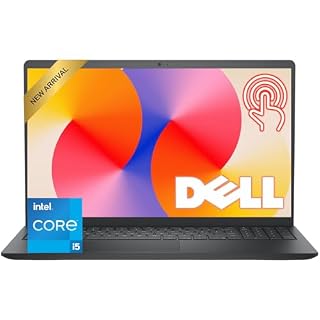
Handles your video call, music, and 15 browser tabs smoothly at the same time.

Runs cooler and often lasts longer on a single charge during long calls.
What you need before you shop
Before looking at a specific laptop, map your actual daily tasks. Most people think they need a high-end chip, but their workflow only requires mid-range power. We cover gpu basics for beginners in a guide of its own.
Your “light daily use” likely includes these four things. Keep them in mind as you read.
- Communication: Zoom, Teams, or FaceTime for video calls.
- Web Browsing: Managing 10 to 20 open tabs at once.
- Office Work: Word, Excel, or Google Workspace.
- Media: Streaming Netflix, Spotify, or 4K YouTube.
If your list includes heavy tasks like 4K video editing or gaming, stop here. That requires a completely different class of processor. For everything else on this list, the advice below is all you need to make a smart choice.
Pro tip: If your list includes video editing, gaming, or 3D rendering, you need a different processor. This guide covers light daily use only.

A simple notebook to write down your exact tasks helps you avoid buying a laptop you do not need.
Check price on AmazonWhy four cores is the sweet spot
Think of a processor core like a worker. A four-core processor has four workers, each able to multitask. This architecture is the industry standard for productivity laptops because it balances speed with energy use.
For light use, this is the ideal balance. You have enough workers to keep the video call running while you check email and listen to music, but the system does not waste energy on idle workers. When you switch between apps, the transition feels instant rather than sluggish.
- 2 Cores: The absolute minimum. It struggles when you switch apps quickly during a call. Expect freezing when loading a PDF while the meeting runs.
- 4 Cores: The sweet spot. It handles your specific workflow perfectly. You can keep a calendar, chat app, and browser running without the screen going blank.
- 6+ Cores: Overkill for light use. It drains the battery faster and adds heat that the cooling system must manage constantly.
When a laptop feels slow with many tabs open, the fix is often adding RAM rather than a faster processor. A mid-price 8GB to 16GB RAM kit makes a bigger difference to multitasking speed than an expensive CPU upgrade.
This simple memory boost keeps your virtual memory active and stops the system from swapping data to the slower hard drive. If that sounds like your bench, read up on how to choose a future proof laptop next.

An 8GB or 16GB kit refreshes an older laptop and stops it from freezing during video calls.
- Package Contents and Policies: HT03XL Battery, 2 Screwdrivers, User Manual for
- Compatible with: HP HT03XL Battery, for HP Pavilion 14-CE 14-CF 14-CK 14-cm 14-DF 14-MA
Which brand fits video calls better
Intel and AMD are both excellent for light tasks. The difference comes down to how your specific tasks feel in real-life scenarios. You will not feel a massive difference in speed, but you will feel the difference in battery life and fan noise.
Intel Core chips usually feel snappier for short, quick tasks. Opening a document or switching to a chat app happens instantly. This matters for video calls where you need to share a screen or change slides quickly. The latency is minimal, making the interaction feel seamless.
AMD Ryzen chips run more efficiently. They keep their temperatures lower, which means the laptop fan makes less noise during a long conference call. This is critical if you are in a quiet office or meeting room, where a loud fan can be distracting. They also tend to offer slightly longer battery life, giving you more time between charges.
| Factor | Intel Core i5 / i3 | AMD Ryzen 5 / 3 |
|---|---|---|
| Quick App Launch | Slightly faster | Very fast |
| Battery Life | Good | Often better |
| Idle Fan Noise | Can be audible | Usually quiet |
| Video Call Performance | Excellent | Excellent |
Pro tip: Do not worry about which brand is "better." Pick whichever laptop is cheaper or has a better screen at the same processor tier. The user experience will be nearly identical for light tasks.
Spot the generation on the spec sheet
A processor name without a generation number is useless. An i5-11th Gen is much slower and less efficient than an i5-13th Gen. The architecture changes every year, bringing better speed and lower power consumption.
To check the generation, look at the first two digits of the model number. For Intel, Core i5-1340U is a 13th generation chip. For AMD, Ryzen 5 7630U is a 7000-series chip. You want to see numbers from the last two years to ensure modern efficiency. Loaders in this spot often ask about avoiding underpowered units for light work as well.
Here is how to read the common numbers on a spec sheet.
- Find the model number. It is usually on the laptop’s sticker, in the product description, or in the BIOS after booting up.
- Look at the digits. The first one or two numbers are the generation identifier. Higher numbers mean newer technology.
- Check the date. If it is older than two generations, the laptop will feel outdated quickly and drain the battery faster.
If you cannot find the number, you can check the system information. On Windows, this is usually in the System Properties or Task Manager. On macOS, go to About This Mac. This helps you avoid buying a laptop that is technically new but has an outdated brain.
Skip the dedicated graphics card
Marketing often pushes “gaming laptops” with dedicated graphics cards for daily use. You do not need one for video calls or email. These extra chips are designed for heavy gaming or 3D rendering, not for office work.
A dedicated graphics card adds cost, generates more heat, and drains your battery. It forces the cooling system to work harder, which can lead to a warmer laptop and more fan noise during quiet meetings. For light use, the built-in graphics on your processor are more than enough to run 4K video and multiple screens.
Save your money. A laptop with only the built-in graphics will be thinner, lighter, and last longer between charges. You can use a monitor for your work without needing a powerful external card. This keeps the laptop portable and easy to carry to meetings or remote work locations.
Common mistakes to avoid
- Mistake: Buying the most expensive laptop on the shelf.
Fix: Match the processor to your actual task list. A cheap i5 is plenty for calls. Overspending on a top-tier chip for basic tasks is wasted money that could buy a better screen. - Mistake: Ignoring the screen resolution.
Fix: If you are looking at a good processor, make sure the laptop has at least a 1920×1080 display so your video looks sharp. A blurry screen is just as annoying as a slow processor. - Mistake: Buying an older generation for a “deal”.
Fix: Stick to the last two generations. The speed and battery savings are worth the small price difference. Old chips are inefficient and drain your battery quickly.
Safety first: Always buy from a reputable store with a warranty. A cheap online marketplace deal on an older laptop often comes without support if it fails during a work call.
The bottom line
For light daily use and video calls, buy a laptop with a 4-core Intel Core i5 or AMD Ryzen 5 from the last two generations. You will get smooth performance without wasting money on extra power.
The next step is to check the laptop's RAM; ensure it has at least 8GB to keep your browser tabs from slowing down your calls. We go through choosing the right solid state drive step by step in its own article.
Frequently asked questions
Can I use a 2-core laptop for Zoom and Teams?
You can, but it will likely feel laggy if you have other apps open at the same time. A 2-core chip is better for a single task, like just watching a movie, not a full workday with video calls and 20 tabs.
Is Intel i3 or AMD Ryzen 3 enough for work?
Yes. Modern i3 and Ryzen 3 chips have 4 cores and are powerful enough for light daily use. They are a budget-friendly option that handles video calls and office documents perfectly well.
How much RAM do I need with a good processor?
For light use, 8GB of RAM is the minimum standard today. If you plan to keep many tabs open during calls, 16GB is a very comfortable amount. An 8GB to 16GB upgrade is the best way to speed up a laptop that feels slow.
Does the processor affect the video quality of my camera?
Not really. Your webcam quality depends on the hardware and your internet speed. However, a slower processor can cause the video to stutter or drop frames if it is struggling to process the screen while the camera is on.