
You are wondering if running a disk cleanup or defrag will actually make your computer faster, or if it will just waste time. This page answers exactly how it affects the data your system reads and writes.
In short: Defragmentation improves read times on older spinning hard drives by arranging files into one continuous block. It has zero benefit and some downside for solid-state drives (SSDs).
Quick picks
Our shortlist for this job · tap one to see today's price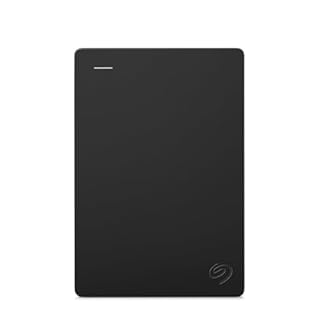
A 1TB external HDD lets you safely store the data you just organized and protected.

An NVMe SSD handles data automatically, making manual disk maintenance a thing of the past.
What defragmentation actually does to your files
Your computer saves files in small, scattered blocks across your storage. As you edit and delete things, these blocks get chopped up and separated across the drive. We cover basic gpu architecture overview in a guide of its own.
Defragmentation is a process that takes these scattered pieces and lines them up in a neat, continuous row. It is like rearranging books on a shelf so you don’t have to jump across the whole library to find a specific chapter.
When your file is scattered, the computer has to jump all over the drive to find every piece. This takes extra time. When it is together, the read head just glides along one path to find the entire file quickly.
Pro tip: You can see if your drive needs this by checking your disk's status in Windows, but you do not need to manually manage it if you follow the next steps.
How it changes read and write requests
Here is the part you were asking about: reads get faster on mechanical drives. Instead of the physical needle jumping around the disk to find all the pieces of a video, it just glides along one path.
Writes can get slower during the process. The defrag tool has to move the data, which is a heavy write operation in itself. Your computer will likely run a bit slower while the defrag is happening in the background.
Once the drive is perfectly organized, writing a new large file is slightly faster because there is a big, open chunk of space ready for it. No jumping around is required to find a spot. We cover determining the right memory capacity in a guide of its own.
But here is the hard truth: none of this applies to your solid-state drive (SSD). SSDs have no physical parts. They read a scattered file just as fast as a perfectly aligned one. Defragging an SSD only makes it work harder, shortening its lifespan.
Safety first: Do not run a defragmentation tool on an SSD. It does not help speed, it just wears out the drive.
When you actually need to defragment (and when you don't)
If you have an older computer with a traditional mechanical hard drive (HDD), you should let Windows manage it. Windows has a built-in task that runs defragmentation automatically every week. You don’t need to do anything.
On a modern laptop or PC, you have an SSD. Windows knows this and will not defragment it. It only runs a lighter “trim” command, which is completely normal and automatic.
If your drive says “Optimized” in the Windows Defragment and Optimize Drives tool, you are good to go. If it says “Optimize scheduled” or “Not scheduled,” just click “Optimize” once and let the system handle it from then on.
Pro tip: You can check which type of drive you have in Task Manager or your computer's system settings. If it says SSD, you never need to worry about manual defragging. We cover comparing storage capacity needs in a guide of its own.
Common myths about disk speed
Myth: Defragmenting an SSD makes it faster.
Fact: It does the opposite. It forces the drive to move data unnecessarily, reducing its lifespan and doing nothing for your speed. SSDs are measured in microseconds, so the time saved by a perfectly aligned file is practically zero.
Myth: You need to defrag every day to keep your PC running smoothly.
Fact: A modern Windows machine with an SSD handles data organization automatically in the background. You never need to manually touch it. A scheduled weekly task is more than enough for any drive type.
Myth: A slower computer means your drive is fragmented.
Fact: Sluggish performance is far more often caused by slow RAM, a weak processor, or too many background programs. Defragging will not fix a machine that is underpowered for the tasks you are running.
What to do if your PC feels slow
If defragging isn’t the magic bullet you’re hoping for, the real speed boosts come from upgrading your storage or your data backup. An SSD will load your operating system and apps up to ten times faster than a standard mechanical hard drive.
Because solid-state drives handle their own maintenance, moving your files to an SSD like the one below gives you the high-speed benefits without the hassle of manual maintenance. You can also use this drive to store large files like games and videos, freeing up space on your primary system drive.
A fast portable SSD like this one gives you the high-speed benefits without manual maintenance.
- Get NVMe solid state performance with up to 1050MB/s read and 1000MB/s write speeds in
- Up to 3-meter drop protection and IP65 water and dust resistance mean this tough drive
How to back up your data after you optimize your drive
Once your files are organized, you have a clean, continuous set of data. This is the perfect time to secure it. Keeping a copy of your important files on a separate drive protects you from hardware failure.
If you use a mechanical hard drive, a simple external backup drive is the most practical way to keep a safe copy of everything. Just plug it in and copy your main folders.
If your PC is feeling heavy and files are missing or corrupted, you can use a recovery tool to pull back what you lost before you back up. This is a last-resort step, but it is better to try it now than wait until you need a specific file for work or school.
A 1TB external HDD makes it easy to copy your entire organized drive to a safe backup location.
- Easily store and access 1TB to content on the go with the Seagate Portable Drive, a USB
- Designed to work with Windows or Mac computers, this external hard drive makes backup a
The bottom line
If you have a solid-state drive, defragmentation is completely pointless for speed and you should never run it. If you are stuck on an older mechanical hard drive, just let the built-in Windows tool handle it automatically. The real step up in performance is moving to an SSD or backing up your data to an external drive.
- Get NVMe solid state performance with up to 1050MB/s read and 1000MB/s write speeds in
- Up to 3-meter drop protection and IP65 water and dust resistance mean this tough drive
Frequently asked questions
Does defragmenting improve read and write speed on an SSD?
No, it actually hurts an SSD. Solid-state drives have no moving parts, so a scattered file is just as fast to read as a continuous one. Defragging an SSD forces it to move data, which unnecessarily wears out the drive and offers zero performance gain.
How often should I defragment my hard drive?
On modern Windows machines, you never need to do it manually. The operating system automatically schedules defragmentation for mechanical hard drives once a week. For solid-state drives, it only runs a different, lightweight background task that is completely normal.
Will defragmenting a mechanical hard drive make it noticeably faster?
Yes, but mostly for large files. Lining up the data means the physical read head doesn’t have to jump around the disk as much. This can make opening large games, videos, or design files a bit quicker, though it won’t make your whole computer feel brand new.
Why does my computer feel slower while a defrag is running?
Defragmentation is a heavy process. It uses a lot of your hard drive’s resources to move and rewrite data. On older computers with slow drives, this can make the system feel unresponsive until the task is complete. You can usually let it run overnight to avoid the slowdown during your workday.