
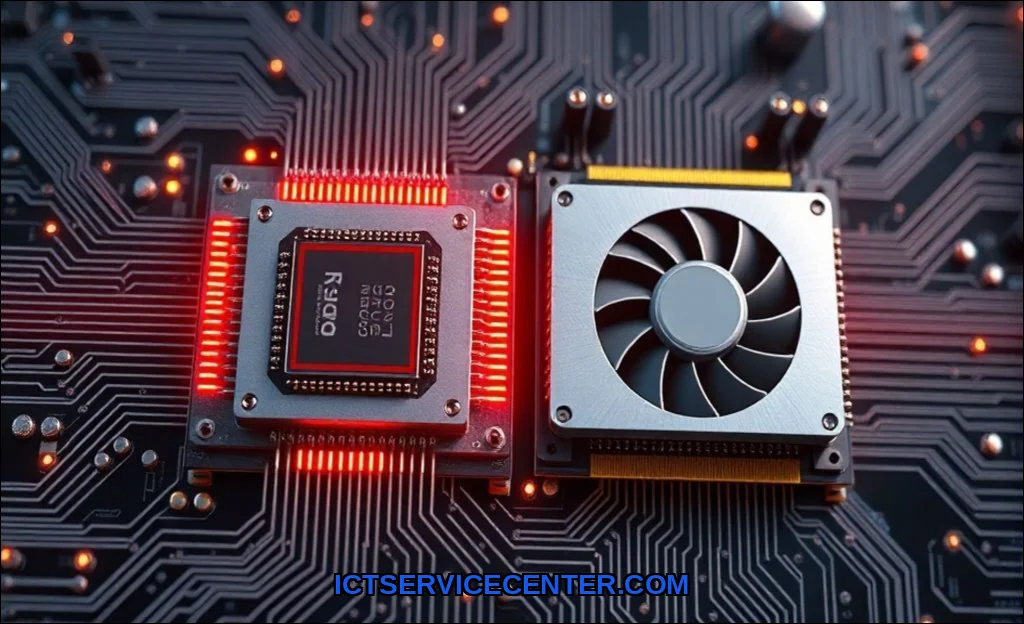
Think of your computer as a high-performance workshop. The CPU (Central Processing Unit) is the master project manager, capable of handling incredibly complex, sequential tasks with precision. The GPU (Graphics Processing Unit), on the other hand, is a massive team of specialized workers, each doing a simple repetitive task at incredible speed. For your computer to render a game, edit a video, or run an AI model, these two components must work in perfect sync. Understanding this relationship is the key to diagnosing performance issues and building a balanced system.
Before we dive deep into the architecture, a quick note on your workspace. If you’re building a powerful rig for rendering or gaming, you’ll want to see every detail. Many professionals recommend the Dell RGB Light to illuminate your desk without glare on your monitor. It’s a simple upgrade that makes a real difference when you’re tweaking settings or troubleshooting a build.
What Are CPU and GPU? Core Roles Defined
To understand how they work together, you first need to know what each part does best. They are fundamentally different in design, optimized for different types of work.
The CPU: The Sequential Mastermind
The CPU is the brain of your computer. It’s designed for low-latency, high-complexity tasks. It manages the operating system, runs application logic, and handles input/output from your keyboard and mouse. Its architecture is built around a few powerful cores (typically 4 to 16 in consumer chips) that excel at executing a single instruction pipeline very quickly.
– Instruction Cycle: The CPU fetches, decodes, and executes instructions one at a time (or a few at a time via pipelining).
– Single-thread Performance: It prioritizes raw speed on a single task. This is why a fast dual-core CPU can still feel snappier for web browsing than a slower 16-core server chip.
– Cache: CPUs have large, fast cache memory (L1, L2, L3) to reduce the time needed to fetch data from RAM.
The GPU: The Parallel Processing Powerhouse
The GPU was originally built to render graphics, but its architecture is perfectly suited for any task that can be broken into thousands of smaller, independent operations. Instead of a few powerful cores, a GPU has thousands of smaller, simpler cores called shader cores (on NVIDIA) or stream processors (on AMD).
– Parallel Processing: This is the GPU’s superpower. It can perform the same simple math operation on millions of pixels or data points simultaneously.
– Throughput over Latency: While a single GPU core is much slower than a CPU core, the sheer number of cores working in parallel gives it massive throughput.
– VRAM: The GPU has its own dedicated memory, called VRAM (Video RAM), which is optimized for high bandwidth to feed all those shader cores.
How the CPU and GPU Handle Tasks Differently
The fundamental difference comes down to the nature of the work. The how cpu and gpu differ is best illustrated by an analogy: building a house.
– The CPU is the architect. It reads the blueprints, orders the materials, and tells the construction crew what to do next. It handles the complex, sequential logic.
– The GPU is the construction crew. When the architect says “paint this wall red,” the crew doesn’t think about why it’s red. They just grab brushes and paint every square inch of that wall simultaneously.
This is the core of gpu vs cpu for gaming. The CPU calculates the physics of a bullet, the AI of an enemy, and the state of the game world. It then sends a “draw call” to the GPU, which contains the data for a specific frame. The GPU then uses its thousands of cores to parallel processing the rendering of that frameapplying textures, lighting, and shaders to every pixel.
The Handoff: How CPU and GPU Communicate
The magic happens through a structured handoff. This cpu gpu communication is managed by the operating system and the driver software (like NVIDIA’s GeForce Experience or AMD’s Adrenalin).
1. The CPU Prepares the Data: The CPU runs the game logic and determines what needs to be drawn. It organizes vertices, textures, and shader instructions into a command buffer in system RAM.
2. The Driver Interprets the Command: The driver software acts as a translator. It takes the CPU’s high-level instructions and formats them into a language the GPU can understand (e.g., DirectX, Vulkan, or Metal).
3. The Command Buffer is Sent: The CPU pushes this command buffer to the GPU via the PCI Express (PCIe) bus.
4. The GPU Executes: The GPU’s scheduler takes the command buffer and distributes the work across its thousands of shader cores. The cores then process the data, write the results to the VRAM (the frame buffer), and finally send the completed frame to your monitor.
This constant cycle is the instruction cycle on a system-wide scale. A bottleneck occurs when one component finishes its work much faster than the other, forcing the faster component to wait.
Shared vs. Dedicated Memory: How Data Flows
Memory management is a critical part of how does a cpu and gpu share memory. There are two primary architectures, and understanding them is key to knowing can cpu and gpu work simultaneously on same task efficiently.
Dedicated VRAM (Discrete GPU)
This is the standard for gaming PCs and workstations. The GPU has its own pool of high-speed VRAM (e.g., GDDR6 or HBM). The CPU uses system RAM (DDR4 or DDR5). Data must be copied from system RAM to VRAM across the PCIe bus before the GPU can work on it.
– Pros: Very high bandwidth for the GPU; no competition for memory resources.
– Cons: Copying data across the bus adds latency and consumes PCIe bandwidth.
Shared Memory Architecture (Integrated Graphics / APU)
This is common in laptops, ultrabooks, and AMD’s APUs (Accelerated Processing Units). The CPU and GPU share the same pool of system RAM.
– Unified Memory (Apple M1/M2/M3): Apple’s approach is a form of shared memory where the CPU and GPU have direct access to the same physical memory pool without copying data. This is incredibly efficient for tasks like video editing and AI inference.
– Standard Shared Memory (Intel UHD Graphics): A portion of system RAM is reserved for the GPU. This is slower than dedicated VRAM but reduces cost and power consumption.
– Pros: No data copying overhead; simpler design; lower power.
– Cons: The GPU fights for bandwidth with the CPU; limited by system RAM speed.
| Feature | Dedicated VRAM (Discrete GPU) | Shared Memory (Integrated/APU) |
| :— | :— | :— |
| Example | NVIDIA RTX 4090, AMD RX 7900 XTX | Intel Iris Xe, AMD Radeon 680M |
| Memory Type | GDDR6 / HBM | DDR5 / LPDDR5 (System RAM) |
| Bandwidth | Very High (500-1000+ GB/s) | Moderate (50-100 GB/s) |
| Latency | Lower (dedicated bus) | Higher (shared bus) |
| Best For | Gaming, 3D Rendering, AI Training | Light Gaming, Video Playback, Productivity |
Real-World Examples: Gaming, Rendering, and AI
Let’s look at how this partnership plays out in the real world, answering the question how do cpu and gpu work together for gaming.
Gaming
– CPU’s Job: Calculate the game state (enemy positions, physics, game logic). For an open-world game like Cyberpunk 2077, the CPU manages NPC AI and traffic simulation.
– GPU’s Job: Render the final image. It applies textures, lighting (ray tracing), and post-processing effects.
– The Bottleneck: If you have a powerful GPU but an old CPU, the CPU can’t send draw calls fast enough. You’ll see low FPS even though the GPU isn’t at 100% usage. This is a classic bottleneck.
– Optimization: Lowering resolution (e.g., from 4K to 1080p) reduces the GPU’s workload, making the CPU bottleneck more apparent. Higher resolution shifts the bottleneck to the GPU.
Video Rendering (e.g., Premiere Pro, DaVinci Resolve)
– CPU’s Job: Decoding video codecs, managing project files, applying complex effects that rely on single-thread performance.
– GPU’s Job: Encoding/decoding (via NVENC or AMD VCE), applying color grading, rendering transitions, and accelerating AI-driven effects (like object masking).
– Heterogeneous Computing: This is a perfect example of heterogeneous computing, where the system uses the best processor for each specific sub-task. The CPU handles the logic, while the GPU accelerates the heavy math.
AI and Machine Learning
– CPU’s Job: Loading and preprocessing data, managing the model architecture, and controlling the training loop.
– GPU’s Job: Performing the massive matrix multiplications required for training neural networks. NVIDIA’s CUDA cores are specifically designed for this.
– Parallel Computing Basics: An AI model is essentially a giant set of matrix operations. This is the perfect job for parallel computing, which is what the GPU does best. The CPU passes a batch of data to the GPU, which crunches it thousands of times faster than the CPU could alone.
Common Bottlenecks and How to Optimize Performance
A bottleneck is the single component that limits your system’s overall performance. Balancing your CPU and GPU is the most important part of building a PC.
Identifying the Bottleneck
– GPU Bottleneck: Your GPU usage is at 95-100%, but your CPU usage is low (30-50%). Solution: Lower graphical settings, resolution, or upgrade your GPU.
– CPU Bottleneck: Your CPU usage is at 90-100% on one or two cores, but your GPU usage is fluctuating (60-80%). Solution: Lower settings that affect CPU (like draw distance or physics), close background apps, or upgrade your CPU.
– VRAM Bottleneck: Stuttering in games at high texture settings. Solution: Lower texture quality or upgrade to a GPU with more VRAM.
Optimization Strategies
1. Match your components: A top-tier GPU like the RTX 4090 is wasted with an old quad-core CPU. A high-end CPU like the Ryzen 9 7950X doesn’t need a budget GPU for gaming.
2. Monitor your usage: Use tools like MSI Afterburner or Task Manager to see which component is hitting 100% first.
3. Tweak game settings: For a CPU bottleneck, reduce draw distance and physics. For a GPU bottleneck, reduce resolution, shadows, and anti-aliasing.
4. Update your drivers: Always keep your driver software up to date. Game-ready drivers often include optimizations that improve cpu gpu communication.
5. Consider an APU: For a budget build or a small form factor PC, an AMD APU with shared memory offers surprising performance for 1080p gaming without a discrete graphics card.
Future Trends: Unified Memory and Heterogeneous Computing
The line between CPU and GPU is blurring. The future of computing lies in heterogeneous computing and unified memory architectures.
Unified Memory
Apple’s M-series chips are the current leaders here. By having the CPU, GPU, and Neural Engine access the same pool of memory, you eliminate the data transfer bottleneck entirely. This makes the system incredibly efficient for creative workflows. AMD and Intel are moving in this direction with their APUs and future architectures.
Chiplet Design and Interconnects
Companies like AMD are using chiplet designs, where a single chip package contains separate dies for CPU cores, GPU cores, and I/O. These are connected via high-speed interconnects (like AMD’s Infinity Fabric). This allows for massive parallel processing capabilities and flexible configurations.
AI Integration
The next generation of processors (like Intel’s Meteor Lake and AMD’s Ryzen 7040 series) includes dedicated AI accelerators (NPUs). This allows the CPU to offload specific AI tasks, working alongside the GPU for even better performance in video calls, content creation, and gaming.
Practical Conclusion
You don’t need to be a computer engineer to optimize your system. The key takeaway is that your CPU and GPU are a team. They do fundamentally different jobs, but they are completely dependent on each other. The CPU manages the complex logic and orchestrates the work, while the GPU executes the massive, repetitive calculations needed for graphics and AI.
When you’re choosing your next laptop or building a desktop, think about balance. A powerful GPU needs a capable CPU to feed it data. Understanding concepts like how cpu and gpu differ, the role of shared memory, and how to spot a bottleneck will save you money and frustration. For a deeper dive into the fundamental role of the processor, check out our guide on how a CPU functions and its core architecture. And if you are considering a laptop, remember that the CPU and GPU are often soldered down, so understanding their interaction is critical. Read our overview on how a laptop integrates these components into a compact system. For those interested in the deeper hardware-software interaction, research from Stanford’s research on computer architecture and hardware-software security provides excellent context on modern chip design.