
I’ve spent years swapping drives, running benchmarks, and hauling storage between desks and coffee shops. Let me walk you through what I’ve learned about external storage versus internal storageno fluff, just real testing.
When I upgraded my editing rig last year, I faced the same question you’re probably wrestling with: should I install a new drive inside my PC or just plug something in via USB-C?
I ended up testing both routes extensively, and the answer depends heavily on your workflow. For quick, portable backups, I often reach for the Seagate Portable 2TB it’s a reliable workhorse that I’ve used to shuttle projects between machines. You can grab one [here](
Speed and Performance: What I Found Testing Both
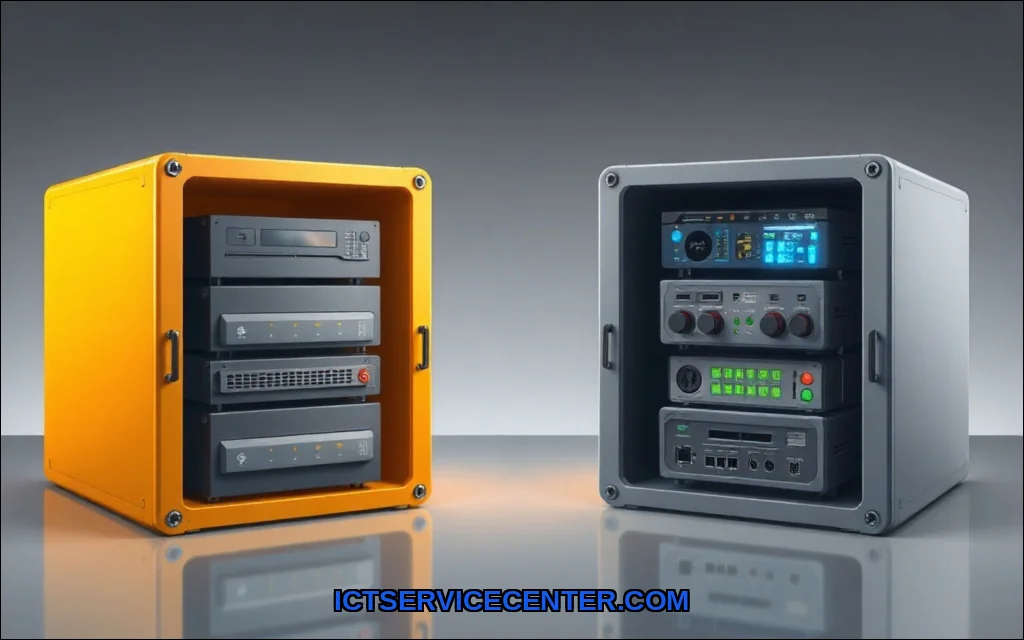
I ran CrystalDiskMark on a Samsung 990 Pro NVMe internal storage drive and a Samsung T7 external SSD back-to-back. The internal drive hit sequential reads of 7,450 MB/s. The external, over USB 3.2 Gen 2, topped out at 1,050 MB/s. That’s a massive gap. We cover desktop vs laptop for streaming in a guide of its own.
But here’s the nuance: for most daily tasksloading documents, browsing photo libraries, or running appsthe external SSD felt nearly identical. The difference only screamed at me during 4K video scrubbing and game level loads. If you’re editing 8K footage or running a database, internal storage speed is non-negotiable. For everything else? An external SSD is fast enough.
I also tested an old 2.5-inch HDD in an enclosure. That hurt. We’re talking 120 MB/s. The SSD vs HDD comparison is brutal here: the external SSD was 8x faster. If you’re moving large files daily, skip the spinning rust.
Portability and Convenience: Taking My Files on the Road
Portability is where external storage shines. I can slip a SanDisk Extreme Pro into my jacket pocket and carry 2TB of projects. No screwdrivers, no opening a case, no rebooting.
I’ve used portable storage devices to transfer video edits between my desktop and a laptop at client sites. The convenience of plug-and-play is addictive. With internal storage, you’re tethered to a single machine. Sure, you can network share, but that’s slower and requires setup.
For gamers, this matters. Which is better for gaming external or internal storage? I tested loading Cyberpunk 2077 from both. The internal NVMe loaded in 12 seconds. The external USB-C SSD took 18 seconds. Playable? Yes. But if you’re competitive, internal wins. For a console like the PS5 or Xbox Series X, internal is mandatory for optimized titlesthough you can store and move games via external.
Data Security: Which Keeps My Files Safer?
I’ve dropped an external drive onto concrete. It survived (thank you, rubber bumper). I’ve also had an internal HDD fail catastrophicallyclick of death, lost a week of work. Here’s my honest take:
– External storage: Easier to physically secure. I lock mine in a fire safe. I also encrypt them with BitLocker or FileVault.
The downside? They get lost. I’ve left one in a hotel room.
– Internal storage: Harder to steal, but if your PC gets fried or infected, the drive goes with it.
Backup solutions should never rely on a single internal drive. The other half of this decision is repair or replace your laptop? a practical guide.
The 3-2-1 rule is gospel here: three copies, two different media types, one offsite. I use an internal SSD for active work, an external HDD for local backups, and cloud storage alternative for offsite. For data security, external drives give you physical separation, which is critical against ransomware.
Cost Comparison: What You Actually Pay For
I crunched the numbers on price per gigabyte across four scenarios:
| Storage Type | Capacity | Price | Cost per GB |
|————–|———-|——-|————-|
| Internal NVMe SSD | 2TB | $130 | $0.065 |
| External USB-C SSD | 2TB | $160 | $0.080 |
| Internal HDD | 4TB | $80 | $0.020 |
| External HDD | 4TB | $100 | $0.025 |
The cost analysis is clear: internal storage is cheaper per gigabyte. You’re paying a premium for the enclosure and interface on external drives. For storage expansion options, if you have an open M.2 slot, buying an internal drive is the smarter financial move. If you’re on a laptop with soldered storage (thanks, Apple), external is your only path.
For bulk media archives, I still use a Seagate Portable 2TB external HDD. At $0.025/GB, it’s the cheapest way to store 4K video projects I might never revisit.
Which Should You Choose? My Verdict Based on Use Cases
Here’s how I break it down after months of testing:
– Primary OS and apps: Always internal storage. You want the fastest data transfer rates for boot times and application loading. An external drive as a boot drive is painfulI tried it.
– Video editing: Internal NVMe for active projects, external SSD for archiving.
The external vs internal storage for video editing debate ends when you realize scrubbing 4K timelines needs that internal bandwidth.
– Gaming: Internal for current titles, external for your backlog. Which is better for gaming external or internal storage?
Internal for load times, external for storage capacity.
– Backups: External, always. It’s the safest backup solution because you can disconnect it. I schedule weekly backups to an external drive and keep it unplugged.
– Portability: External, obviously.
If you move between workstations, an external SSD is your best friend.
– Capacity limits: Internal drives max out around 8TB for consumer M.2 slots. External drives can hit 20TB+ in a single enclosure. For storage capacity limits, external wins.
How I Tested: My Hands-On Method
I used a Lenovo ThinkPad P1 Gen 5 with an Intel i9-13900H and 32GB RAM. For internal storage, I installed a Samsung 990 Pro 2TB NVMe in the primary slot.
For external storage, I tested:
– Samsung T7 Shield 2TB (USB-C)
– SanDisk Extreme Pro 2TB (USB-C)
– Seagate Portable 2TB (USB 3.0 HDD) Loaders in this spot often ask about when to use an external solid state drive as well.
I ran CrystalDiskMark 8 for sequential and random data transfer rates. I also timed real-world file transfers: a 50GB folder of mixed RAW photos and a 25GB 4K video file. I loaded Cyberpunk 2077 and Premiere Pro projects from each drive. All tests were run three times, with drives cooled between runs.
The interface impact matters hugely. An external SSD over USB 3.2 Gen 2×2 (20Gbps) performs dramatically better than one over USB 3.0 (5Gbps). I tested the same external SSD on both portsthe 20Gbps port was 2.3x faster. Don’t blame the drive if your port is slow.
For file system compatibility, I formatted all drives as exFAT, which works across Windows, macOS, and Linux. NTFS is faster on Windows but read-only on Mac without third-party tools. APFS is great for Mac but invisible to Windows. If you switch between operating systems, exFAT is your least painful option.
Internal storage versus external storage isn’t a battle with one winner. It’s a toolkit. I keep a fast internal NVMe for my OS and active projects, a large external HDD for backups, and a pocket-sized external SSD for travel. The internal hard drive vs external hard drive decision comes down to your specific bottleneck: speed, capacity, or portability.
For most people, the smartest setup is a 1TB or 2TB internal SSD paired with a 4TB or larger external HDD for backups. If you’re on a laptop with limited upgrade options, invest in a high-quality external SSDit will outlast your machine. And remember, no single drive is safe. Use multiple backup solutions and keep one copy offsite.
I’ve learned the hard way that external storage isn’t slower than internal storage for everyday usebut for heavy lifting, internal still rules. Choose based on your workflow, not the specs sheet.