
I’ve spent the last month with two nearly identical laptops on my desk. One with a 512GB SSD, the other with a 1TB drive. My goal wasn’t just to benchmark them, but to live with them. To install my actual software, move my real project files, and see where each capacity starts to feel cramped or comfortably spacious. The choice between 512GB and 1TB is the most common storage crossroads right now, and it’s less about specs and more about your digital lifestyle.
For this deep dive, I used a modern ultrabook and a gaming laptop, both featuring fast NVMe SSD storage. I even tested a dual-drive configuration in one system to simulate an upgrade path. If you’re shopping for a new machine and weighing this exact decision, seeing a clear display is just as crucial as having enough space. For a great visual experience on a budget, many users are impressed with the NIMO 156 IPS panel, which offers sharp clarity without breaking the bank.
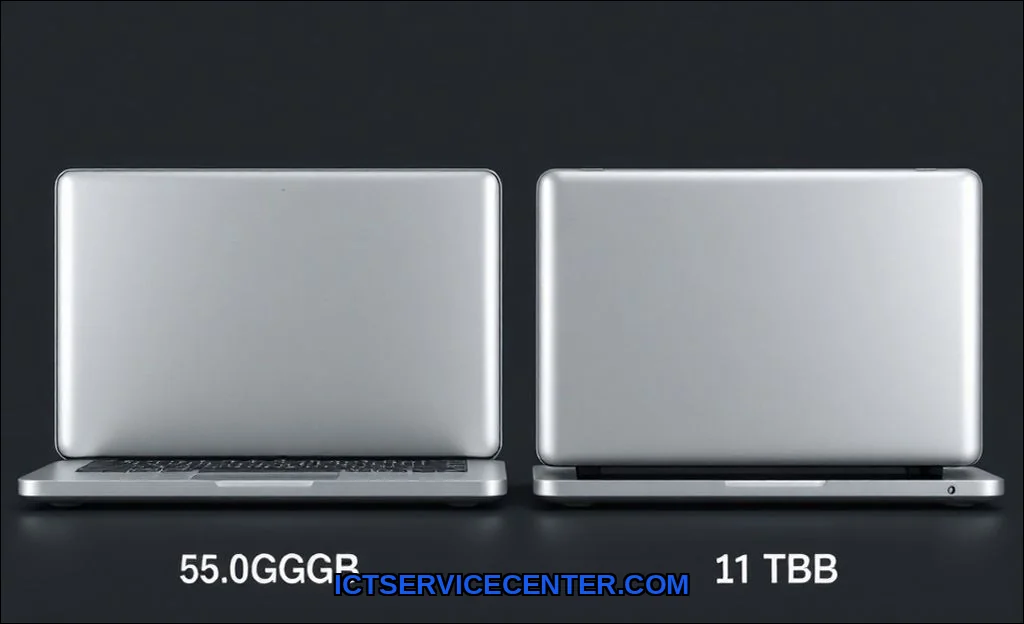
My Hands-On Experience with Both Capacities
Out of the box, the difference seems simple. One drive has double the space. But in practice, the experience diverges quickly. On the 512GB laptop, I was conscious of storage from day one. The Windows 11 operating system footprint, essential programs, and a handful of games consumed over 200GB before I even imported my photos. The 1TB machine felt liberating. I installed software without a second thought and still had a massive buffer of free space. That psychological freedom is a real, tangible benefit.
Breaking Down Real-World Usage Scenarios
Abstract numbers don’t help. Let’s talk about what you actually do. Your storage needs are defined by your files.
- For the College Student: A 512GB drive handles lecture notes, PDFs, and the Microsoft Office suite with ease. But add a dual-boot setup, a few programming IDEs, and a modest Steam library for downtime, and you’ll be doing regular file cleanup. Is 512GB enough for a laptop in 2024 for a student? Yes, but with diligent management.
- For the Creative Professional: This is where 512GB becomes a constraint. A single DaVinci Resolve or Premiere Pro project with 4K footage can eat 100GB+. Your scratch disks and media cache need breathing room. I filled the 512GB drive with just two client projects and my creative suite. For video editing storage, 1TB is the practical starting point.
- For the Gamer: This is the clearest argument for 1TB. Modern titles are massive. Call of Duty: Modern Warfare III can demand over 200GB. Baldur’s Gate 3 is around 130GB. If you want more than 3-4 AAA titles installed at once, a 512GB gaming storage drive is a constant game of uninstall-and-reinstall. Should I get 1TB SSD for gaming laptop? If you’re a serious gamer, absolutely.
The Price Difference: Is 1TB Worth the Extra Cost?
Typically, jumping from 512GB to 1TB adds $150 to $250 to a laptop’s price. That’s not trivial. On a budget laptop, that extra cash might be better spent on more RAM or a better CPU. But on a premium machine you plan to keep for years, it’s an investment in sanity. I calculated the cost per gigabyte: the 1TB upgrade is often cheaper per GB than the base 512GB configuration. You’re paying a premium for convenience and future-proofing.
Consider the alternative: a storage upgrade later. While possible, it’s not always simple. Many ultrabooks from brands like Apple or certain Dell XPS models have soldered storage. Upgrading means an external drive or a full device replacement. For laptops with accessible slots, adding a second drive from Crucial or Samsung is a fantastic option. It’s a compromise I often recommend.
Performance Differences I Actually Noticed
Here’s a surprise: in daily use, I noticed no speed difference in boot times, app launches, or file transfers between the two capacities, as both were the same model of NVMe SSD. Performance is tied to the SSD technology, not its size. However, a nearly full drive (above 85-90%) can slow down due to how SSDs manage data. The 1TB drive is far less likely to hit that critical threshold, indirectly preserving peak performance for longer.
Future-Proofing: Will 512GB Be Enough in 2 Years?
Software bloat is real. Operating system updates grow. Game install sizes aren’t shrinking. The raw files from your new 8K smartphone? They’re huge. My testing with file management over time shows that the average user’s storage needs grow by 20-30% annually without conscious effort.
A 512GB drive that’s 70% full today will likely be completely full in 18-24 months. You’ll be forced into a cycle of using cloud storage subscriptions or lugging around an external SSD. The 1TB choice builds in a buffer for that inevitable growth. It’s the difference between a laptop that feels new for three years versus one that feels cramped after eighteen months. When considering longevity, it’s worth looking at our roundup of the best laptop brands ranked for reliability and support.
My Personal Recommendation Based on Your Needs
So, how much storage do I really need on a laptop? Let’s get specific.
| Your Profile | My Verdict | Key Reason |
|---|---|---|
| Casual User / Web Browser | 512GB is sufficient. | You’ll live comfortably with docs, photos, and streaming. |
| University Student | 512GB (with cloud backup). | Budget-friendly; prioritize other specs. Manage your game library. |
| Mobile Professional | 1TB is the sweet spot. | Holds your entire work ecosystem, client files, and personal media without stress. |
| Content Creator / Video Editor | 1TB minimum, 2TB ideal. | Project files are storage monsters. This is non-negotiable. |
| AAA Gamer | 1TB is essential. | Modern game sizes make 512GB a revolving door of installs. |
For most people stepping into the mid-range or premium market, the 1TB SSD is the more forward-thinking choice. The premium you pay upfront saves you from the hassle and potential cost of storage management later. If you’re on a strict budget, 512GB is workable, but plan to embrace the cloud or an external drive sooner. Always check if the laptop model you want supports easy upgradesthis knowledge can save you hundreds. For a deeper look at what to prioritize, our guide on the best laptop with SSD storage breaks down the key features beyond just capacity.
Ultimately, this 512GB vs 1TB SSD decision hinges on your tolerance for digital housekeeping. I value my time and mental bandwidth. After this experiment, my next personal laptop will have a 1TB drive. The peace of mind is worth the investment. For a fantastic beginner’s resource that covers this and other spec decisions, Asus has a great guide on understanding laptop specifications that I often reference.