IPS vs TN vs OLED: Which Display Panel is Best?
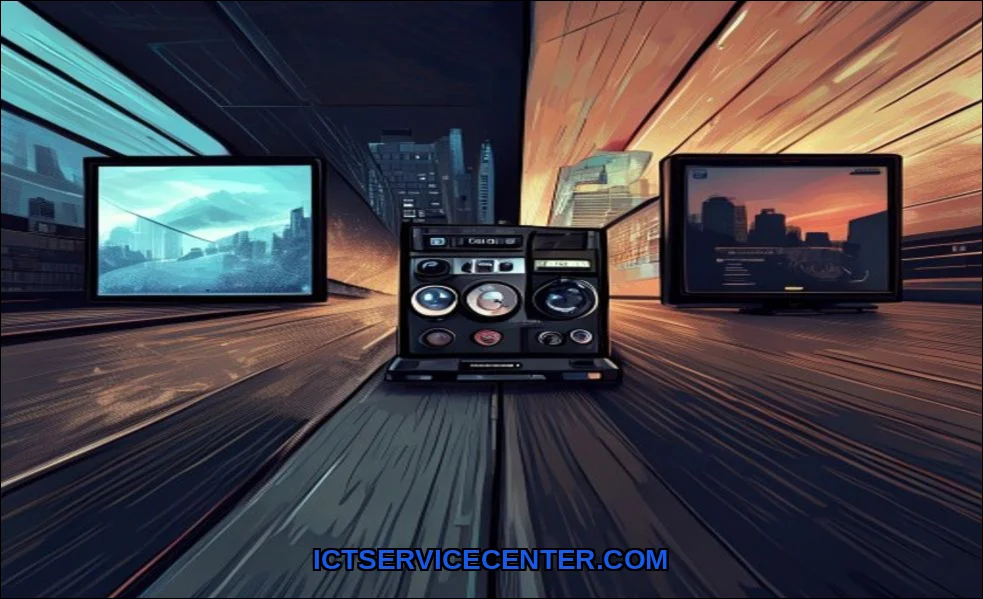
I’ve spent the last decade staring at screens. Laptops for work, monitors for gaming, tablets for reading. The panel staring back at me has always been the most critical component. It’s the window to everything digital. Recently, I set up a multi-monitor workstation with three different panel types side-by-side: an old TN for a secondary task, a modern IPS as my main, and a sleek OLED laptop. The differences weren’t just on paper. They were visceral, immediate, and changed how I worked and played.
If you’re shopping for a new monitor or laptop, you’re likely drowning in acronyms. IPS, TN, OLED. Marketing claims about “true color” and “blazing speed” only add to the confusion. I’ve calibrated them, gamed on them, edited photos, and even watched them age. Let’s cut through the noise. This isn’t about specs in a vacuum. It’s about how these technologies feel in daily use, where they excel, and where they quietly let you down.
For a fantastic, no-fuss entry point to see these differences yourself, I often point people to a solid budget option like the Sceptre New 22-Inch monitor. It’s a great way to get a feel for a modern TN panel’s speed without a huge investment, perfect for a secondary screen or a first gaming setup.
My Hands-On Experience with Different Panels
My journey started with TN, or Twisted Nematic, panels. For years, my gaming rig was powered by one. The first thing you notice? Speed. Everything feels instantaneous. In fast-paced shooters, that raw responsiveness is tangible. But lean to the side, and the image falls apart. Colors invert, the screen darkens. It was a trade-off I accepted for victory.
Then I moved to IPS, or In-Plane Switching, for my creative work. The first time I opened a photo, the difference in color accuracy and consistency was staggering. The colors looked the same whether I was sitting directly in front of it or standing up. But I also felt it. A slight hesitation in mouse movement compared to my old TN. And in dark scenes, blacks looked more like grays.
My first OLED laptop was a revelation. The infinite contrast ratio made every other screen look washed out. Watching a space documentary, the starfield against the pure black void was breathtaking. But a week in, I left a static taskbar on screen for a few hours while working. The faint ghost of it remained for a few minutes afterward. That moment of panic taught me more about burn-in risk than any article ever could.
Breaking Down the Core Technologies
To understand why they behave so differently, we need to peek under the hood. It all comes down to how each panel controls its liquid crystals or pixels.
TN: The Speed Demon
TN panels are the old workhorses. Their liquid crystals twist and untwist quickly to block or allow light from a backlight. This simple mechanism grants them incredibly fast response time, often 1ms. That’s their entire identity. However, achieving those fast transitions compromises light consistency at different angles, ruining viewing angles and color fidelity.
IPS: The Consistent Performer
IPS technology was the answer to TN’s weaknesses. Here, the crystals rotate in parallel to the panel plane. This requires more voltage and time, slightly hurting response time, but it allows for stunningly wide and consistent viewing angles. Color shift is minimal. This precision makes IPS the undisputed king for color-critical work. You can read our full IPS vs TN vs OLED display explained guide for a deeper technical dive.
OLED: The Self-Illuminating Artist
Organic Light-Emitting Diode (OLED) is a paradigm shift. Each sub-pixel is its own tiny light source. Turn it off, and you get true black. This per-pixel lighting creates infinite contrast and perfect black levels. Colors pop with a vibrancy LCDs can’t match. But those organic compounds degrade with use, and uneven degradation causes burn-in. It’s a trade-off between breathtaking image quality and long-term vigilance.
The Missing Piece: VA and Mini-LED
Most comparisons stop at three, but the landscape is richer. VA panels sit between TN and IPS, offering better contrast than IPS but slower response times. Then there’s Mini-LED backlighting, often paired with IPS. It uses thousands of tiny LEDs for dimming zones, getting closer to OLED-like contrast without the burn-in risk. Quantum dot filters, used by Samsung and others, enhance color volume and brightness. These are the hybrid technologies shaping the future.
Direct Side-by-Side Comparison
Heres a snapshot from my testing, comparing them in key areas that matter in real use.
| Feature | TN Panel | IPS Panel | OLED Display |
|---|---|---|---|
| Response Time | Exceptional (1ms common) | Good (4-5ms typical) | Excellent (can be near-instant) |
| Viewing Angles | Very Poor | Excellent | Perfect |
| Color Accuracy / Gamut | Poor to Fair | Excellent | Exceptional |
| Contrast Ratio | Mediocre (~1000:1) | Good (~1000:1) | Infinite |
| Burn-in Risk | None | None | Moderate to High |
| Typical Use Case | Competitive Gaming | Photo/Video Editing, Office | Media Consumption, Creative Work |
The IPS vs OLED color accuracy comparison is particularly nuanced. My colorimeter shows both can achieve incredible accuracy. But OLED’s per-pixel control and lack of a backlight give it a perceived depth and richness that even a calibrated IPS can’t quite replicate. However, for sheer color consistency across a wide gamut in a bright room, a good IPS panel is still the professional’s safe bet.
Real-World Use Case Recommendations
Specs are one thing. Your desk is another. Heres where I’d steer you based on what you actually do.
For the Competitive Gamer: TN’s Last Stand
If your primary goal is winning in fast-twitch titles like Valorant or Counter-Strike, the question of which is better for gaming IPS or TN still has a clear answer for the elite: TN. That raw, uncompromising response time matters at the highest levels. You’re trading image beauty for performance. Just be prepared for awful viewing angles if you use a monitor arm or have a deep desk.
For the Creative Professional: IPS is Your Canvas
For photo editing, graphic design, or any task where color truth is non-negotiable, IPS is the default choice. Its consistency is unmatched. When you send a design to a client, you need confidence it looks right on their screen. An IPS panel provides that reliability. The debate around OLED vs IPS for video editing is heating up, though. For HDR video work where contrast is king, OLED is tempting, but the risk of static timeline UIs causing burn-in is real. I’d still recommend a high-end, wide-gamut IPS for most pro video editors.
For the Media Enthusiast: OLED’s Theater
If you watch movies, play immersive single-player games, or simply want the most stunning picture, OLED is in a league of its own. The contrast makes everything more engaging. For a laptop dedicated to media, check out our picks for the best laptop with OLED display. Just use dark modes, hide taskbars, and vary your content. It requires a bit of babysitting.
For the General User & Hybrid Worker: The IPS Sweet Spot
Most people need an all-rounder. You write emails, watch YouTube, edit vacation photos, and maybe play the occasional game. Here, IPS is the champion. It has no major weaknesses. Good enough color, good enough speed, great viewing angles. It’s the sensible, long-term choice. For a broader look at balanced laptops, Rtings’ comprehensive laptop testing and recommendations is an invaluable external resource I trust.
What I Wish I Knew Before Buying
- Panel Lottery Exists: Especially with IPS. Two monitors of the same model can have different levels of backlight bleed or color uniformity. Check return policies.
- Response Time is a Messy Metric: Manufacturers love “1ms” labels, but many use aggressive overdrive that causes inverse ghosting. Look for reviews that test real gray-to-gray performance.
- Brightness Matters for HDR: An OLED can have perfect blacks, but if it only hits 400 nits, HDR content won’t “pop” as intended. Peak brightness is crucial for true HDR.
- Your GPU Matters: Pairing a 360Hz TN panel with a budget GPU is pointless. Match your display’s refresh rate to the performance your system can actually deliver.
Future Display Technologies to Watch
The race isn’t over. MicroLED is the holy grailit has OLED’s per-pixel lighting but with inorganic materials, eliminating burn-in. It’s years away from consumer affordability. Today, keep an eye on Mini-LED backlighting in IPS panels (like in recent Apple and Dell pro displays) and Samsung’s hybrid QD-OLED technology. They’re bridging the gap, offering near-OLED contrast with less anxiety. The next few years will be about blending strengths, not choosing sides.
After all this testing, my own setup reflects a compromise. My main driver is a high-refresh-rate IPS monitor. It gives me 95% of the color fidelity I need for work and 90% of the speed I want for gaming. My laptop is OLED, reserved for content consumption and travel where its flaws are easier to manage. The old TN? It’s in the closet, a relic of a time when speed was all that mattered. There’s no single “best” panel. There’s only the best panel for the hours you’ll spend looking at it. Choose based on your dominant activity, acknowledge the trade-offs, and you’ll never feel buyer’s remorse. Your eyes will thank you.