
I’ve spent the last month with both the new MacBook Air M3 and the 14-inch MacBook Pro M3 on my desk. Not just running benchmarks, but living with them. Editing photos, compiling code, hopping on video calls, and yes, even tossing them in a backpack for a cross-country flight. The choice between them is more nuanced than ever, and it goes far beyond a simple spec sheet. If you’re looking for the absolute latest, many are already eyeing the rumored Apple 2026 MacBook, but for what’s available right now, here’s my honest, hands-on breakdown.
My Hands-On Testing Experience
I set up both machines identically. Same apps, same files, same workflow. The goal was to feel the difference in daily use, not just read numbers from a synthetic test. I pushed them through my typical week: writing, light graphic design, managing dozens of browser tabs, and occasional video encoding. The divergence in their personalities became apparent almost immediately.
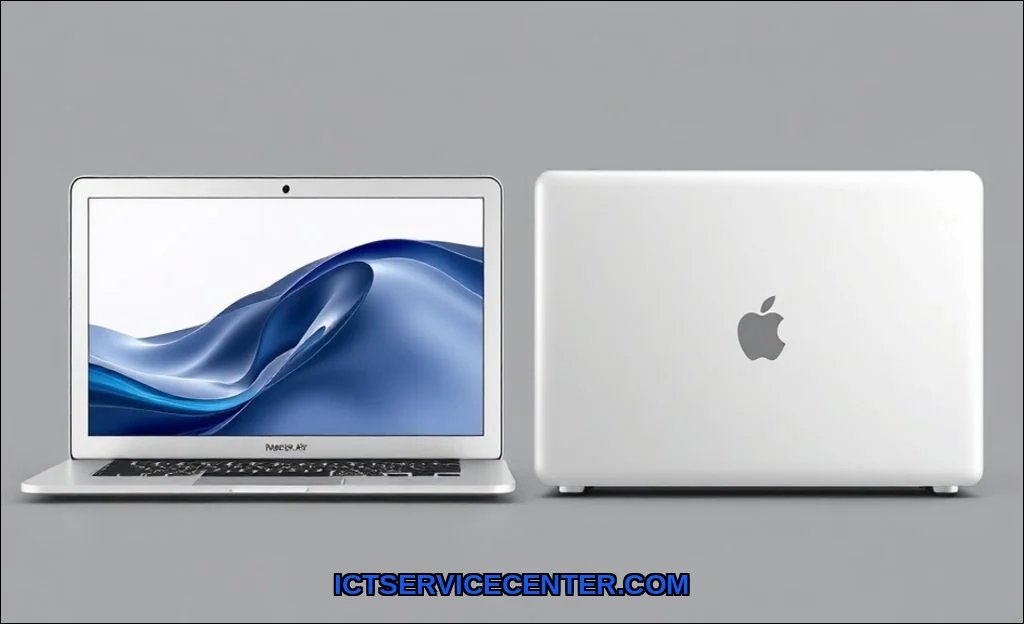
Side-by-Side: Design & Feel
Pick up the Air, and its identity is clear. Its astonishingly thin and light. That classic wedge shape still feels like the future. The Pro, while still portable, has a more substantial, dense feel. It communicates capability. The weight and thickness difference is real in a backpack, especially on long travel days. For pure, unadulterated portability, the Air wins. But the Pros heft brings tangible benefits: more ports. Having an SD card slot and HDMI built-in is a genuine workflow saver I found myself missing on the Air.
- MacBook Air: The king of the coffee shop. Slips into any bag effortlessly.
- MacBook Pro: The mobile workstation. You feel the premium build, and the ports mean you often leave the dongle at home.
Performance Showdown: Real-World Tests
Heres where the Apple Silicon comparison gets interesting. Both have an M3 chip, but they are not the same experience. For burst tasksopening apps, light editing, everyday multitaskingthey feel nearly identical. Snappy and immediate.
The split happens under sustained performance. Exporting a 10-minute 4K video in Final Cut Pro? The Airs fanless design is a marvel of silence, but the thermal envelope is a real constraint. About halfway through, I could feel the chassis get quite warm, and the export time started to lag behind the Pro. The Pros active cooling system just hummed quietly, maintaining peak speed. For workload spikes like compiling a large Xcode project or applying complex filters in Lightroom, that fan makes all the difference. So, is MacBook Air M3 enough for video editing? For short clips and 1080p work, absolutely. For hour-long 4K timelines with effects, youll feel the wait.
This is where understanding your computer’s background processes becomes crucial, as they can silently eat into your performance headroom on a thermally constrained machine.
MacBook Air M3 vs Pro M3: A Workflow Reality Check
| Task | MacBook Air M3 Feel | MacBook Pro M3 Feel |
| Lightroom Classic Export (50 RAW photos) | Fast, but chassis gets warm | Consistently fast, cool to the touch |
| Xcode Compile (Medium-sized project) | Good speed, slight slowdown on repeated compiles | Peak speed every time, no slowdown |
| Having 30+ Chrome tabs + Slack + Spotify | Handles it easily with unified memory | Handles it easily, with more headroom |
Screen & Sound: What You Actually Notice
The Airs Liquid Retina display is excellentbright, sharp, and color-rich. Then you open the Pro. The Liquid Retina XDR display with ProMotion technology is in another league. The 120Hz smoothness makes every scroll buttery. The extreme dynamic range and pinpoint brightness make photo editing a more confident experience. The difference in color accuracy for critical work is noticeable to a trained eye.
Audio follows suit. The Air sounds good for a laptop. The Pro sounds shockingly great, with a clarity and bass presence that makes casual listening or video conference calls more immersive. You don’t realize you need it until you experience it daily.
Battery & Heat: The Daily Grind
Both have phenomenal battery life. The Air often edged out the Pro in my use, likely due to its lower-power display and efficient fanless design. For a full day of writing, research, and communication, neither will let you down.
Heat management is their core differentiator. The Air can get uncomfortably warm on your lap during intensive tasks. The Pro manages heat so effectively it rarely feels more than lukewarm. This directly answers does MacBook Air throttle under load? Yes, it does, to manage that heat. Its not a flaw, but a design trade-off. The Pro is built to avoid thermal throttling altogether.
Who Should Buy Which (Honest Advice)
This isn’t about good vs. bad. It’s about the right tool.
Get the MacBook Air M3 if:
- Your mantra is portability first. Students, constant travelers, and digital nomads will love its weight.
- Your work is bursty: writing, coding, web development, spreadsheets, moderate photo editing.
- You value silence above all else. The fanless operation is blissful.
- Youre asking, “Is the MacBook Pro overkill for students?” For most, yes, the Air is perfect.
Get the MacBook Pro 14-inch M3 if:
- You deal with sustained loads: professional video editing, music production, advanced coding, 3D rendering.
- The display and speakers are non-negotiable tools for your creative work.
- You want the peace of mind that performance wont dip, no matter how long you push it.
- You need the built-in ports for cameras, monitors, or external storage regularly.
- Youre wondering, “MacBook Air vs Pro for programming 2024?” For heavy-duty compiles and running multiple virtual machines, the Pros thermal headroom is worth it.
Choosing between an ultraportable vs workstation laptop often comes down to your tolerance for the portability premiumwhat you give up in thinness for raw, consistent power.
Final Verdict: My Personal Choice
After a month of switching between them, my personal choice depends on the day. For pure writing, travel, and general life admin, the Airs lightness is intoxicating. Its the ultimate computer for everyday use vs professional heavy lifting.
But when I need to edit photos for publication or manage a complex development environment, I reach for the Pro. The consistent performance, the sublime screen, and the simple convenience of the ports make it the tool that gets out of the way. Its a creative workstation laptop that fits in a backpack.
For a detailed, spec-by-spec breakdown beyond my experience, I often use a great external tool like this comprehensive laptop comparison website to see all the numbers laid out.
In the end, you cant go wrong. Both are exceptional. The Air is a masterpiece of efficiency and portability. The Pro is a benchmark of relentless capability. Choose based on your heaviest daily task, not your dream workload. And remember, a smooth experience starts from the moment you power on, much like understanding the intricate steps of a computer’s boot process ensures you appreciate the engineering behind the instant-on illusion.