What Is an Expansion Slot in a PC? Types & Uses Explained
Contents
If you’ve ever opened a desktop PC and wondered what those long, empty slots on the motherboard are for, you’ve come to the right place. These are the gateways to upgrading your computer’s capabilities. They are called expansion slots, and understanding them is key to building or upgrading your own rig.
An expansion slot is a physical connector on your computer’s motherboard that allows you to install an expansion card. This simple interface is what gives your PC the ability to do things its base hardware wasn’t designed for. Want better graphics? You add a graphics card. Need faster networking? You install a network adapter. The expansion slot is the bridge between your motherboard and the card’s added functionality.
### The Role of Expansion Slots in Modern Computers
Think of your motherboard as the central nervous system of your PC. The CPU is the brain, but the expansion slots are the spinal cordthey carry data to and from the peripheral devices. Without them, your PC would be stuck with whatever was soldered onto the board at the factory.
This is a huge deal for what is the purpose of expansion slots in a PC. They provide flexibility and future-proofing. You can start with a basic office computer and, later, turn it into a gaming rig or a video editing workstation. For instance, if you are building a machine for heavy data work, many professionals recommend using the Seagate Storage Expansion which is available [here](Check Price on Amazon to add massive, high-speed storage via a PCIe slot.
## Common Types of Expansion Slots
Not all slots are created equal. Over the years, the industry has standardized several expansion slot types, each with different speeds, sizes, and purposes. Knowing the difference is crucial when picking a best desktop computer for home use or a workstation.
### PCI Express (PCIe) Slots
The current king of the hill is PCI Express (often called PCIe). This is the standard you will find on any modern motherboard from Intel or AMD. It uses a point-to-point architecture, meaning each device gets its own dedicated lane to the CPU. This is far superior to older shared-bus designs.
– PCIe x1: The smallest slot. Perfect for sound cards, Wi-Fi adapters, or simple I/O cards.
– PCIe x4: Often used for M.2 NVMe adapters or high-speed storage controllers.
– PCIe x8: Usually found in server boards or as a physical slot for RAID controllers.
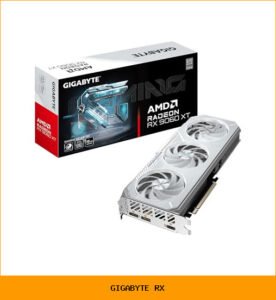
– PCIe x16: The largest slot. This is your graphics card slot. It provides the highest bandwidth, essential for modern GPUs from NVIDIA or AMD.
When comparing PCI vs PCIe, the difference is night and day. While PCI was a parallel bus (slower and more complex), PCIe is a serial bus that scales much better. The PCIe x16 slot is the primary focus for anyone building a gaming or creative workstation.
### Legacy Slots: PCI and AGP
You might encounter older slots on vintage hardware. While you won’t use them for a modern build, knowing them helps when buying used equipment.
– PCI (Peripheral Component Interconnect): The predecessor to PCIe. It was the standard for decades. It is slower and shares bandwidth across all devices. You will find these on older motherboards for network cards or sound cards.
– AGP (Accelerated Graphics Port): This was a dedicated slot specifically for graphics cards. Before PCIe took over, AGP was the only way to get decent 3D performance. It is now completely obsolete.
## What Expansion Cards Can You Install?
The world of add-on cards is vast. You can literally change the personality of your computer by slotting in the right card.
### Graphics Cards and GPUs
This is the most common reason people look at expansion slot types. A dedicated GPU (Graphics Processing Unit) is essential for gaming, 3D rendering, and video editing. It plugs into the PCIe x16 slot and handles all the heavy lifting for visual output. Without it, you rely on the integrated graphics in your CPU, which is fine for browsing but terrible for gaming.
### Network and Storage Adapters
Not every motherboard comes with the best networking. You can install a:
– Network Interface Card (NIC): For wired Ethernet (often 2.5GbE or 10GbE).
– Wi-Fi Card: Adds wireless connectivity if your board lacks it.
– Storage Controller: Allows you to connect more hard drives or SSDs than the motherboard supports natively.
## How to Identify Expansion Slots on Your Motherboard
Identifying motherboard slots is straightforward once you know what to look for. The physical size is the biggest clue.
### Physical Differences and Key Features
– Length: The PCIe x16 slot is the longest. The PCIe x1 is the shortest. They are keyed (notched) so you cannot insert a card into the wrong slot.
– The Latch: Most graphics card slot connectors have a small plastic latch at the end. You must press this down to release the card.
– Labeling: The motherboard usually has the slot type printed next to it (e.g., “PCIe 4.0 x16”).
– Hot-swappable slots: While rare in standard desktops, some enterprise boards support hot-swap, allowing you to remove a card without shutting down the PC.
## Choosing the Right Expansion Slot for Your Needs
You cannot just plug any card into any slot. You need to match the card’s requirements with the slot’s capabilities.
### Bandwidth and Performance Considerations
The biggest mistake is putting a high-performance graphics card into a PCIe x8 or PCIe x4 slot. While it will physically fit (usually), you will lose significant performance because the slot cannot provide enough bandwidth.
– For a GPU: Always use a PCIe x16 slot that is connected directly to the CPU (usually the top slot on the motherboard).
– For storage: A PCIe x4 slot is fine for an NVMe adapter.
– For networking: A PCIe x1 or x4 slot is sufficient for most network cards.
If you are building a best desktop for office work, you probably only need the slots for a Wi-Fi card. For a gaming PC, the graphics card slot is your priority.
## Frequently Asked Questions About Expansion Slots
What is an expansion slot in a computer?
It is a connector on the motherboard that allows you to add functionality via an expansion card. It is the expansion slot definition you need to know for upgrading.
What are the different types of expansion slots?
The main types of expansion slots are PCI Express (x1, x4, x8, x16) and legacy slots like PCI and AGP. PCIe is the modern standard.
How does an expansion slot work on a motherboard?
The slot connects directly to the CPU or chipset via data lanes. When you install a card, the motherboard allocates bandwidth to that device, allowing it to communicate with the rest of the system.
Can I install any card in any slot?
No. A card designed for PCIe will not fit in an AGP slot. Also, a PCIe x16 card can physically fit in a PCIe x8 slot (if open-ended), but it will run at reduced speed.
What is the point of external GPU enclosures?
For laptops, an external GPU enclosure uses a Thunderbolt port to connect to a graphics card. This is a workaround for machines that lack internal expansion slots.
### Practical Conclusion
Understanding expansion slots turns you from a passive user into an active builder. Whether you are upgrading a graphics card, adding a network adapter, or simply curious about the peripheral component interconnect bus, this knowledge is power.
For a deeper dive into how hardware interacts with software, you can check out this resource on [computer hardware and software](https://opentextbc.ca/computerstudies/chapter/computer-hardware-and-software/). The bottom line is simple: the expansion slot is your PC’s way of saying, “I can be more.” Use it wisely.