
I’ve unboxed, tested, and yes, accidentally dropped more laptops than I can count. The first thing my hands register isn’t the screen or the keyboardit’s the chassis. That initial feel tells me a story about durability, portability, and the manufacturer’s priorities long before I ever boot it up. Choosing the right material isn’t just about specs; it’s about how the machine fits into your daily grind, survives your commute, and feels in your hands at midnight when you’re finishing a project.
For professionals who need to carry that investment securely, a reliable bag is non-negotiable. In my own setup, I trust the Alpine Swiss Executive laptop bag. It provides the structured protection a premium device deserves, especially when you’re juggling tech made from different, sometimes delicate, materials.
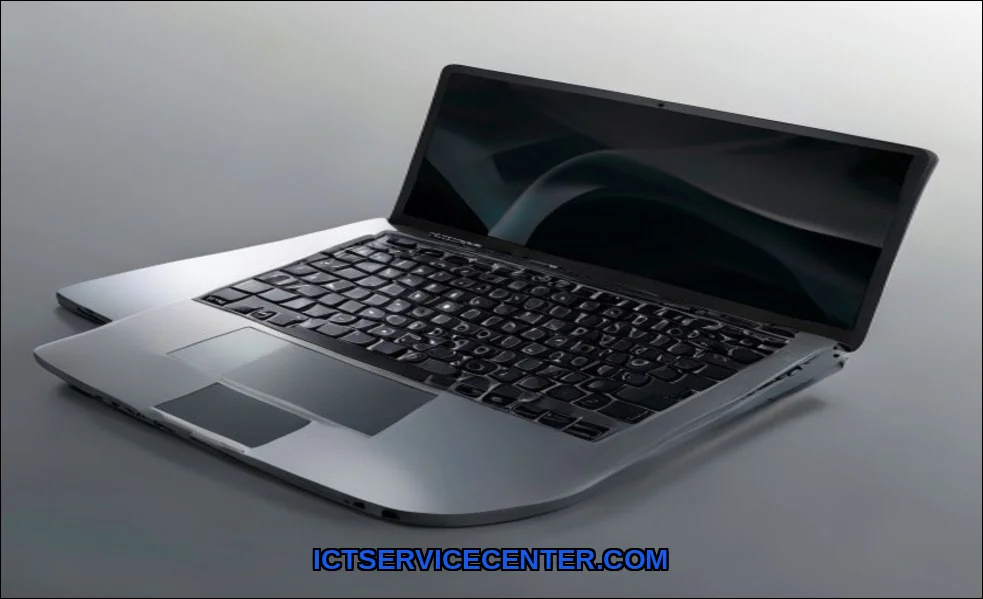
My Hands-On Experience with Different Laptop Materials
Over the years, my desk has been a graveyard of laptop shells. I’ve felt the icy kiss of milled aluminum on a Monday morning and the faint flex of a polycarbonate frame during a hectic travel day. This isn’t abstract theory. It’s the accumulated experience of typing on dozens of machines, noting which ones develop creaks, which ones stay cool under load, and which ones simply feel like they’ll last. Each material choice in a laptop chassis material is a deliberate compromise. My goal here is to translate those engineering trade-offs into real-world advice you can use.
Breaking Down the Core Contenders: A Direct Comparison
Let’s get tactile. We’re primarily talking about five key players in the laptop construction arena. Each brings a distinct personality to the device.
The Classic: Aluminum (and its Alloys)
Apple’s MacBooks made this the gold standard for a reason. I love the instant premium feel and solidity. It’s not just “metal”; it’s often a specific 6000-series aluminum alloy, precision-machined and anodized. That anodization is crucialit’s the hard coating that resists scratches and gives it color. The structural rigidity is superb; there’s virtually no keyboard flex. But it’s cold to the touch in winter, can dent on sharp impacts, and adds noticeable heft. For a deep dive on how the chassis interacts with internal components, this external guide to core laptop components offers great context.
The Featherweight Champion: Magnesium Alloy
This is the secret sauce for many premium ultrabooks from Lenovo’s ThinkPad X1 series or high-end Dell XPS models. The first time I picked up a magnesium alloy laptop, I was shocked. It felt as solid as aluminum but significantly lighteranswering that which laptop material is most lightweight question for strength-conscious users. It has a slightly warmer, softer feel than aluminum. The alloy’s composition is key for strength, but it often has a painted or soft-touch coating that can wear over time. So, how durable is a magnesium alloy laptop? Structurally, very. Cosmetically, the coating can be a weak point.
The Exotic Performer: Carbon Fiber
Found in true high-end portables, carbon fiber is a different beast. I’ve used laptops where the laptop shell is a woven composite, and the weight-to-strength ratio is incredible. It’s lighter than magnesium and fantastically rigid. The feel is uniquesmooth, slightly textured, and always warm. The major caveat? Cost. It’s expensive to mold and finish, placing it firmly in flagship territory. It also doesn’t conduct heat as well as metal, which designers must account for.
The Workhorse: Polycarbonate (and Reinforced Plastics)
Don’t dismiss plastic. Modern polycarbonate blends, often with glass fiber reinforcement, are engineering marvels. I’ve tested budget laptops and ruggedized machines where this laptop enclosure material shines. It’s light, excellent at absorbing shock (less denting, more flexing), and allows for complex, curved designs at low cost. The downside? That premium feel is often missing. It can feel hollow or creak under pressure, and it’s more prone to cosmetic scratches. The great are aluminum laptops better than plastic debate often hinges on this trade-off between perceived quality and practical resilience.
The New Frontier: Recycled & Sustainable Materials
This is where the industry is getting interesting. I’m now seeing laptop frames made from post-consumer recycled aluminum, ocean-bound plastics, and even bio-based polymers. From a pure performance standpoint, they match their virgin counterparts. The real win is in reduced environmental impact. Using these materials speaks to a company’s commitment to sustainabilitya factor becoming increasingly important for long-term value and brand loyalty.
| Material | Hands-On Feel | Typical Weight | Key Strength | Key Compromise |
|---|---|---|---|---|
| Aluminum Alloy | Cool, very solid, rigid | Medium-High | Premium aesthetics & rigidity | Weight, can dent, colder feel |
| Magnesium Alloy | Warm, very solid, lighter touch | Low-Medium | Excellent strength-to-weight ratio | Coating can wear, higher cost |
| Carbon Fiber | Smooth, warm, uniquely textured | Very Low | Ultimate lightness & rigidity | Very high cost, complex thermal design |
| Polycarbonate/Plastic | Can feel light/hollow, warmer | Low | Light, shock-absorbent, cost-effective | Less premium feel, can flex/creak |
The Durability & Protection Showdown: What Actually Survives
Scratches, dents, and drops. I judge laptop body durability in layers. Aluminum resists scratches well but will permanently dent on a corner impact. That gorgeous unibody can be costly to repair. Magnesium alloy is remarkably tough for its weight, but I’ve seen the paint chip. Polycarbonate might scratch easily, but it often flexes and pops back instead of dentinga huge advantage for a durable laptop body in chaotic environments. Carbon fiber is incredibly tough but can be susceptible to splintering under extreme, focused force. For maximum protection, especially for a performance machine, consider your use case against our guide to the best laptops for speed and performance.
Weight vs. Strength: Finding Your Personal Sweet Spot
This is the eternal tug-of-war. Carrying a 4-pound aluminum laptop versus a 2.5-pound carbon fiber machine changes your daily life. I’ve found magnesium alloy often hits the sweet spot for business usersstrong enough for the boardroom, light enough for the cross-country flight. Gamers, however, prioritize cooling and rigidity over shaving ounces, leading to different choices. If your priority is power on a budget, you’ll face this trade-off head-on when looking at the best affordable gaming laptops, where lightweight laptop materials often take a back seat to cooling capacity.
Beyond the Surface: Thermal Performance & Feel
This is a critical, often overlooked factor. Metal chassis, especially aluminum, act as a giant heat sink. This aids in heat dissipation, pulling warmth away from internal components. It’s why the underside of a gaming laptop under load can get very hotthe metal is doing its job. Plastic is an insulator, so heat must be expelled through vents and fans alone, sometimes leading to louder cooling systems. That “feel” extends to temperature. A metal laptop can be uncomfortably cold in a chilly room and warm during use. Plastic stays closer to ambient temperature. There’s no right answer, just personal preference and thermal design execution.
What Most Reviews Miss: Sustainability & Long-Term Value
We need to talk about the lifecycle. A laptop’s environmental impact isn’t just about energy efficiency. It’s about the mining and processing of raw aluminum, the petroleum base of plastics, and what happens in ten years when the device is obsolete. This is why I’m encouraged by brands incorporating recycled materials. Choosing a laptop with a recycled aluminum body or ocean-bound plastic parts is a vote for circular design. It adds a layer of sustainability to the definition of “value.” This long-term thinking about resources is as important as the short-term specs.
My Final Verdict: Choosing Based on Your Real-Life Use
So, what is the best material for a laptop body? It depends entirely on your portrait as a user.
- The Mobile Professional: Prioritize weight and strength. Magnesium alloy is your champion. Carbon fiber if budget allows.
- The Creative Pro / Premium User: You want that impeccable build quality and feel. Anodized aluminum is still hard to beat for that instant, premium impression.
- The Budget-Conscious & Student User: Modern reinforced polycarbonate offers incredible value. It makes a lightweight laptop possible on a tight budget. Just manage expectations on the “feel.”
- The Gamer & Power User: You need rigidity for complex internals and often rely on the chassis for heat dissipation. Aluminum or robust aluminum-magnesium blends are typically the go-to.
- The Eco-Conscious Buyer: Seek out brands explicitly using post-consumer recycled metals or plastics. You’re supporting the future standard.
Forget the marketing hype. Hold the laptop. Flex the lid. Consider your bag, your desk, your commute, and your conscience. The best material isn’t the most expensive one; it’s the one that disappears, reliably and comfortably, into the story of your work and life.